And the promised update months ago never appeared.
There has been many updates since this thread started and you did say in one of your posts that a previous update had made a difference / improved but not much.
In your last post using Version 10.1.4588 after 5.5 hours your memory usage was 736mb ram. Does that still go up if you leave it open longer ?
The problem has not changed. I also had 1.5 GB RAM consumption after the app had been running for a few days…and that was with the version from the end of November.
@Doktor have you used the new Record Memory Usage function to report the issue? I went ahead and purchased the app, but I have not found the time neither courage to use it yet given my concerns in this department as well as some other areas in the UX department that they have said would be addressed soon.
I once created a report, but I couldn’t send it because it was too big for an email and my premium support had already expired, so I couldn’t upload it.
I once created a report, but I couldn’t send it because it was too big for an email and my premium support had already expired, so I couldn’t upload it.
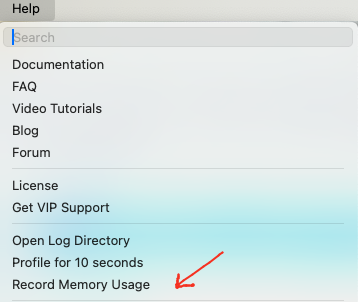
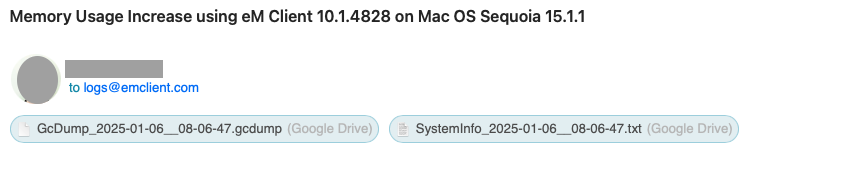
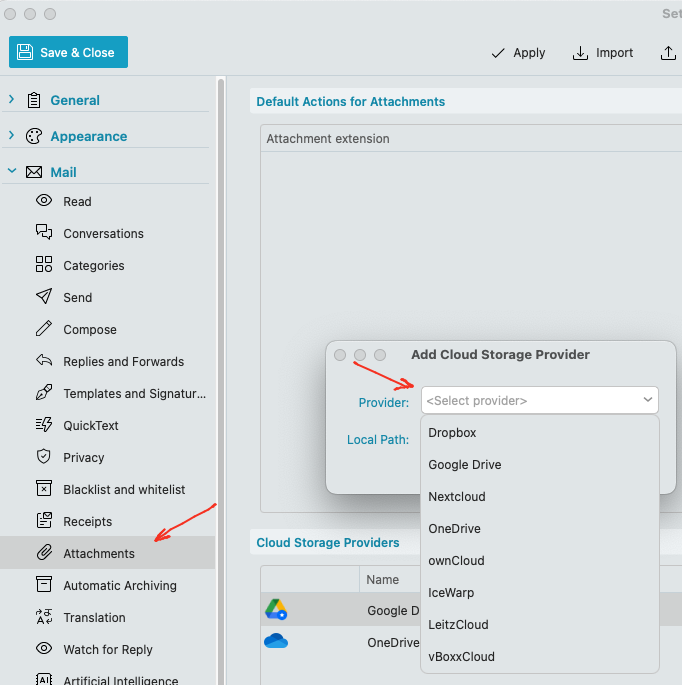
Ok. Then when you record the Memory usage (via Help / Record Memory Usage) it creates the email with the memory dump .gcdump file & the systeminfo.txt file to [email protected] where if you have setup “Cloud attachments” via “Menu / Settings (Preferences) / Mail / Attachments” using either Google Drive, One Drive, DropBox, OwnCloud, Nextcloud, vBoxxCloud, LeitzCloud, or IceWarp, eM Client “will then prompt you to send using your cloud drive” due to the size of the Memory Dump and "you don’t then need to send the log via VIP Support.
Sorry i didn’t mention that previously. So anyone in this thread who is getting the high memory usage, and doesn’t have a Paid VIP Support, send the Log this way as @Filip_Navara advised.
I’ve not been aware of any issues but will keep an eye on whether memory usage grows significantly during usage. Currently:
macOS: 15.3.2
eM Client: 10.1.4828
RAM usage: 450 - 470 MB (after approximately half an hour; fluctuates up and down)
Threads: ~30
Accounts: 1 (Outlook)
RAM installed: 64 GB
Note that macOS will aim to make maximum usage of the RAM that you have available, so it may be worthwhile also mentioning how much physical RAM is installed when making comparisons. The more important thing to watch for is whether “Memory Pressure” becomes problematic in the Activity Monitor.
I haven’t used eM Client since I posted my last comment in November 2024; still using Airmail, and since then, the only change I made is that I upgraded to Sonoma (Still can’t upgrade to Sequoia because of audio software/plugins compatibility issues), until now, just to give eM Client another shot, on version 10.3.2597 …
So, here we go again, 8 months later:
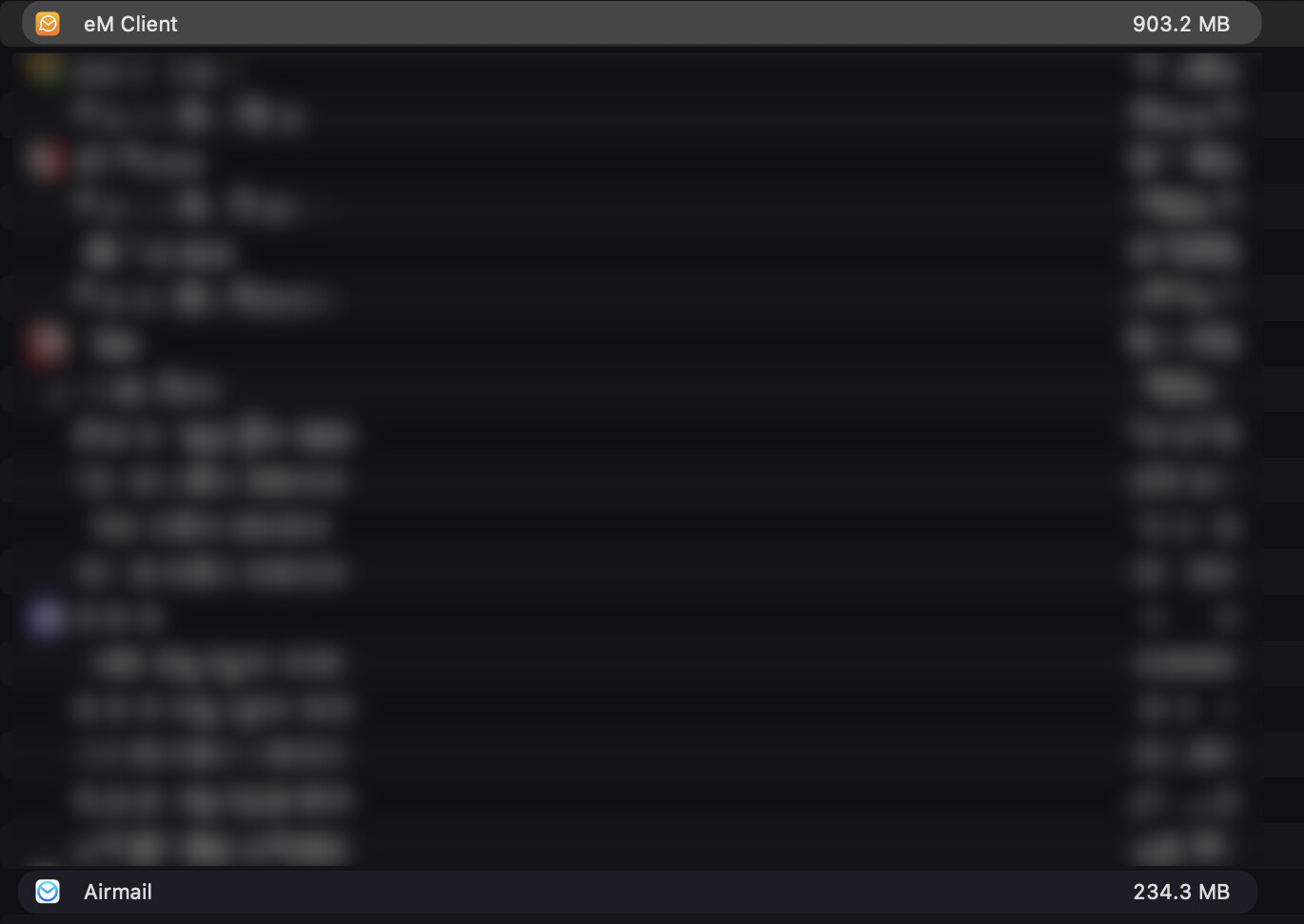
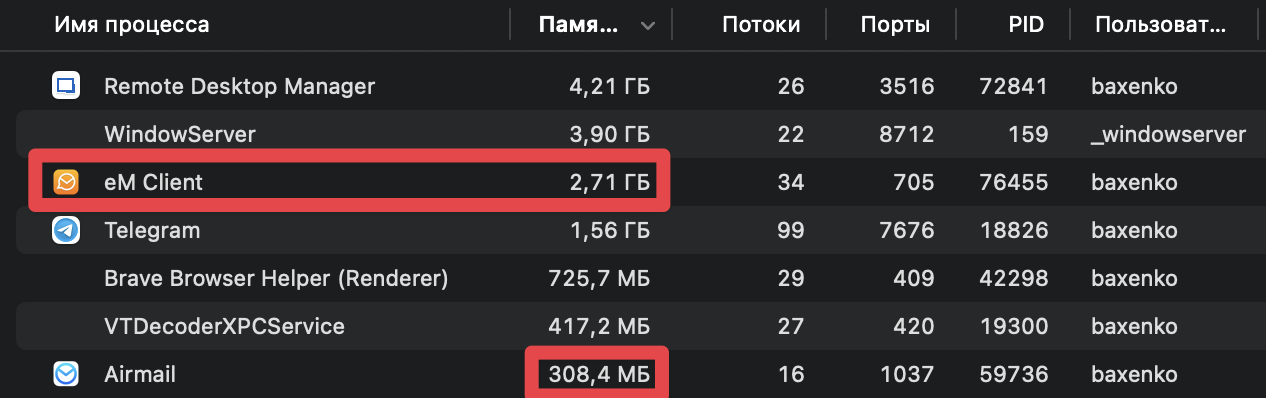
Opening the app is still around 800MB, then using it (sending an email do a search, etc.. basic stuff), it jumps to around 1Gb; then grows to 1.2Gb while browsing within the settings; which is a bit less than it used to before (more around the 2GB), but still consequently bigger than Airmail that stays stable around 220-280 MB
So, I’m sending over the “Record Memory Usage” email with the log attached… and I’ll get back to it in few months, see if there’s any improvement … As much as I’d love to love eM Client, an email client shouldn’t take that much amount of RAM it just doesn’t make any sense…
This problem is ignored since May 2024. A lot of people reports this memory problem…but no solution…
It wasnt ignored. For anyone who had high memory consumption it was advised to send in a memory dump via “Help → Record Memory Usage” to try and find the root of the cause as per further up in this thread either via a support ticket or via the [email protected] email address if you had no current paid support.
Did you send in your memory usage ?
Also what version of eM Client are you currently running ?
Opening the app is still around 800MB, then using it (sending an email do a search, etc.. basic stuff), it jumps to around 1Gb; then grows to 1.2Gb.
(Still can’t upgrade to Sequoia because of audio software/plugins compatibility issues).
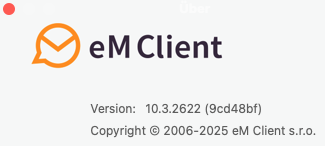
Have you been able to upgrade to Sequoia yet ? or tried the latest eM Client V10.3.2622 ?
Currently for me with Sequoia V15.6.1 using either my M1 Mini Mac or M2 Pro Mini Mac, I’m getting similar to @eMDash with 4 large IMAP accounts “fully synced” on average 478MB in memory after an hour or so with “one instance / window of eM Client open & minimised”.
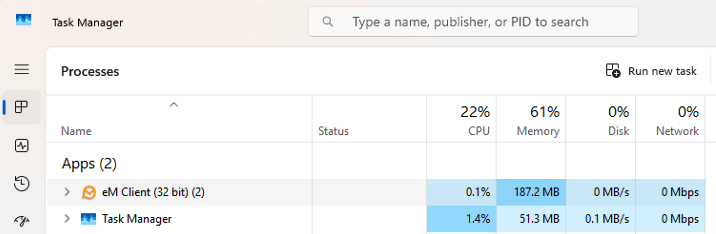
Yes it does fluctuate up a bit “when checking mail” going up to sometimes 490MB, but then normally comes back down after that. In fact after leaving eM Client V10.3.2622 on Mac Sequoia open and minimised today “for 5 hours” to test, the memory usage dropped down to 443MB and even lower on the Windows 11 under 200MB using eM Client V10.3.2619 as per screenshots below.
Hey @cyberzork !
Thanks for the follow up!
No, I still can’t switch to Sequoia (hopefully soon though), so I’m on Sonoma 14.7.8.
After updating eM Client to the latest version, and using it a bit (replying to an email, deleting a bunch of others, nothing special) it’s still taking quite some memory (about the double of what you’ve got):
I want to confirm that I am experiencing the same high memory consumption issue with eM Client on macOS. Currently, I had to close eM Client because it was using over 8GB of RAM. My setup is running on macOS 16 (Tahoe). This level of memory usage makes it difficult to keep the application running in the background, and it negatively impacts overall system performance.
Are there any updates or official responses planned regarding this issue for macOS Tahoe compatibility? I am interested in any advice or workarounds, but at this point the memory consumption is not sustainable for daily use.
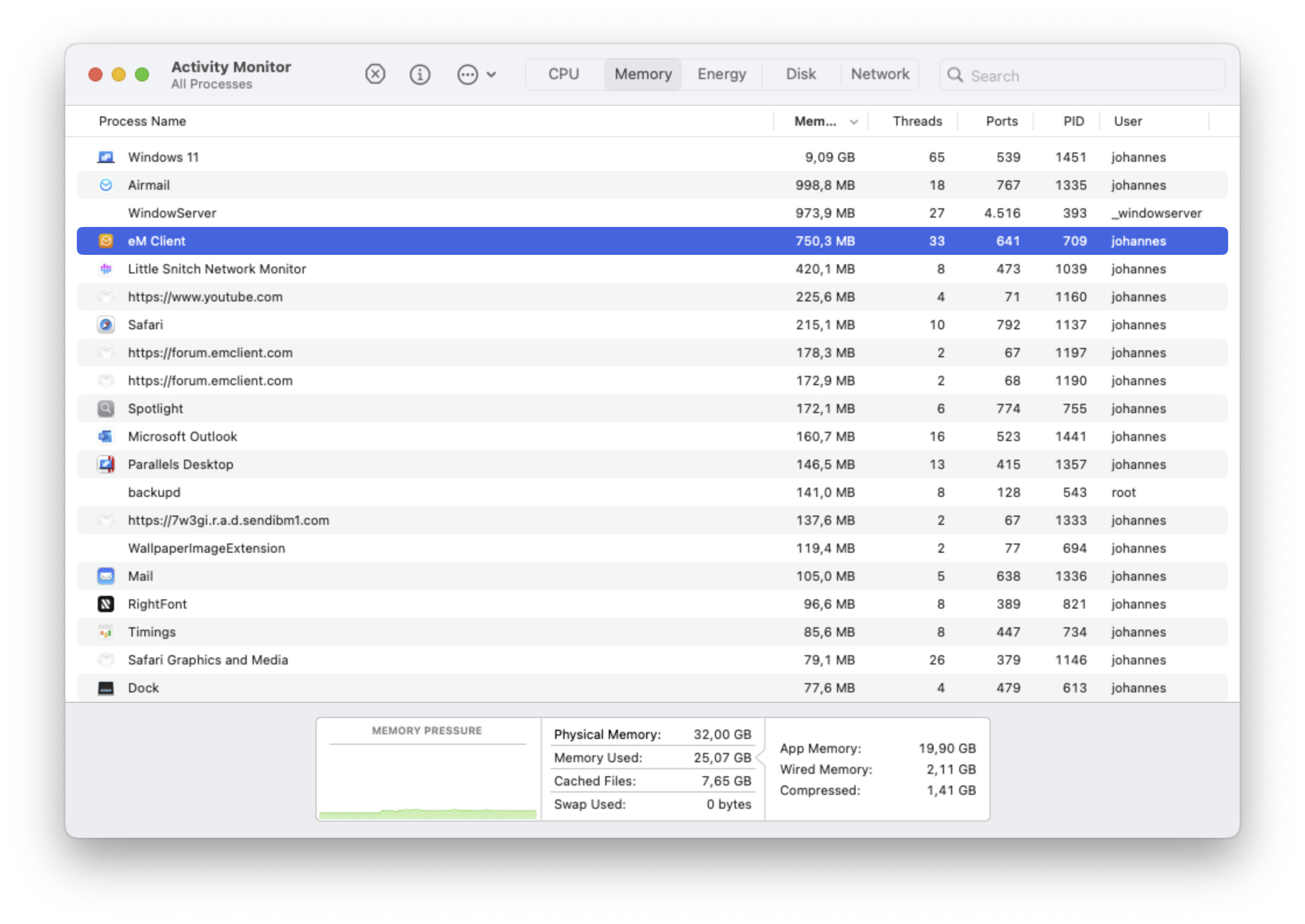
 Shortly after launch.








 )
)