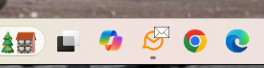
Does the windows client not have a BADGE ICON for new messages? I was using another client (SPARK) and that one does. I do not seem to get any badge icon showing the number of new messages in windows.
Thank you …
Does the windows client not have a BADGE ICON for new messages? I was using another client (SPARK) and that one does. I do not seem to get any badge icon showing the number of new messages in windows.
Thank you …
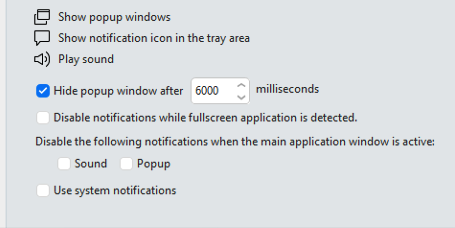
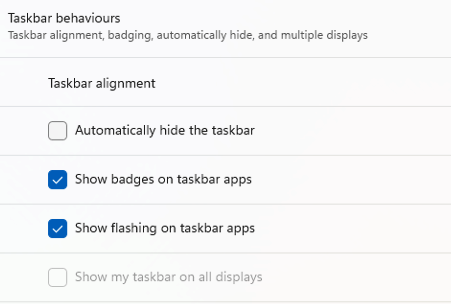
You have to enable it in the Windows OS Personalisation / Taskbar settings and also set eM Client to use System Notifications as per @Gary post from the following thread. So then when eM Client is minimised on the taskbar you will see the new mail badge notifications.
I did that, but still do not get the badge of how many new messages.
What eM Client version do you have, and what OS version are you running ?
Latest client, as I just downloaded and windows 11 25H2,
Ok i tested eM Client V10.3.4341 (up coming version) and Windows 11 25H2 you actually “don’t need to enable Use System Notifications in eM Client” to get the badge new mail icon to show as per my example below. Just enable “Show badges on taskbar apps” in the OS Taskbar Behaviours and then “minimize eM Client”.
If your happy to test this new version, backup your current version first via “Menu / Backup” and then once backed up "close eM Client and download the Windows version via the link above and install. You can see when the backup is complete in Show Operations via the dropdown on the right of Refresh top left.