I have previously been told that they are a Gmail feature, so I have cancelled that Gmail option but the addition of the unwanted IMPORTANT tag persists (for some ?) received email subjects, suggesting that it is an emClient feature. How to be rid of it ?
See this thread for help on removing important tag
Also see @Gary post from the following thread.
(Gary’s post extract)
We now have an option to not display these tags in the single line layout in version 9.1
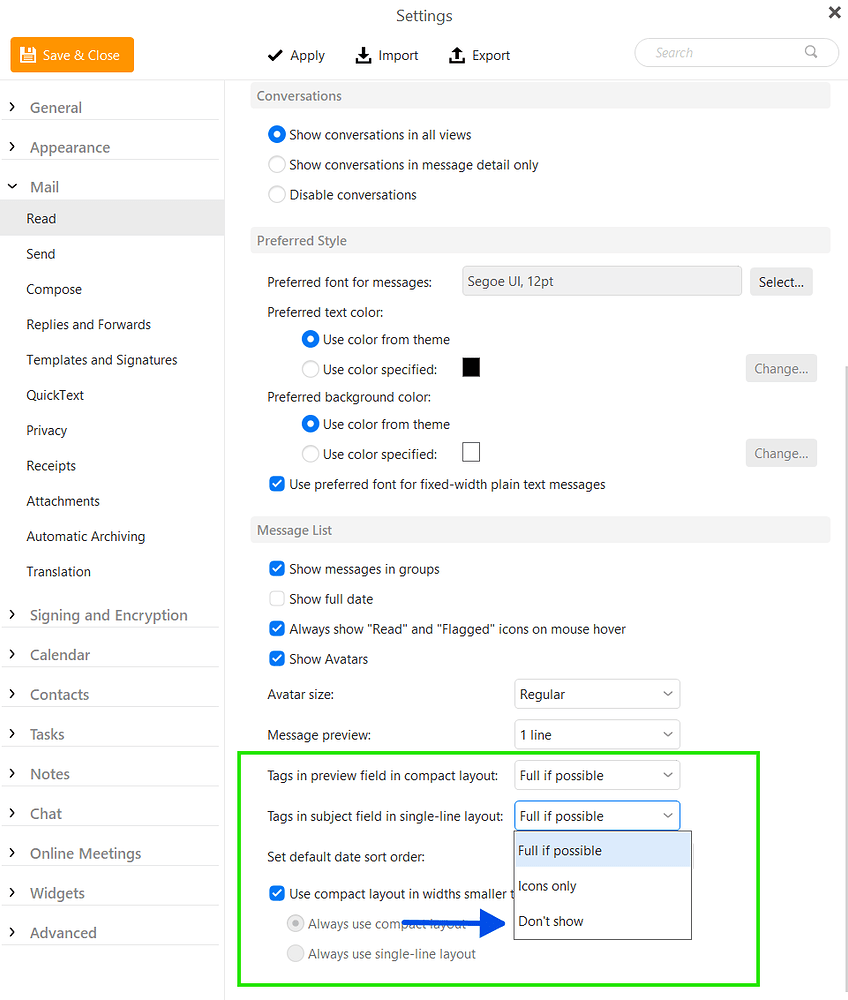
I have the settings as shown above, but still get ‘IMPORTANT’ showing.
I have the settings as shown above, but still get ‘IMPORTANT’ showing.
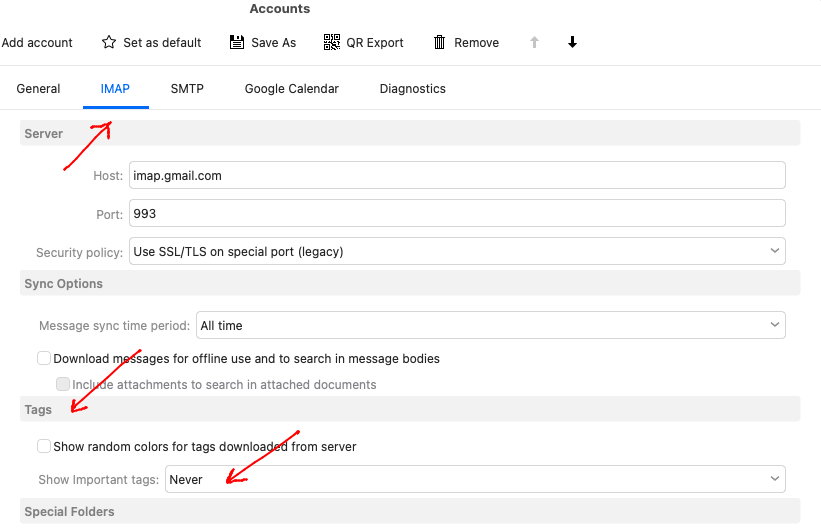
Doublcheck that in your “Gmail / Accounts / IMAP” tab, that you have set Show Important Tags to “Never” as in the below example. Make sure you “Save & Close” accounts with that option set.
I can’t find the ACCOUNTS as in your screenshot.
It is NOT under ‘manage your Google Account’ associated with my ‘avatar’.
I can find IMAP settings from ‘Forwarding and POP/IMAP’ but that does not lead where I need to go.
I need more guidance.
I can’t find the ACCOUNTS as in your screenshot.
It is NOT under ‘manage your Google Account’ associated with my ‘avatar’.
In eM Client, go to “Menu / Accounts” (Pc) or “eM Client / Accounts” (Mac).
Then “Click on your Gmail” account on the left, and you will see the “IMAP” tab along the top.

1 Like
OK - I found it in eMClient. That ‘NEVER’ option had been ticked long before your advice, but it is not wholly effective - i.e. the tag slips through in some instances.
That ‘NEVER’ option had been ticked long before your advice, but it is not wholly effective - i.e. the tag slips through in some instances
If the important tags sometimes still show, then sounds like “your Gmail mailbox end is the problem” and you need to “also setup to disable the important tag there as well” as I did prev.
“Disable important tags in Gmail online”
https://forum.emclient.com/t/i-disable-tag-important-from-gmail-ans-still-in-em-client/82897/4
1 Like