This topic has been marked as closed in a different post, and I still have questions about it. Here’s a link to the original post. It would be great if someone could reopen the topic.
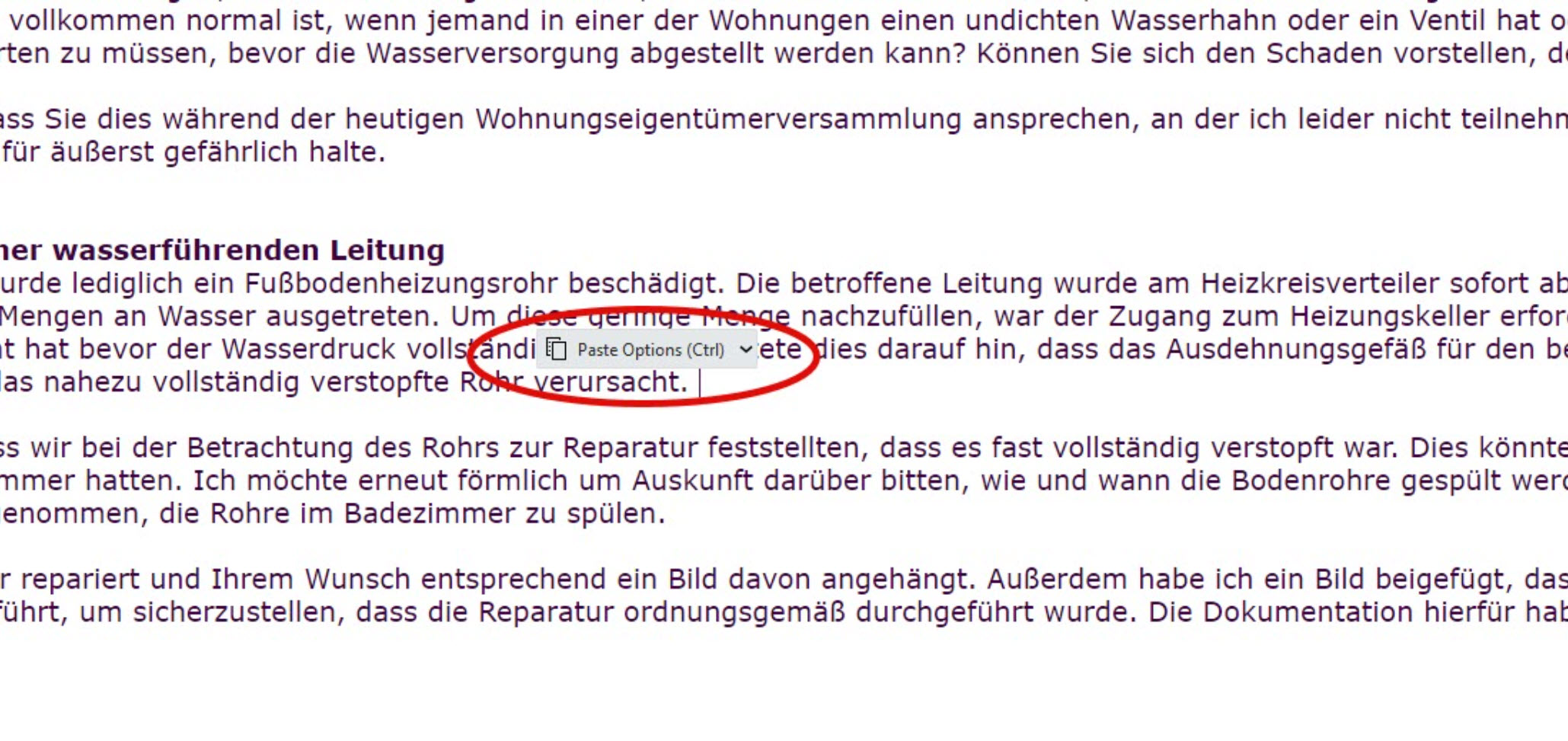
The problem I have is that I’m using a lot of AI tools now, and I dictate text into EMClient, and it automatically pasted in there. So as I keep adding and layering more text, these things pop up, and I can’t see what I’m doing; I can’t see where I am. How can you turn it off? I keep accepting the default settings. They should be accepted at some point, I would have thought.
I’ve just noticed that there is a new update for EM Client. Do we know if this particular bug has been fixed?
The latest V10.3.2412 doesn’t specifically mention your post query, so I would suggest to just backup your current version via “Menu / Backup” and then once backed up close eM Client and install it and see if its any differant.
Normally if the Paste Options appears, you just press the “Space Bar” and it should then go away.
Hi, Cyberzock. Thanks for commenting and getting back to me on this topic. I actually have four users of EM Client, and they all have the same problem. This paste option pops up every time, even if you set a default.
I’m a bit surprised that no one else is complaining about this. Do people not cut and paste between emails?
Now, with AI capabilities, I am dictating and translating directly into eM Client using a Windows tool. It actually works incredibly well and has sped up my work by at least double. I barely touch my keyboard anymore.
This pop-up window really disrupts my workflow. Every time I dictate a sentence into EM Client, it pops up when complete, and I can’t see what’s happening underneath the pop-up menu. I have to stop using my mouse, clear the menu, and then continue dictating. This disrupts my thought process and slows me down. I have never had to use any of the options in this menu. I simply close it, which is ridiculous.
As far as I’m concerned, this is a bug in the software. I really wish that EM Client would fix it.
I tested V10.3.2412 on Mac and PC just now when pasting in between emails and “its not a bug”. Its by design and you just “press the space bar” as i said and continue on and its gone.
I see too @Gary also advised previously to “just continue on typing” in his post in the other thread link above you posted. So that’s all you need to do. Works fine for me personally.
However if you don’t want to do that, then there is a Sleekplan request below to remove the paste options in Settings which you can vote for below.
Thank you for your incredibly prompt feedback. The request for the sleek plan is very high on my list of priorities. You are right. I remember now, Gary did come back to me some time ago when I first raised this concern. And I’ve been hoping that each release of EM Client would fix it.
I’ve been thinking about your comments suggesting that this is not a bug but some kind of feature. The more I use the program and have to click away this unnecessary dialogue, the more I think you’re wrong. If there is an option to set a default, then why isn’t that default recognized?
As mentioned, I dictate most of my emails. So between sentences, I basically have to stop what I’m doing and go in there to hit the spacebar or accept the dialog. If I don’t do that, I can’t see the end of the previous sentence because it is covered by this dialogue box. This really slows me down and also affects my train of thought.
And if it’s not a bug, why doesn’t setting a default actually set a default? There is no such thing as a default apparantly. So either there is no default, which is a bug, or there is a default that is being ignored, and that’s also a bug. Which one is it?