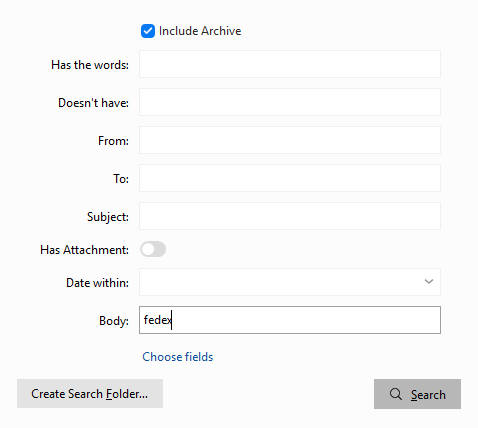
Hi there, since i updated to version 10.3.1567 i found out that the search is not working as before. If i search for e.g. a number in the mailbody there will be no result as it was before the update. It is crazy because some text snippets can be found and some not. If i copy the same mail to another Client with the same version the text can be found.
Maybe the update crashed something like the search index? Is there any possibility to rebuild the search index without deinstalling everything?
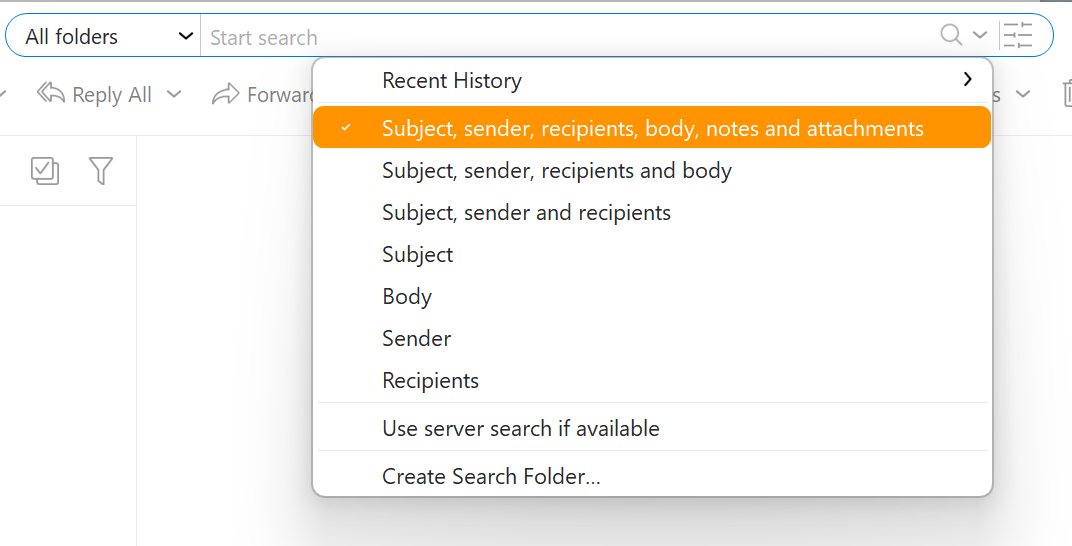
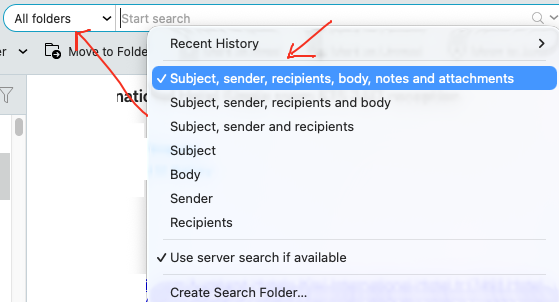
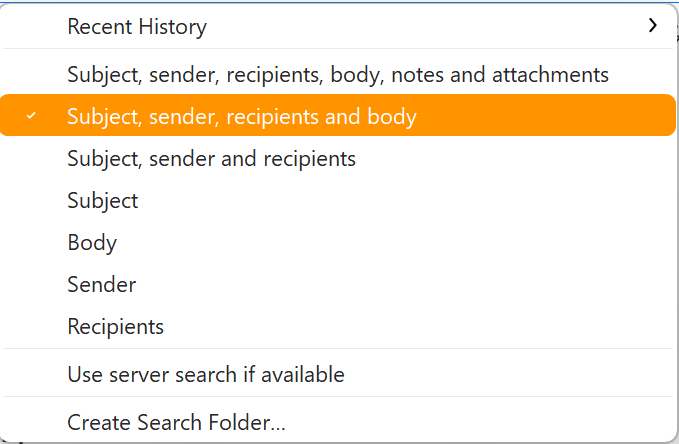
Please make sure that you have the search set correctly to look in all parts of the message - this is the most common cause, since if you, for example, search in “Subject” only, you will not find text from body.
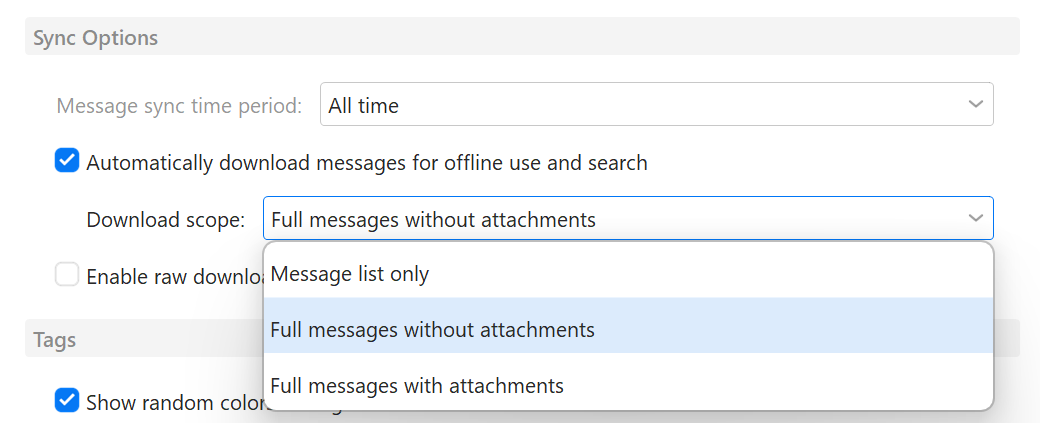
Also you can only search inside a message if the body is downloaded in the program - so for any Exchange or IMAP accounts, make sure to customize the Sync options to include full messages, and not just message list for download.
Thank you Olivia. I checked these options several times. All accounts have exactly this options already set.
In this example my collegue is searching within PayPal transaction emails. If you search the name of the customer the mail will be found. If you search for the transactionid or the reference number the mail will not be found. It seems like he can not find everything from that mails.
In the past there was not a problem at all with these kind of emails. I already tested to setup the account new on another client computer. The problem moves with the hardware.
@tomtom thanks for this, mate, I had the exact same problem, my search results were all over the place, just total nonsense, but turning off “user server search” did the trick! You’re a rockstar
@kraeft check out tomtom’s advice above, it works.
It was driving me mad. For example, I would look for an email address and the results would include dozens of emails that had NOTHING to do with that address and even that domain.
What service provider (ie. Google, Outlook etc) do you use? If server returns nonsense search results when the server search is used, there is not much we can do about it,
Same here, the search has stopped working despite deactivating the server search.
This is happening for me when searching ‘Current folder’ AND the current folder is a search folder over a handful of local folders, and date is ‘within last 6 months’. Any idea?
This is totally broken for me too. All settings are correct and I am getting virtually no results. One search I did on Gmail native webapp gave 37 results (ranging from 2015 to 2026) and in emclient the same search gave 1 result (from 2018). Server search switched off and all items fully downloaded.
Every time I want to search I don’t even bother trying in emClient anymore - I just go straight to Gmail app. Problem is that the gmail app does not combine multiple gmail accounts and this is the whole point of using emClient for me so not perfect or ideal.
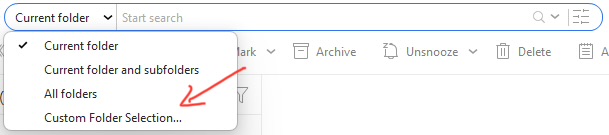
As a test for a Gmail account search message problem, try clicking on Custom folder” in the search dropdown and only select the specific Gmail account “All Mail” folder and search and see if it finds whatever emails you are looking for.
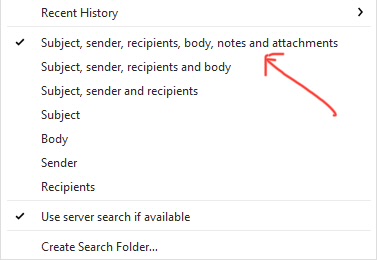
Also make sure you have “Subject, Sender, Recipients, Body etc selected in the options as @Olivia_Rust advised above.
If the Custom folder All Mail search still doesn’t find all the same messages as online in that same Gmail account, “then you might have limited the amount of messages in your account setup”.
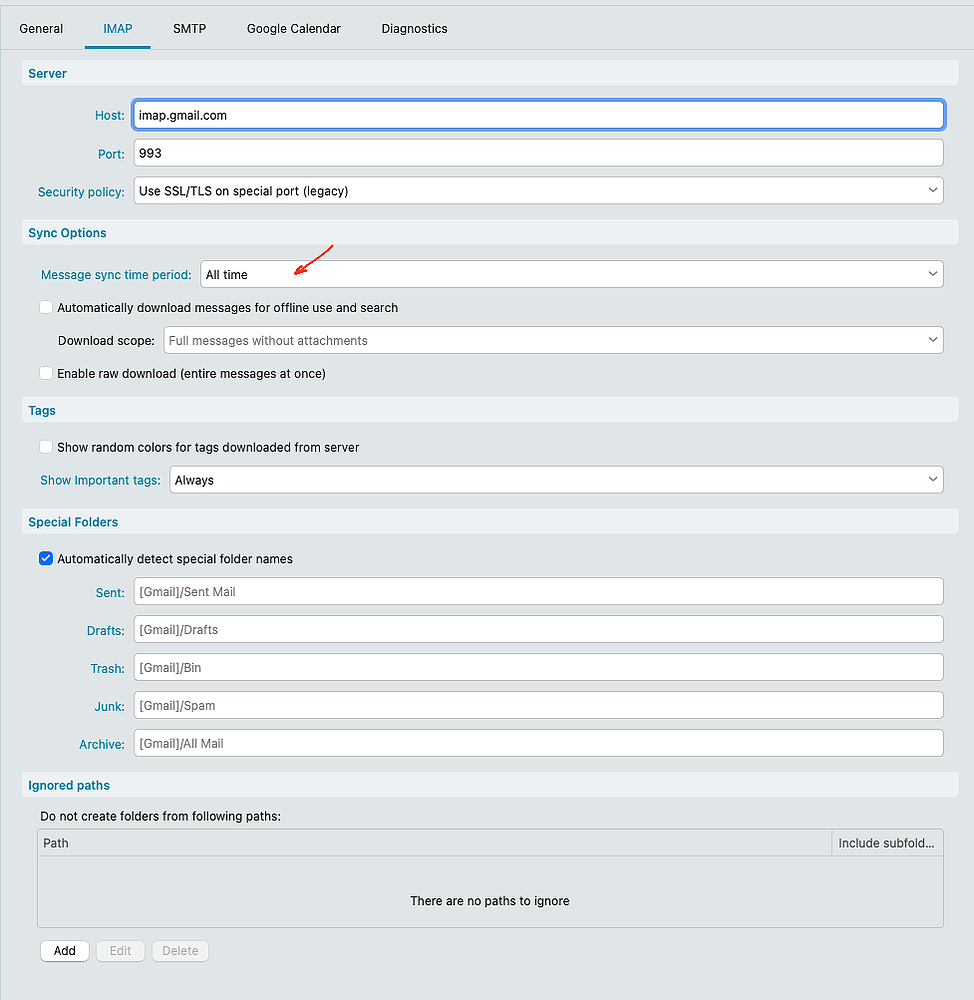
You can check in eM Client via “Menu / Accounts” and going to the “IMAP tab” and under Sync Options make sure it’s set To “All Time” or you won’t see all the messages when you search as in the first example screenshot below.
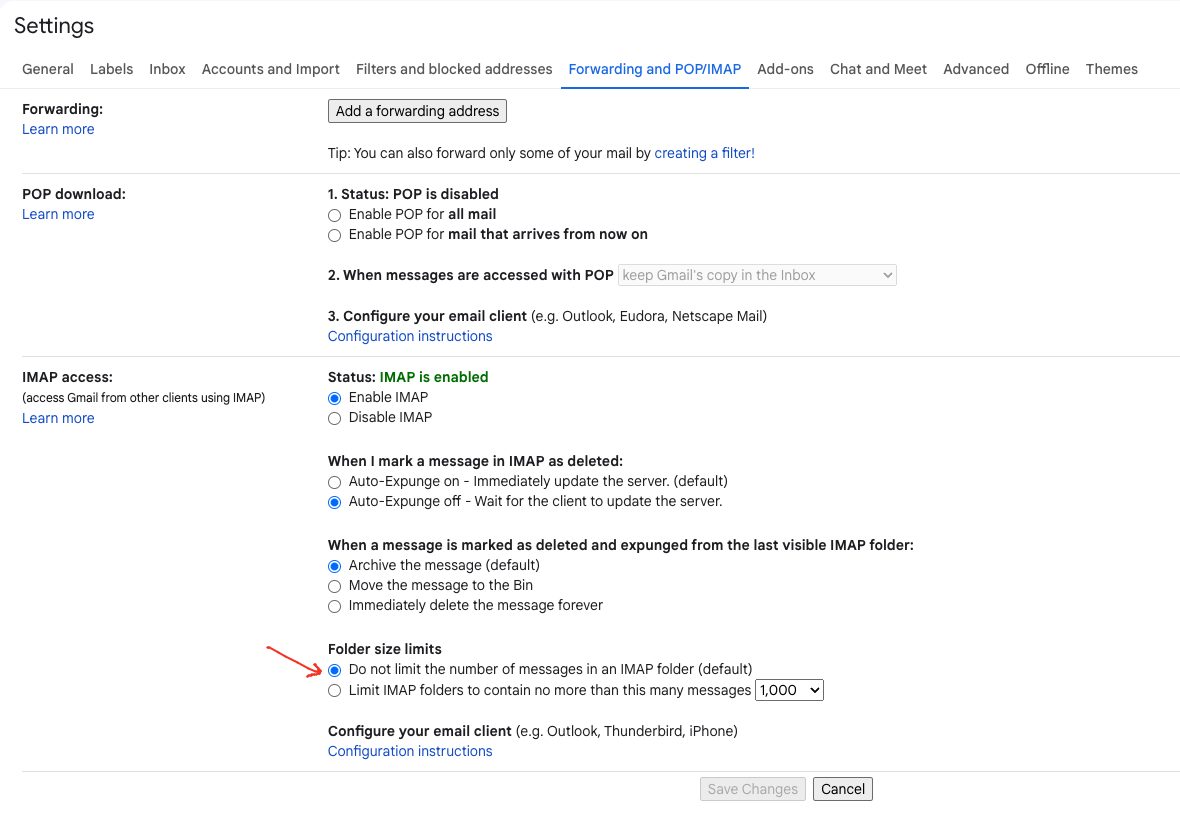
If that is already set, then go online to your Gmail “Webmail / Settings / Forwarding and POP/IMAP” section, and check if you have set the default “Do not limit the number of messages in an IMAP folder” as in the second example screenshot below.
Hi Cyberzork, Thanks for the detailed reply and fixing my problem
I did test the custom folder option and that does indeed work and produce all the results. Does this mean I need to select this each time I do a search or is the setting sticky?
I did test the custom folder option and that does indeed work and produce all the results. Does this mean I need to select this each time I do a search or is the setting sticky?
No you don’t normally need to select custom. You only usually select “All Folders” in the search and it should find exactly the same thing “with the same search options” in the dropdown field.
If that doesn’t work, you might need to contact official vip support via lodging a support ticket as to why it’s not working for you. It does work for me personally without using custom.
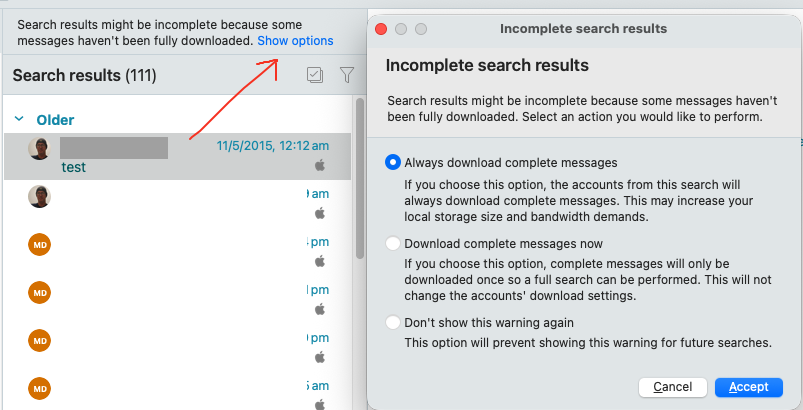
Also when you choose All Folders and search, if you see above the message list “Show Options” as in the screenshot below, click on that and choose the option you want.
As some account messages in the search results “may not all appear straight away” and be incomplete “until all fully downloaded”.
These results tells me, some internal settings have been changed in eM Client, resulting in “Has the words”, the default search option, doesn’t look for the text from proper “fields/content”. It looks me a bug for eM Client. Hope you can locate and fix it soon. This has been for at least one year.
Can you include a screenshot of what you default settings for the search bar are? (when you click the magnifying glass icon)
If this section does not include one of the options with BODY then the body wouldn’t be searched, for example if you have the option for only “Subject, sender and recipients” selected.