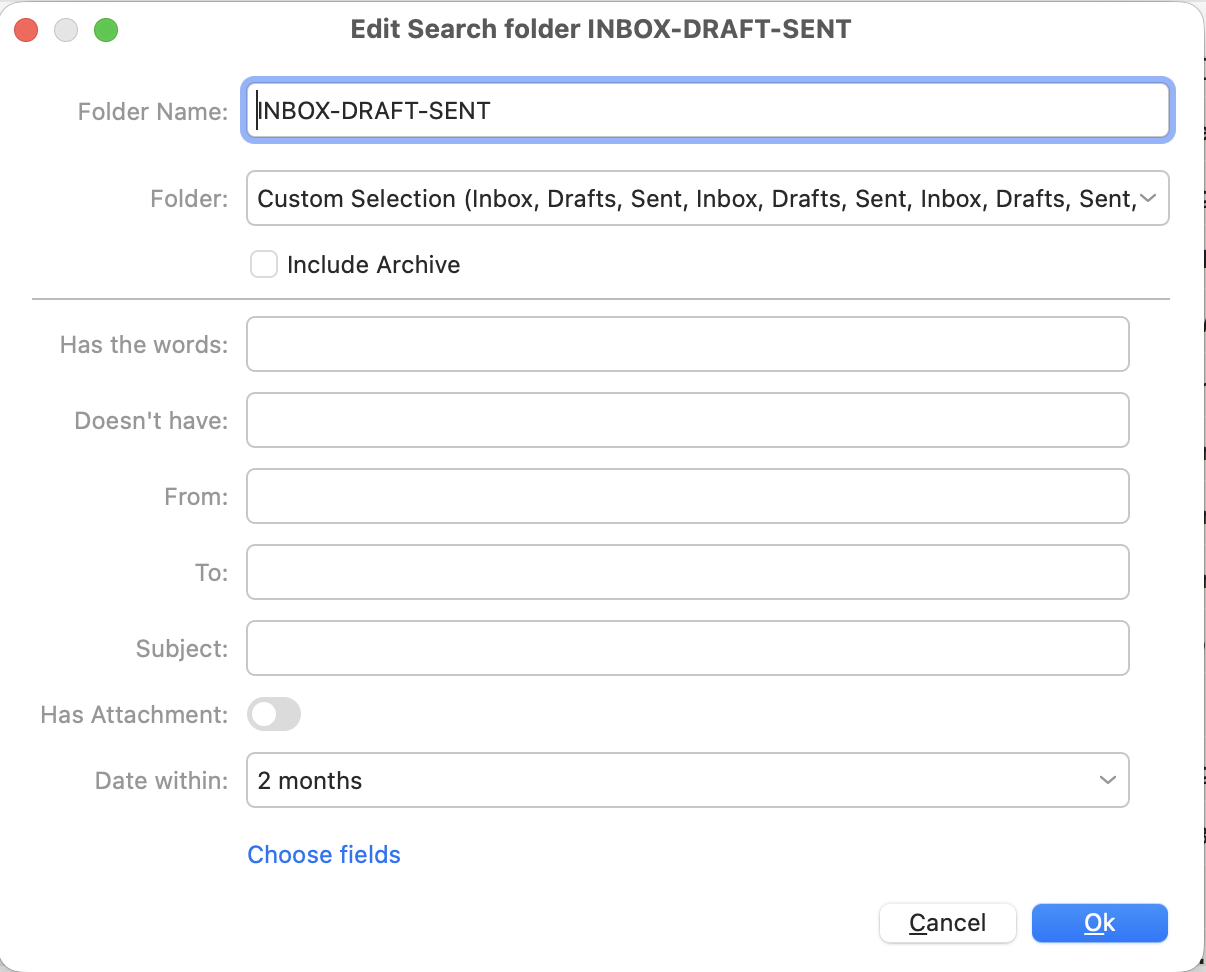
Create a search folder over custom folders (I include Sent, Drafts, Inbox from GMail and Protonmail behind Protonmail bridge, but I don’t think the email providers are relevant), with a Date withincondition.
Click on the search folder, and set the set the search scope to current folder. That works.
Add a text search criteria for which you expect one (or just a couple) matching messages.
After a while, the search result is displayed, and there the list of messages has not visibly changed (UNEXPECTED).
Remove the Date within condition from the search folder, and add it instead to the search field parameters (keeping the text search criteria unmodified)
After a while, the search result is displayed, and works as expected.
It’s as if the Date within from a search folder is combined with the search field with OR (which is NOT expected), and when it is part of the search field in the second case as within:… is it combined with the other criteria with AND (which is expected)
I expect Date within of the search folder to be combined with the search field criteria with AND. I don’t want to have to add within:… in my search field all the time. I want to configure it on my search folder, because I use the search folder as an Inbox Zero sliding window.
Please investigate what looks like a regression. I did not experience this in the past, and can’t really pinpoint the start of the problem, it could have been the upgrade to version 10, but I can’t be sure.
Can you please let us know what exact version of the program you are experiencing this issue with?
I had our team retest this case in 10.4.4293 and we were not able to replicate it, so if you don’t have the latest, please install it: Release History | eM Client
In case the issue persists even with this version, please let us know here so we can try to figure out what might be different in our efforts to replicate the issue, as it might depend on specific app or accounts setting combination, for which we’d need all the details to hopefully find a solution.
(For example, do you have server search enabled in the search field dropdown? Do you sync full message history on all accounts or is there time limited sync on any of them? etc.)
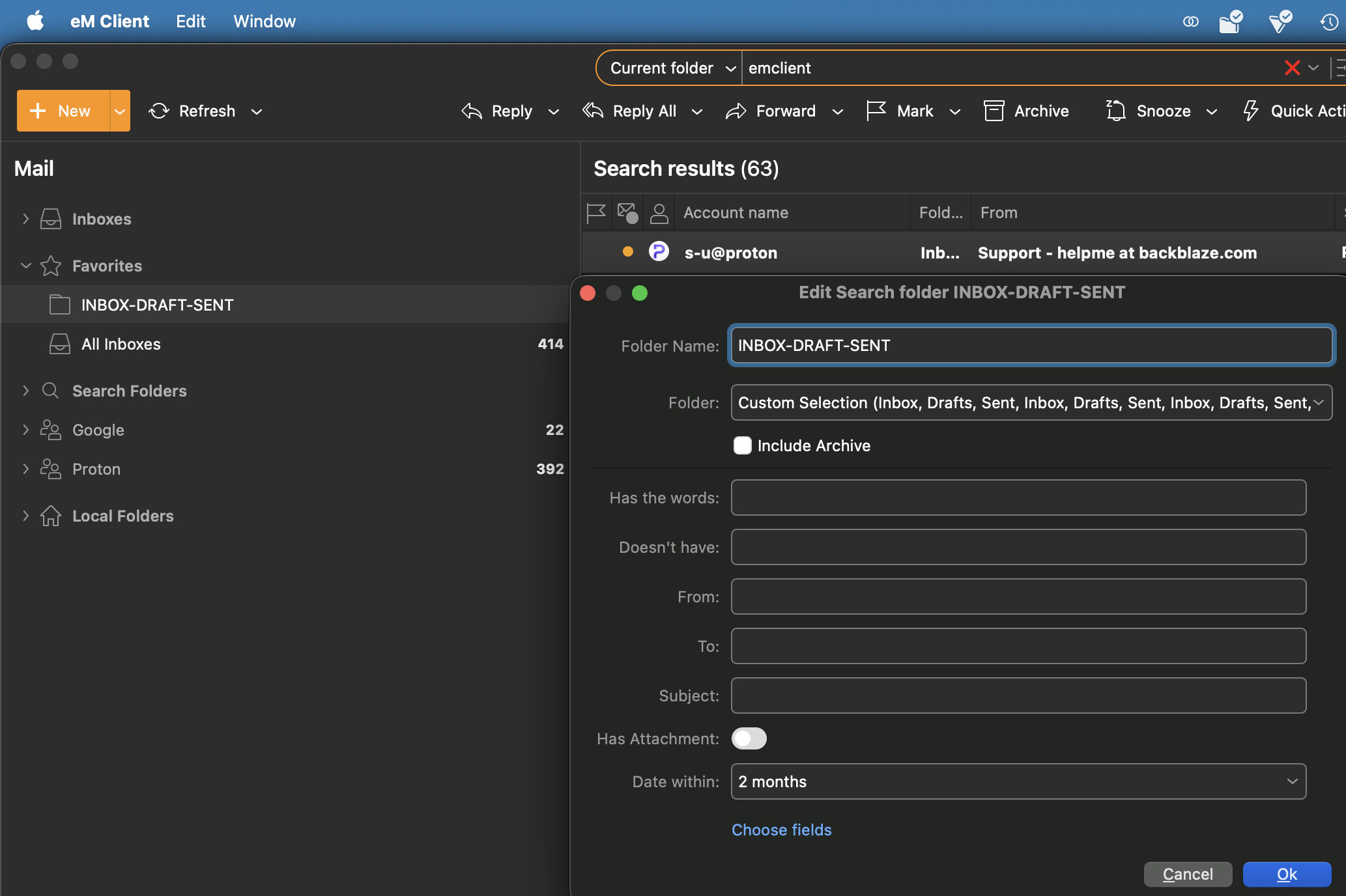
You can see that the search results include an email that has nothing to do with the search criteria (‘emclient’). The search results include search results from gmail and proton, so it canno be a protonbridge specific issue.
When I remove the Date within condition from the search folder, then press enter in the search field again, it correctly only shows me emails that have to do with the search filter.
Thank you for the additional details and the screenshot, we were now able to replicate the issue.
I have reported it to our devs so it can be fixed in future updates.
I have noticed, that along with this, the comma operator no longer does an OR when searching.
ie. You cannot search for multiple strings “search string 1”,“search string 2”.
I have also confimed, that existing search folders still work as intended.
But creating a new search folder, using the comma does not work.