Anyone have any success getting POP3 to work with Server101 ?
I keep getting stuck in an and endless loop where it says login credentials are wrong, I’m using port 110 , and don’t use secure connection ( I know the creds are valid as I have them working in Outlook, and just to be double sure deleted the account in outlook and re-added and it works)
Any Ideas what to try, I have already deleted the account close EM and rebuilt and have the same issue , key item to note SMTP works with no issues.
Validated with server101 and they see no issues on their side.
Can you disable GSSAPI at your server end ? Suggest to ask your administrator to disable it if its not your own server as eM Client 10 uses newer authentication.
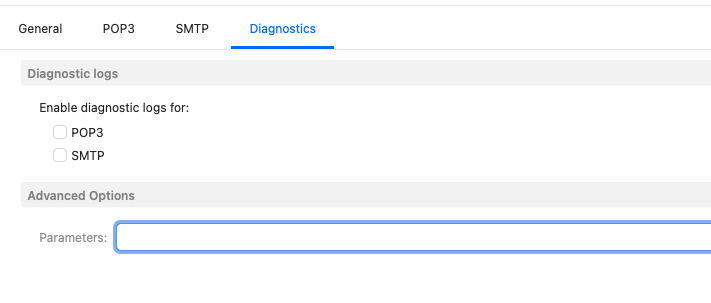
Alternatively you could try the following strings in the POP account Diagnostics Tab / Parameter as @gary advised in a thread on a similiar GSSAPI server problem and see if it works.
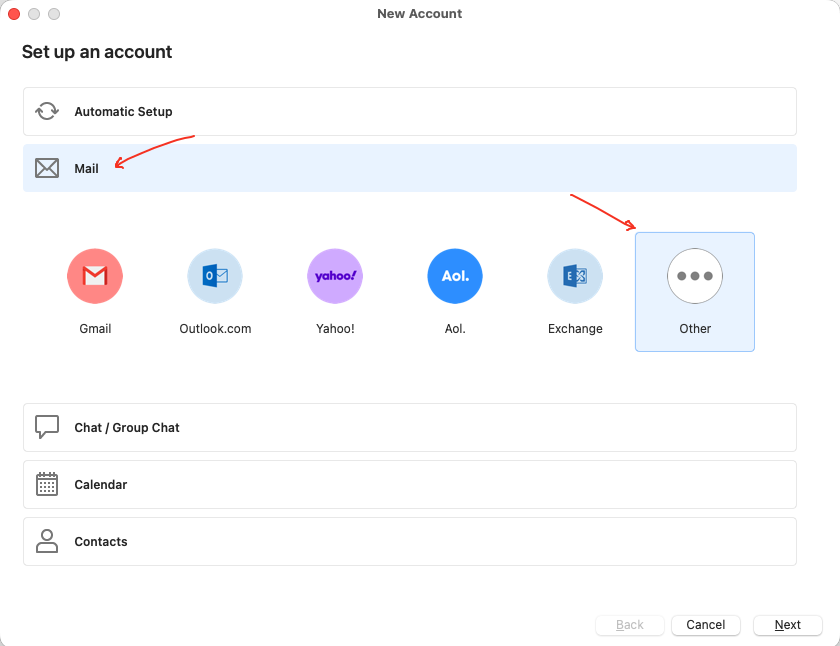
Also for V10 for a POP account you can use the following Ports and Security Policies when manually setting up via “Add Account / Mail / Other” if you need them.
POP
Incoming Server - mail.yourdomain.com
Port 995
Security Policy "Use TLS on Special Port”
SMTP
Outgoing Server - mail.yourdomain.com
Port 587
Security Policy "Use STARTTLS (Always)
Or
Server Address - mail.yourdomain.com
Server Port - 465
Security Policy "Use TLS on Special Port”
Ok as that example GSSAPI Plain text string doesn’t work for your POP account, then you probably need a specific POP string for your Server101
So if you have just installed eM Client and are still inside your 30day trial period, then email [email protected] for initial assistance.
If you are outside your 30 day trial period and have a current active paid Pro, Personal or Business license, then go to the VIP support page and login and submit a ticket for official help.
Apart from that if there is others on this free community forum who use POP accounts with Server101 they might reply to this thread.