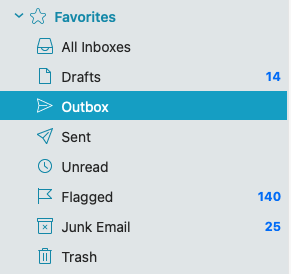
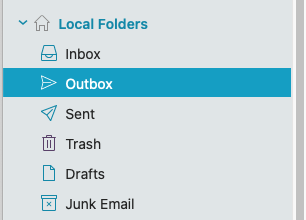
Apart from your actual account outbox, Have you checked under both “Favourites / Outbox” and “Local Folders / Outbox” ? as per the example screenshots below.
Now if you have nothing in your Account Outbox and nothing in Favourites Outbox and nothing in Local Folders Outbox, then suggest to “next close eM Client” and then try manually running the database repair and see if that fixes it as per the Windows or Mac instructions below.
Note:- Before running the repair make a manual backup first via “Menu / Backup” incase you need to restore for any reason. You can see when the backup is complete in Show Operations via the dropdown on the right of Refresh.
To manually repair the database using eM Client MS Windows see @Gary post below.
Or
To manually repair the database using eM Client Apple Macintosh see the below.
First close eM Client and then “open the Terminal app via either Launchpad or Utilities” on the Mac. Then Paste and run the following command.
Lastly If you still have the same issue and you have an IMAP, Exchange, Office 365 or iCloud account “and nothing in Local Folders at the bottom left of eM Client” then suggest next to either “restore a recent dated backup” when you know there was nothing stuck in your Outbox via “Menu / File / Restore” Any new emails since the restore date will then update when eM Client connects.
Or if you have no recent dated backup to restore or you do but restoring a recent backup still didn’t fix it, then i would next suggest to go to “Menu / Accounts” and remove and re-add your mail account".