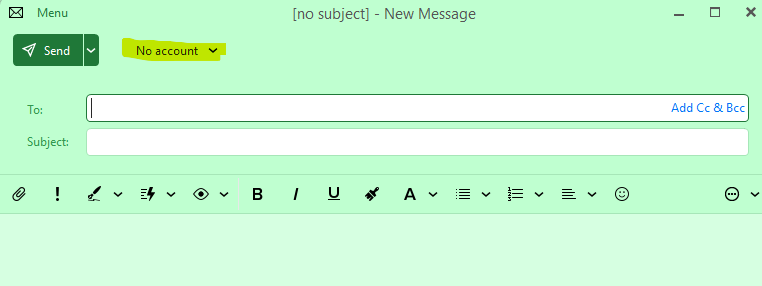
I’ve recently dumped Microsoft email (amen to that) and had to sent up my iCloud account from scratch. The issue is on both desktop and mobile versions, there is no account showing when composing a new email. Every time I get the same message and have to manually select the account. This is nuts!
There is only one account and it’s an iCloud account manually setup using imap.
I’ve already seen a similar thread on this, (Cannot send email - no account?) but it’s not relevant here as that relates to ‘Airsync’ and Outlook accounts. There is NO Airsync option showing under the account of course.
I don’t get how it won’t default to the only account or that there are no options I can see to make this the default account - how can something this simple be missing??
The only option under ‘Accounts’ is on the large button on the top toolbar that says ‘Set as Default’, but clicking this does nothing.
I don’t have this option as I removed the default Apple Mail App to avoid conflicts. It’s a total PITA, the amount of things that get broken when not using Apple’s default Apps.
I will try adding the app back in, but I suspect this is going to cause problems again.
But as I mentioned, this also happens under Windows 11 using eM Client Desktop - the same issue, so unlikely that would resolve it I suspect., but thanks for the suggestion.