is there a way to merge duplicate contacts?
1 Like
You would initially use the eM Client Deduplicator option via “Menu / Tools / Deduplicator” and select “Contact” to initally search and bring up the contact duplicates.
Then see Garys post below from the following thread on merging multiple exiting contacts.
@Gary post extract below from the above thread.
“It requires searching the entire address book, but you can select which contacts to ignore if you only want to merge a custom selection”.

I tried to use the Client Deduplicator and it deleted ALL of my contacts. Thank God I did not empty the trash in google contacts.
If you have several email addresses synced in and those email accounts have some of the same contacts, you do NOT want to deduplicate them. Bad idea.
What needs to happen is an option for one contact to show up and that is the contact you work with. You should be able to have a two way or a one way sync from google to em client. There is too much confusion and it is too easy to accidentally delete important contacts.
Under the email and then the all contacts, it looks as if it is pulling all the account contacts into the page, not just the All Contacts for that particular email. My once 4000 contacts is now 12k.
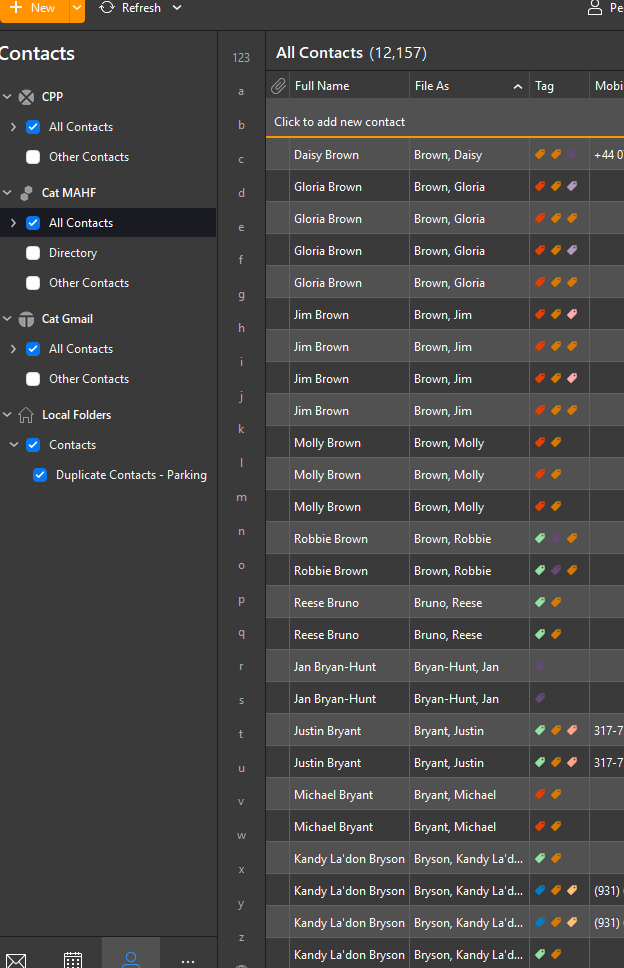
Are yall working on a add in or a solution to this?
In outlook, even with multiple email accounts, the contacts do not flood in. It is like its breeding!
When I also tried to save the columns and add more to see, when I saved and got out, they went away again… this has happened several times.