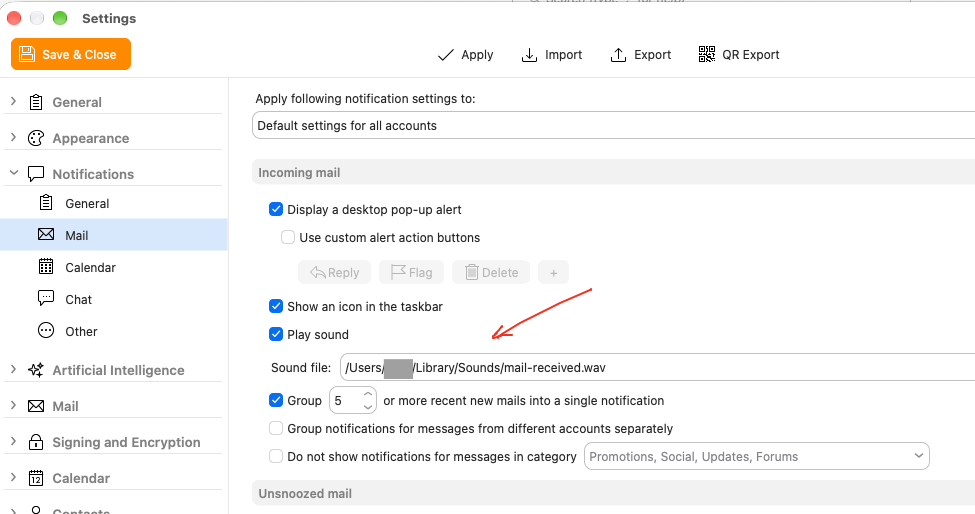
In MacOS 27.0.1 and eMClient 11.0.1054 (70b028a) you cannot change the default sound file for incoming mail. If you go to Settings > Notifications > Mail it says incoming mail plays the sound file ding.wav - but it doesn’t, instead it plays what I presume is a default MacOS sound file.
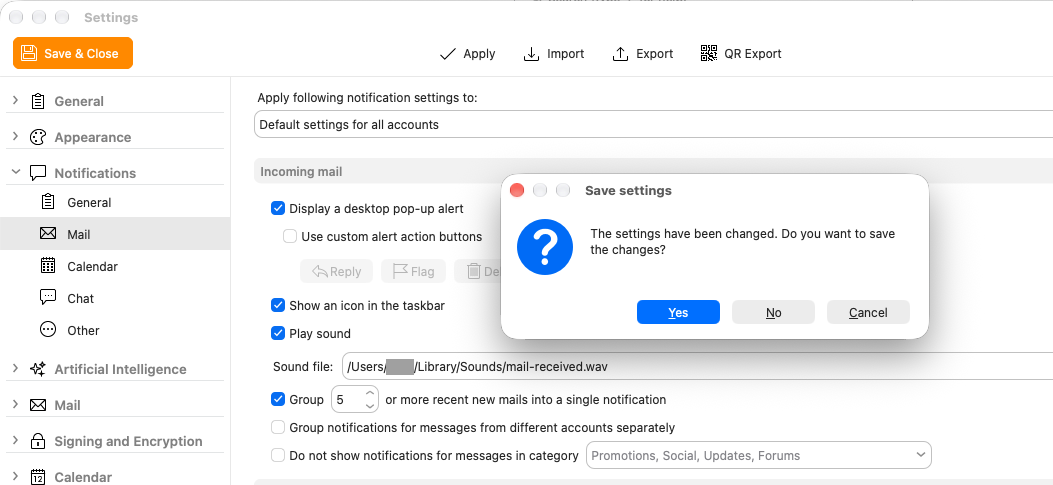
If you try to change the sound file, it will not save the change.
I can confirm that I am experiencing this issue with eM Client 11 following a direct update from version 10.
Incidentally, right up until the latest version of eM Client (version 10), audio playback using a specific file still worked perfectly with the current version of macOS.
Yes, it only happened after the update from 10 to 11. I noticed it quickly because after any update I have to copy my own New Mail sound file into the Sound folder (which does not exist now with version 11).
Yes using Mac OS 27.0.1 & V11.0.1054 any previous incoming custom eg: .mp3 mail sounds don’t seem to work anymore for me either no matter what folder i put them in including the default “Library / Sounds” folder that all worked fine in V10
I’ll try .aac & .wav & .ogg & .m4a later today and see if they make any difference.
In the past, eM Client used system player for playing custom notification sounds.
Now, in order to support the Focus system feature, it needs to use the System Notifications subsystem. And this component supports only AIFF (.aiff or .aif ), WAV (.wav ), and CAF (.caf ) audio containers with codecs such as Linear PCM, MA4, µLaw, and aLaw
Additionaly, not all variations are supported. For example, regarding wav, only 41KHz stereo is supported.
Also note: If you assign a sound in non-compliant format, the system will play the system default sound until you log out, even if you fix the file and replace it - since it is cached.
I don’t mean to sound rude, but do you really expect the average user to understand about converting sound files? I just converted my .wav to .aiff and that works perfectly. Looking at the UNNotificationSound page your average user is going to be put off by the instructions on how to convert a .wav to 41KHz. I would have thought there must be a way of supporting basic sound files.
From testing V11.0.1054 on Mac OS 27.0.l with any sound file type its nothing to do with the sound type.
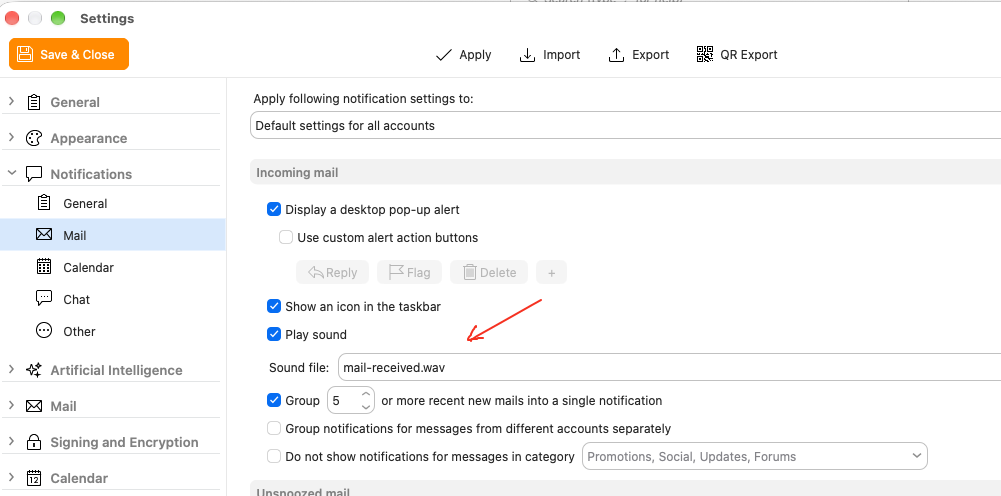
Its a bug with the location path to the file where eM Client loses the path after saving Settings as @Steve16 advised in his post at the top of this thread as per the below example screenshots where i used a eg: .wave sound.
Note: This is only an issue with the new mail incoming sound but the send mail file path location stays saved correctly and works ok.
Interestingly enough, although like you say, it loses the path, a different sound file still works. I selected a sound file in my Sounds folder and it showed the path correctly. However, when I opened settings again, it had remembered the file but did not show the path. Yet it still played the new sound file when mail came in. Weird.
System notifications work with file names only, and they look up the sound file in pre-defined locations, in pre-defined order. That’s probably why it works even if the path seems to be lost.