I’m receiving emails that are missing email body or email that attachment turn into attachment.bin.
If I go to the email web server, there is not issues - just when I use eM client.
I’m receiving emails that are missing email body or email that attachment turn into attachment.bin.
If I go to the email web server, there is not issues - just when I use eM client.
I am getting this as well, for several days now. Emails are fine when viewed on my phone or via webmail. It only seems to be for one account out of multiple I have. If I repair the mailbox or the individual email, that fixes the email, but then it will happen again with the next email. I’ve checked for updates, but there aren’t any new ones to install.
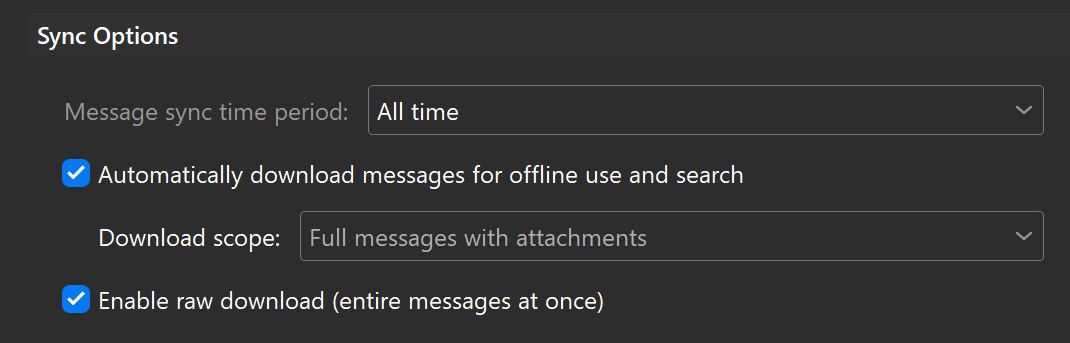
I changed some settings under the IMAP settings for the email provider, and that seems to have fixed it. It’s been working for a day now. Basically it was to change it to download “Full messages with attachments” and also turn on “Enable raw download”. Maybe only one is required, but I was troubleshooting, turned them both on, and after that everything worked. My emails are pulling up as readable.
I would try “without raw downloads enabled” and just leave the automatically download messages and attachments for offline use, as enabling raw downloads might give you issues as per @Gary post link on what is raw downloads.
I toggled raw downloads off, but so far that has resulted in my issue returning on two out of four emails I’ve received since then. I’ll continue to monitor it and see how it looks tomorrow. I may have to make a choice between possible issues using the raw download option, or having to manually repair emails as they come in. Unless a third option presents itself.