I can no longer tolerate eMClient’s inability to address a major programming issue i.e. “God awful scrollbars in the app”! There are hundreds of complaints all over the internet going back years and years attempting to get the programmers to fix this issue all of which has been totally ignored.
I need a basic simple American owned email program that is vision impaired adaptable.
Any suggestions would be deeply appreciated not only for me but for many others that have vision issues!
Ron Burnes
Appreciate the reply. Have tried your suggestions numerous times but it changes nothing. I have also tried everything this site has recommended. I do have the latest updates. cyberzork and I had previously decide that the scroll bars in the app itself is hardwired and cannot be change. I am just trying to get eMClient to fix the long exist issue with their programming that 100s of people have complained about but they apparently could care less about what we would like so I am looking for a replacement!
Very strange.
Before my previous post I checked that the change worked correctly.
I have just checked again on a differnt computer and it also works.
I now wonder if the change is particular Theme specific.
I have never used the Theme editor so I can not comment on that.
When I originally created a Theme I edited the XML file and can
confirm that the scrollbar is NOT hardcoded and is a simple code change.
I used UEStudio (https://www.ultraedit.com/) but most text editors work.
What Theme are you using?
skybat
¡Buena suerte!
¡Saludos desde Sevilla la soleada en España!
¡Mis mejores deseos y mantente a salvo!
I can no longer tolerate eMClient’s inability to address a major programming issue i.e. “God awful scrollbars in the app”!
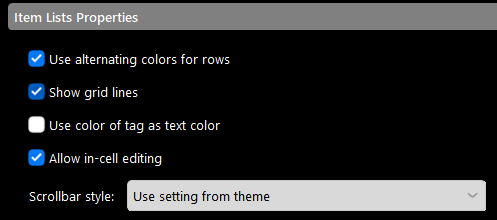
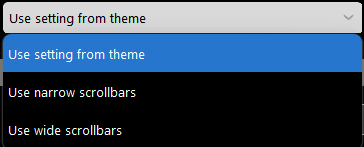
If you are referring to scrollbars “not displaying wide in the message list” compared to the preview pane see @michal_burger recent post below on that subject.
In an attempt to resolve this issue for you and overcome any possible
terminology differences regarding scrollbars, please indicate either
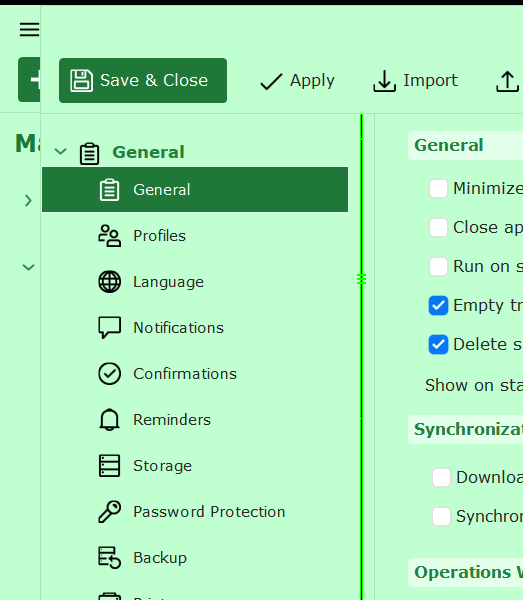
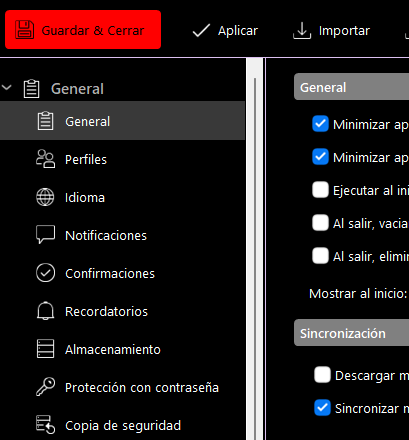
left or right scrollbar, I have messages on the right, in this image:
“Ok I don’t know if anyway to change the actual scrollbars within Settings / Accounts as I suspect that would be eg: Hard coded. That might be a Sleekplan request.”
Cyberzork, this was your suggestion back in July. Has anything changed since then that would allow the customization of the programs scroll bars (not the message scrollbars)
As you say you don’t know how to it suggests that you perhaps have
not read and understood the various posts in this thread.
I suggest that you read my original post in this thread where there
are specific instructions with images.
In your latest image post the scrollbar appears to be WIDE though
difficult to view because of lack of contrast in this Theme.
See this image of the same area in my eMC:
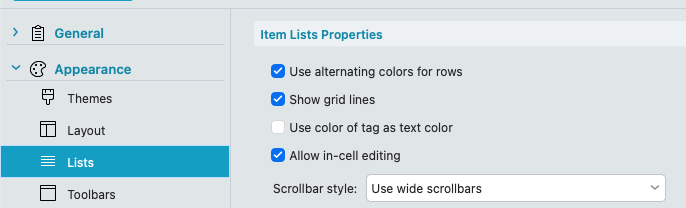
The thin scrollbars “on the folder list on the left and the message list on the right” are unfortunately currently restricted to thin scrollbars (even if you enable wide scrollbars in the Settings / Appearance / Lists).
As you can see below "only the message body has the wide scrollbar on the far right window using one of the default eg: Industry themes with wide scrollbars enabled.
This is due to the Chromium issue as @Michal_Burger advised in his post further up that should be resolved in eM Client 11. Hopefully that can be implemented in one of the first eM Client 11 builds.
cyberzork, perfect explanation and is exactly what I am experiencing. My primary issue with this issue is that it has been on going for years and HAS NOT been addressed by eM Client or FIXED! WHY???
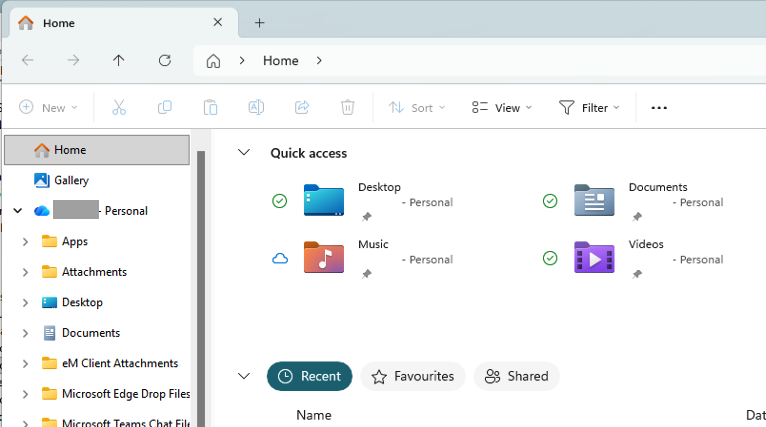
This is misunderstanding. What you see on the last screenshot, these ARE wide scrollbars. It is about their overall size, where you can use the mouse, not about the graphics of the scrollbar thumb. This is a standard look for Win11 scrollbars all across the operating system (including File explorer etc). The reason why you see an “old school” toolbar on the right is that that scrollbar is not a standard (wide) scrollbar, but it is a custom CSS scrollbar.
The main 2 idea behind the option “Wide scrollbars” were:
the scrollbar is always visible with that option
the scrollball is overall wider, even though the thumb might be rendered narrow, but this is an OS defined scrollbar look.
Ok thanks for that info with Windows 11 why the folder list and message list scrollbar widths are narrow even with use widescrollbar set in Settings.
This is a backward step by Microsoft in my opinion and im thankful i now use Mac as my main desktop “which has much wider scrollbars for the folder list and message list” in eM Client.
I see you can change the scrollbar width in WindowMetrics via the Registry but as per the below registry setting that unfortunately only changes File Explorer scrollbar width and other Win 11 OS system apps.
Navigate to HKEY_CURRENT_USER\Control Panel\Desktop\WindowMetrics.
Modify the ScrollHeight and ScrollWidth values. The default value is -225, which corresponds to 15 pixels. Increasing this value (e.g., to -450 for 30 pixels) will make the scroll bars wider.
Would there be anyway then you could use the above value settings for eM Client Windows scrollbars like File Explorer and other OS system apps do if a user then changes that value ?
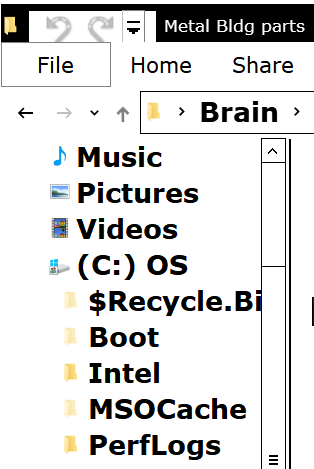
eg: The ScrollWidth value of eg: -350 is a good usable size then in File Explorer without being too wide as in the below example which could then work good in eM Client too if that could be used.