Hello,
I’m trying to upgrade to emClient 11 beta and installer quits after a while. I tried to uninstall v10 and install v11 clean but the same.
Any ideas ?
Hello,
I’m trying to upgrade to emClient 11 beta and installer quits after a while. I tried to uninstall v10 and install v11 clean but the same.
Any ideas ?
What error do you receive?
Did you get an error from the installer?
One thing i has noticed is that the installer appears to quit, iow just dissapearing. For me this happens on two computers and it happens everytime i install V11.
For some reson it newer ends normally telling me that the installation is complete. But V11 is installed and i can find it in Windows Start Menu by searching for em and then launching it.
The installer is for the UWP version of eM Client 11 and those installers are normally distributed with Microsoft Store and those installers never (?) end like standard installers, telling the end user that it has finished.
No error, the installer just quits/closes, the emclient version still stays on v10
Hey @chmichael
What operating system, and do you have any further information on when it quits e.g. how far does it get?
Windows 11 25H2, it gets around 20%. I can make log files if you tell me how
same here with the latest 11.0.196.msi update…
Win 11 Pro 26h2 RP
installer starts, prepares things, Windows UAC wants a go and once it got it, the installer dies / quits with no further notice leaving eM Client as it was before (previous beta 11.0.158)
Once you have beta installed (it uses MSIX setup), you need to use MSIX again for installing the update. So use this link: https://licensing.emclient.com/api/update/emclient.appinstaller
really?
My last beta 11 update was a working update with the 11.0.158.msi over 11.0.108 (which was a fresh install with the msix app installer) and…
the beta announcement in the blog explicitly says:
" Wenn Sie die BETA über eine bereits installierte Version von eM Client installieren, laden Sie bitte das MSI-Paket herunter. Damit wird Ihre bisherige Version deinstalliert und anschließend durch die BETA-Version ersetzt . Wenn Sie MSIX (.appinstaller-Konfigurationsdatei) direkt installieren, während noch eine MSI-Version vorhanden ist, haben Sie anschließend zwei eM-Client-Apps auf Ihrem Gerät. Sobald Sie jedoch Ihre Datenbank aktualisieren, können Sie die alte MSI-Version nicht mehr mit denselben Daten verwenden."
So, I am confused: what is the right way to install 11.0.196 beta over an existing (beta) install?
But you already installed some version of version 11 beta. So from now you only have to use MSIX and MSIX updates. MSI update is only a transition update between older type of installation packages (MSI for eM Client 10.x) and newer ones (MSIX for eM Client 11.x). So if you already have 11.x version installed, you need to update it via MSIX (the link above).
I can’t even install the beta msi to use the appinstaller later
The right way is not to do anything at all. The MSIX installers do auto-update in the background and check for new versions roughly every 24 hours (specific interval may differ based on Windows version).
ok, thanks… just did that successfully with the MSIX version…
Still: the MSI installer should not just silently die when it is used for an (attempted) upgrade over a preinstalled V11 beta (the previous beta MSI did not do that)…
And why not clarify the cited statement in the Blog — it says “when the MSIX is installed over ANY MSI-Version” not “when the MSIX is installed over an installed V11 MSI after MSIX beta version” and that was preventing me from doing what you correctly suggested?
i also found with the V11.0.196 .msi install via the release history page running Windows 11 Pro (25H2) OS Build 26200.9168 official release, eM Client now installs differently than with the previous V11 build, where after clicking the install file with eM Client closed, you get the windows popup as normal to allow the install, but just after it starts to install, the installer disappears and nothing appears to happen at all even waiting for a while. So you think it failed.
I then went into the Windows Settings / Apps installed and it shows the V11.0.196 updater below eM Client. So i clicked eM Client icon again and it opened and showed it was still V11.0.158. Then suddenly eM Client closed and went back to the desktop.
I then clicked the eM Client icon and eventually after about 10 secs eM Client did reopen very slowly and it was now V11.0.196. Then i closed and reopened it again and it was then back to normal quick opening speed and working fine. So V11.0.196 update seems very strange.
At the moment the v11 MSI installer is not version bound. It simply downloads the latest https://licensing.emclient.com/api/update/emclient.appinstaller installer and installs that and then performs some post-update cleanup and upgrade compatibility hacks (eg. to ensure existing file associations and multi-user installs continue to work seamlessly to some extent). It’s meant to be a stop-gap solution for v10 => v11 updates, not as an upgrade installer.
The appinstaller/MSIX performs automatic updates on its own. It works similarly to Chrome, updates are checked regularly, installed side-by-side, and then latest version is launched. This is a feature of the appinstaller itself. We have some limited control over it but it depends on Windows version what options are available.
We didn’t update the web site yet for the beta installers, so the release history still links to MSI installers and so do the main download links (for v10, obviously). Once we are closer to the release this will linkely be switched to .appinstaller links on both places.
So the install of Beta will complete at a random time in the future? Not sure I want to be a beta tester on those terms.
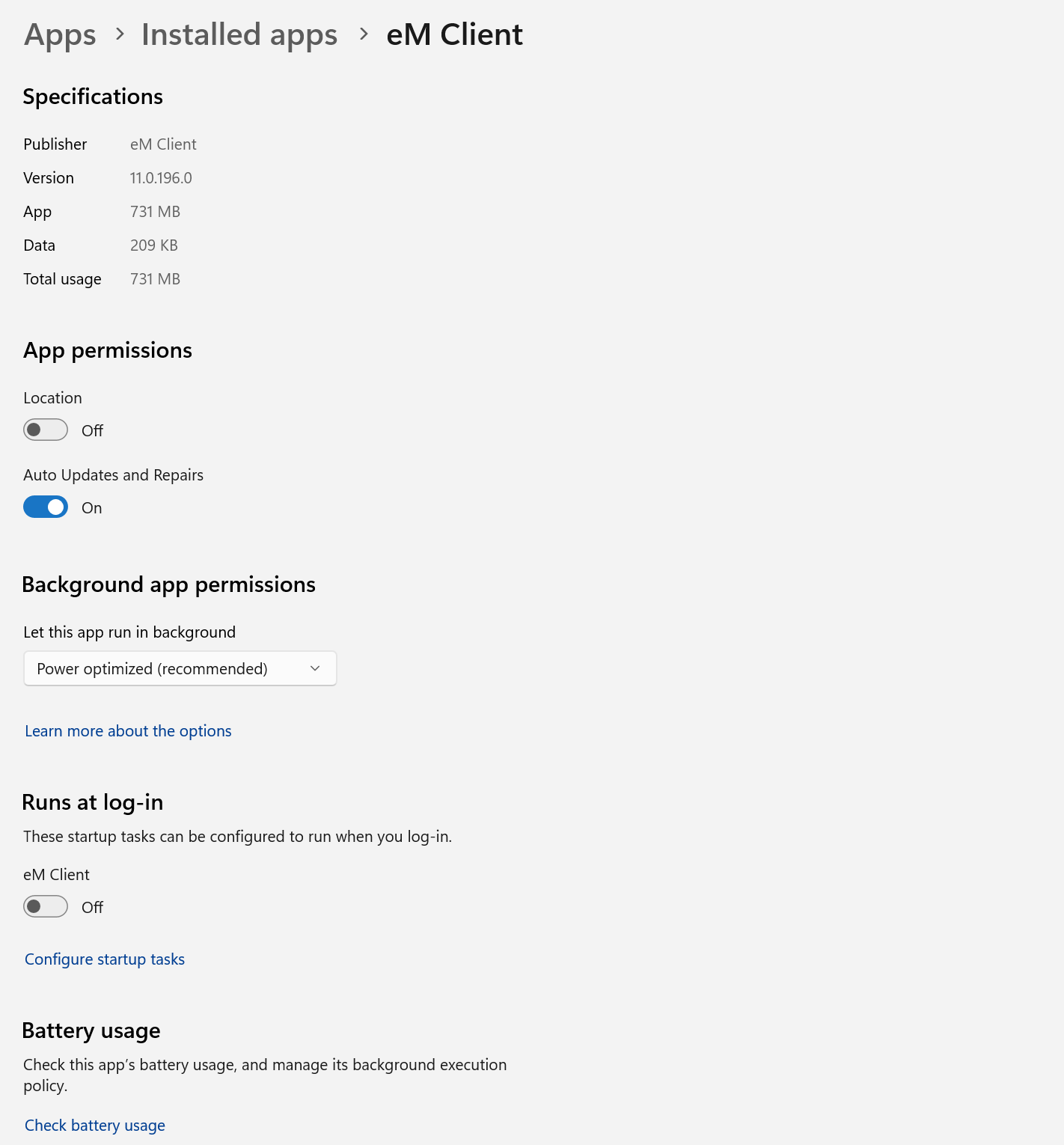
This is a standard and recommended behavior for Windows 11 applications. You can disable auto updates on a per application basis in Add or remove programs:
This standard mechanism resolves a lot of issues MSI has.
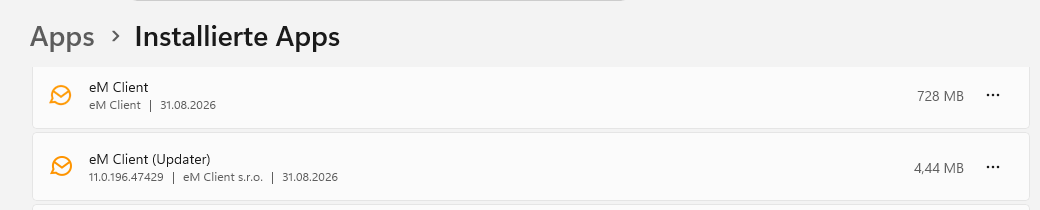
Is it correct that under (Windows 11 25H2) “Settings” - “Apps” - “Installed apps” two entries are listed?
Yes, that is expected. MSI installer updates can only result in another MSI being installed. That is the “eM Client (Updater)” entry. It contains some compatibility features to ease the transition into MSIX for existing installations (multi-user setups, file associations, custom shortcuts pointing directly to the old executable, etc.). It is possible to uninstall it if you want but any of the aforementioned features may get broken. We will publish some guidanance eventually, but majority of users doesn’t need to care about it. The purpose of the MSI setup is to introduce the least amount of breakage for users upgrading from older versions which relied on the older installer technology.