I need to use eM client to export emails to my PC to create backup but i need it in multiple formats so that i can transfer it to another account in future using eM. Need suggestion what’s the best way to do this and what format options are available in eM?
I need to use eM client to export emails to my PC to create backup but i need it in multiple formats so that i can transfer it to another account in future using eM
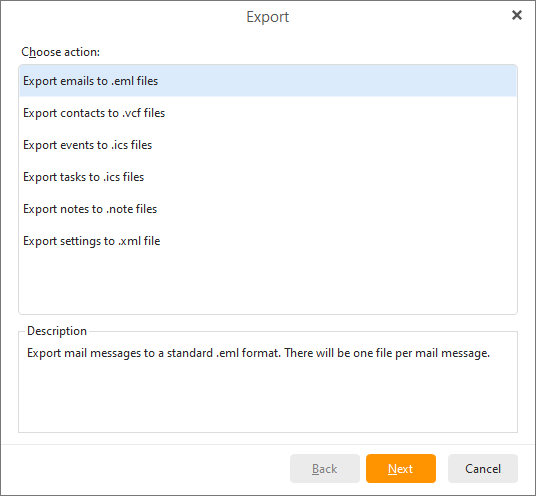
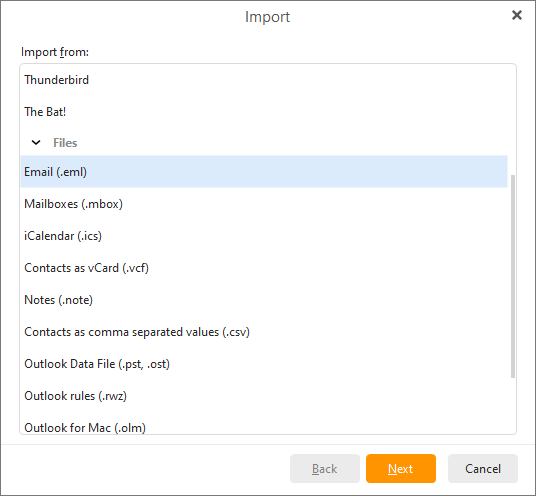
If you want to backup emails to import later into em Client or import into any other email client, other than using the built in backup program “which backs up everything including the calendar, contacts etc”, you can just “manually export your email” from any mail folder or selected mail folders into .eml messages, by going to “Menu / File / Export” as per the below eM Client online documentation url links below.
“Export email to .eml files”
“Import from .eml files”
If you use the built in backup, and you want to restore messages later, you can also optionally do a eg: partial restore of the messages to either the same eM Client installation or other computer eM Client installation “if you dont want to restore it completely”,
See my post in the following thread on partial backup restore from either the backup.zip file or the hidden mail database.
“Partial Restore from an eM Client backup.zip file or from the Hidden mail database.
https://forum.emclient.com/t/emails-missing-from-backup-when-restored/101556/2
Also see the following eM Client support page on restoring a backup including restoring a partial backup “part way down the following page”.