I noticed my emClient suddenly asked me to add an account when I started my app this morning. I don’t know why it would do that. I have multiple accounts in emClient, and they were all there yesterday when I closed my laptop. I didn’t change anything in emClient, but this happened on its own. There are files and folders at C:\Users\username\AppData\Roaming\eM Client, and I have only one profile. I also tried File > Restore; it showed restore progress in a dialogue, but after that, eM Client reopened with 0 email accounts. I own a licensed copy, and Help > License shows that my license status is active and valid.
Is there any way to get my old email accounts to show up, or do I need to start from scratch and add each email account one at a time?
Hello.
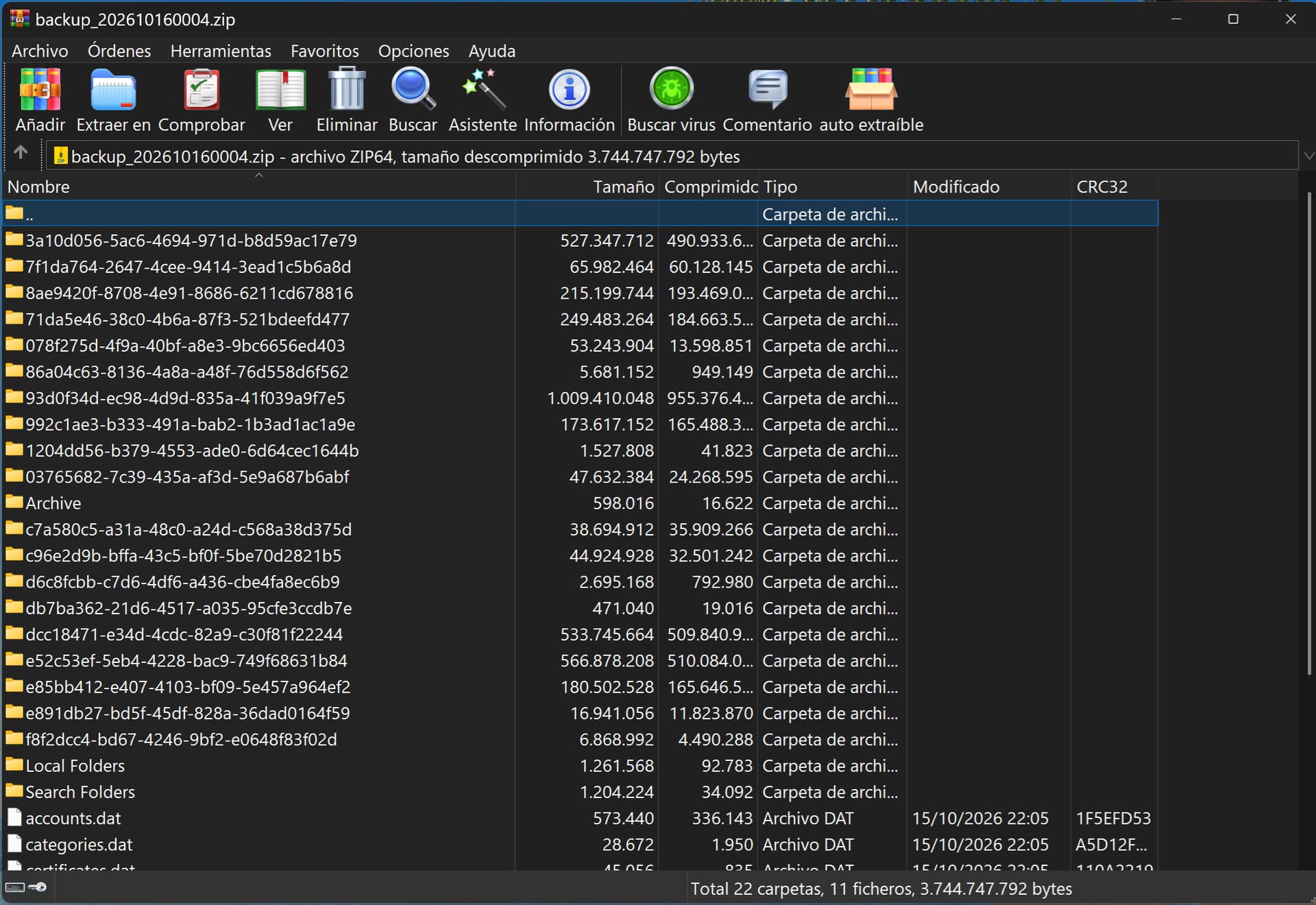
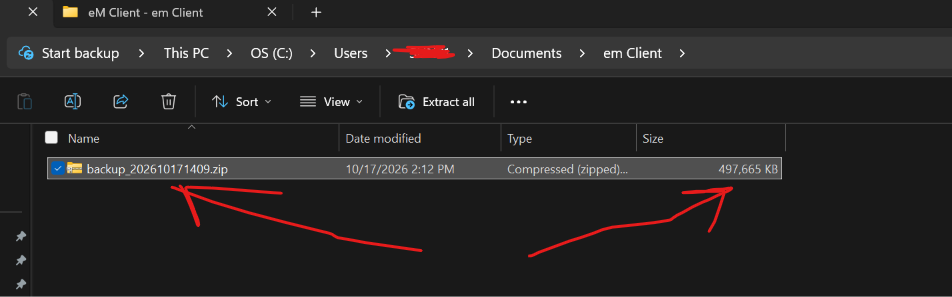
Go to the folder where you store your eM Client backups—it might be in your Documents folder, or perhaps you’ve moved it to a different location or drive. Check how many .zip backup files you have; right-click on one (or each of them) and select “Properties.” The file(s) should be approximately 3 GB in size.
If you look inside the file, you should see many folders, just as I’ve shown here. If there are only a few folders and the file size is very small, the backup might be corrupted or may not have been created correctly—which could be the reason it won’t load. I assume you haven’t altered the folder located at C:\Users\username\AppData\Roaming\eM Client.
I have a backup file about 3 GB, but when I try to restore it using File > Restore, it opens eM Client with no email accounts. It’s probably corrupted. But I am curious: how did this happen in eM Client since I never did anything on my side? Maybe there is no other way than to add all my email accounts from scratch.
Dblcheck that you haven’t accidentally switched eM Client profiles via “Menu / Profiles”.
If you haven’t switched to another eM Client profile and carnt find any other hidden database on your computer and you are definitely pointed to the correct database location via “Menu / Settings / General / Storage”, then you might have possibly eg: logged into your OS with the wrong profile which then will be no accounts in eM Client.
If you are definitely logged into your OS with the correct user profile and your eM Client backup will not restore, then you would have to contact offical support to get them to look at your backup zip file by going to the VIP Support page and login and lodge a support ticket and attach your backup.zip
Alternatively (unless you have another recent backup you can restore), if you have been making regular backups of your computer user profile or have a recent complete image of your computer, you could “close eM Client” and “rename your current hidden database folder” to eg: eM Client-current” and then copy your backed up eM Client hidden database folder into the same location. Then reopen eM Client and everything should be there as it was.
If you don’t have a copy of your computer user profile or complete hard disk image then if you have an IMAP, Exchange, Graph, Office 365 or iCloud account just setup as new via “Menu / Accounts” and all your messages, calendar, contacts etc will come back from the server end. Then make a new backup.