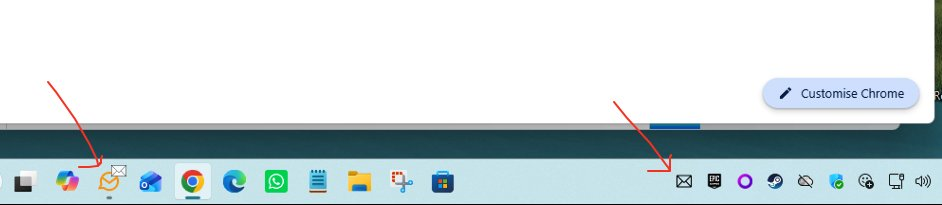
I just joined. I love this program but when first installed, a little white envelope would appear when unread emails were delivered. That has disappeared. I get the notification on the lower right of my screen telling me a new email has just arrived. I’d like the little white envelope back. Any ideas on why the little white one disappeared?
I read though that post and it mainly deals with Tray notifications, not the Taskbar ones. I am already getting the Tray popup on the lower right corner. It’s the white envelope that stopped working and I can’t get it back. It’s a real time saver.
Sadly, there are dozens of settings and variables to make that little white envelope appear - both in em client and Windows 11. I unclicked the setting that lets Windows 11 control notifications. Nothing in em client seems to work.
It would be very helpful if someone could post a screen shot of the exact settings I need to change AND with the current version. Some of the paths in the linked article no longer exist in my version.
I read though that post and it mainly deals with Tray notifications, not the Taskbar ones.
Your Thread post says “White envelope on Tray icon no longer there” and not the Taskbar.
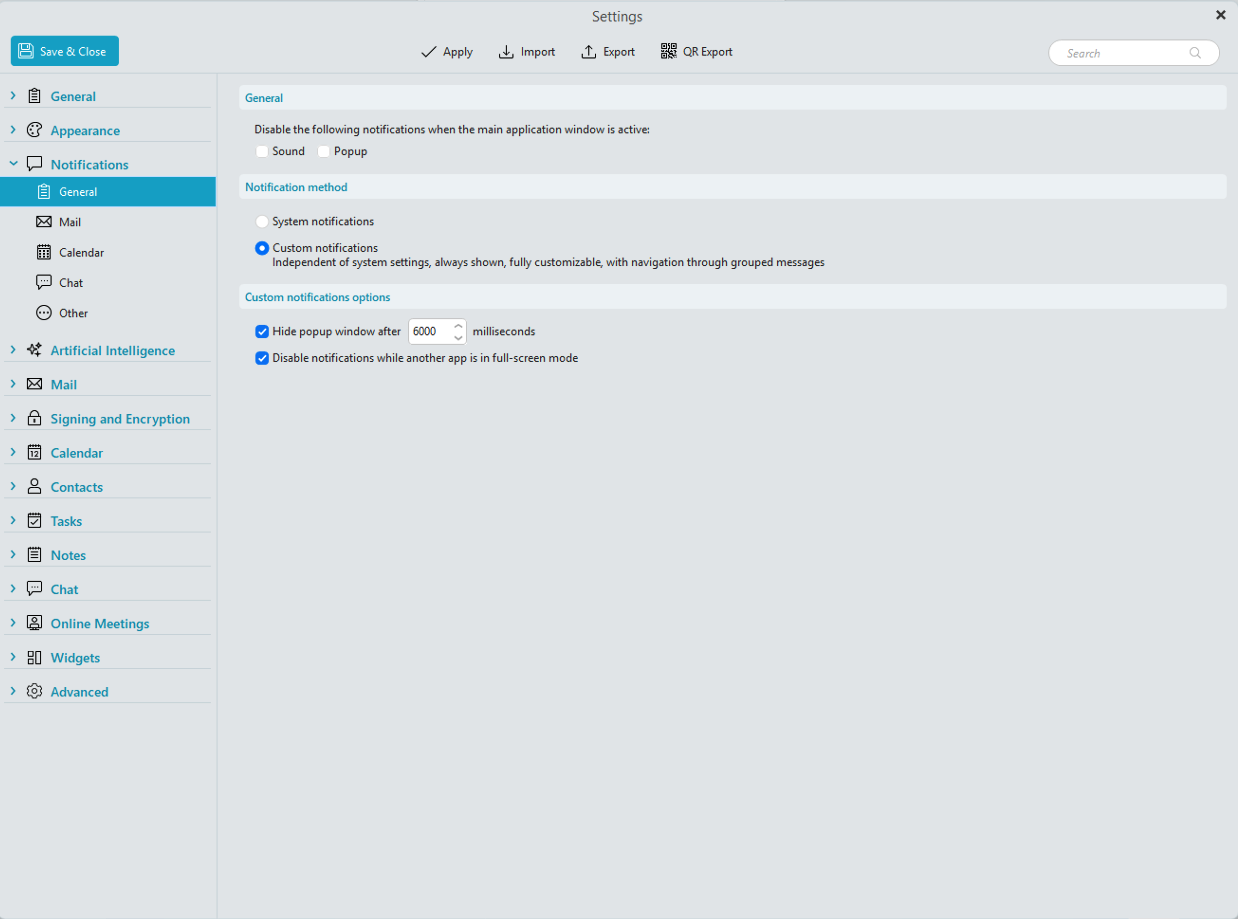
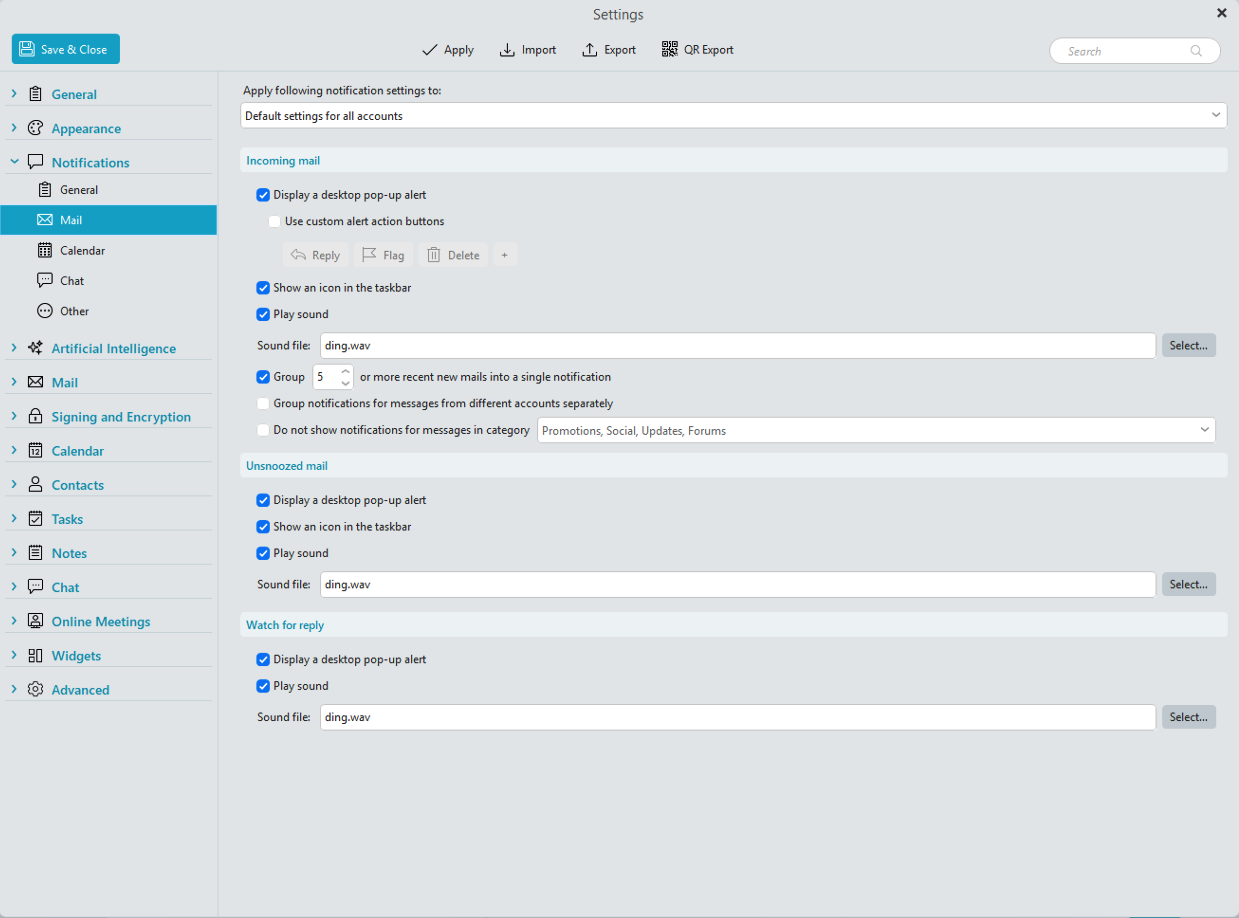
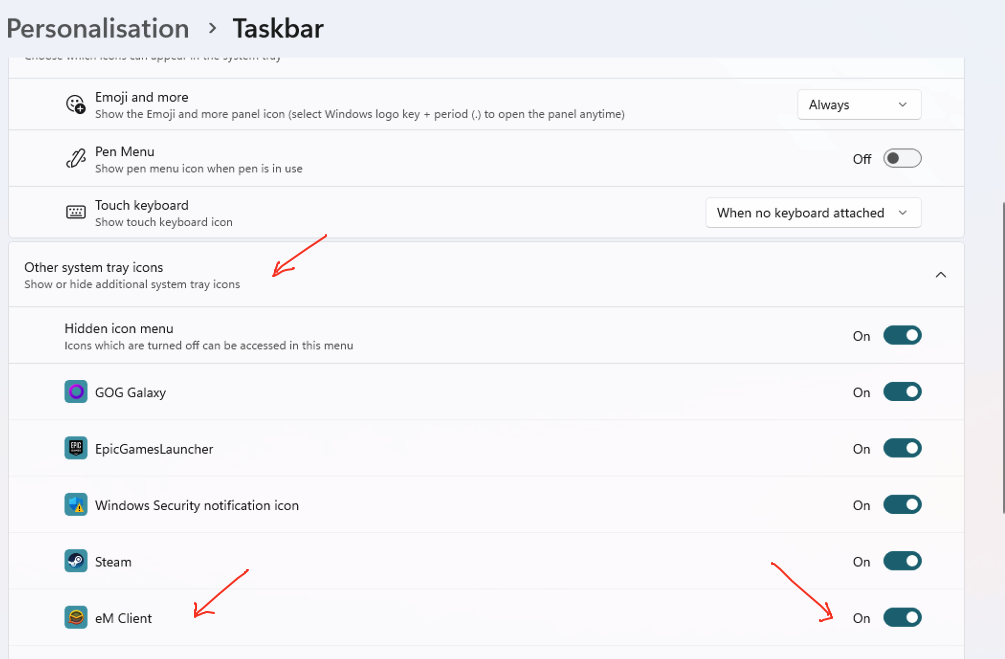
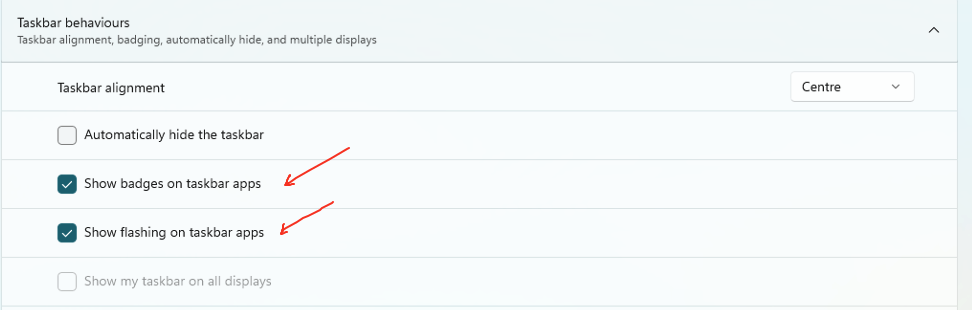
If you want the white envelope new mail notification on the taskbar & in the system tray, then this is the Settings i use in eM Client V10.4.5606 & Windows 11 (25H2)
So “when eM Client is minimised on the taskbar” you will then get a new mail white envelope notification appear above the icon on the taskbar & a white envelope icon also appear in the windows system tray as in the example screenshots below.
Ah nuts!! You’re right about my title, cberzork. My bad. I’ve had too many birthdays!! I should have typed “Taskbar.”
I see the difference now. My settings are correct and match your pictures. My em Client was not minimized. I had only switched to a different window. After minimizing, the white envelope appears. I thought that when I first used em Client, the white envelope appeared even when its window was not minimized. Oh well, all fixed now - thanks to you.
Stay well…
-Lee
EDIT
If there was a way to change my title, I would but the edit feature is gone. Perhaps the moderator could do this, so future similar queries are directed to these posts. Thanks.
It would be great if we could get the little white envelope to show regardless if the program was minimized or maximized.
If eM Client is open in the background and you are in another program, you will still get the New Mail Banner Notification in the bottom right corner as per example below.
Yes, I noticed that but the notification is short lived. If you leave your PC, you have no way of knowing if there is new mail, except to open the app itself. I’m starting to feel petty here .
All that aside, I still like this app. Thanks cyberzork.
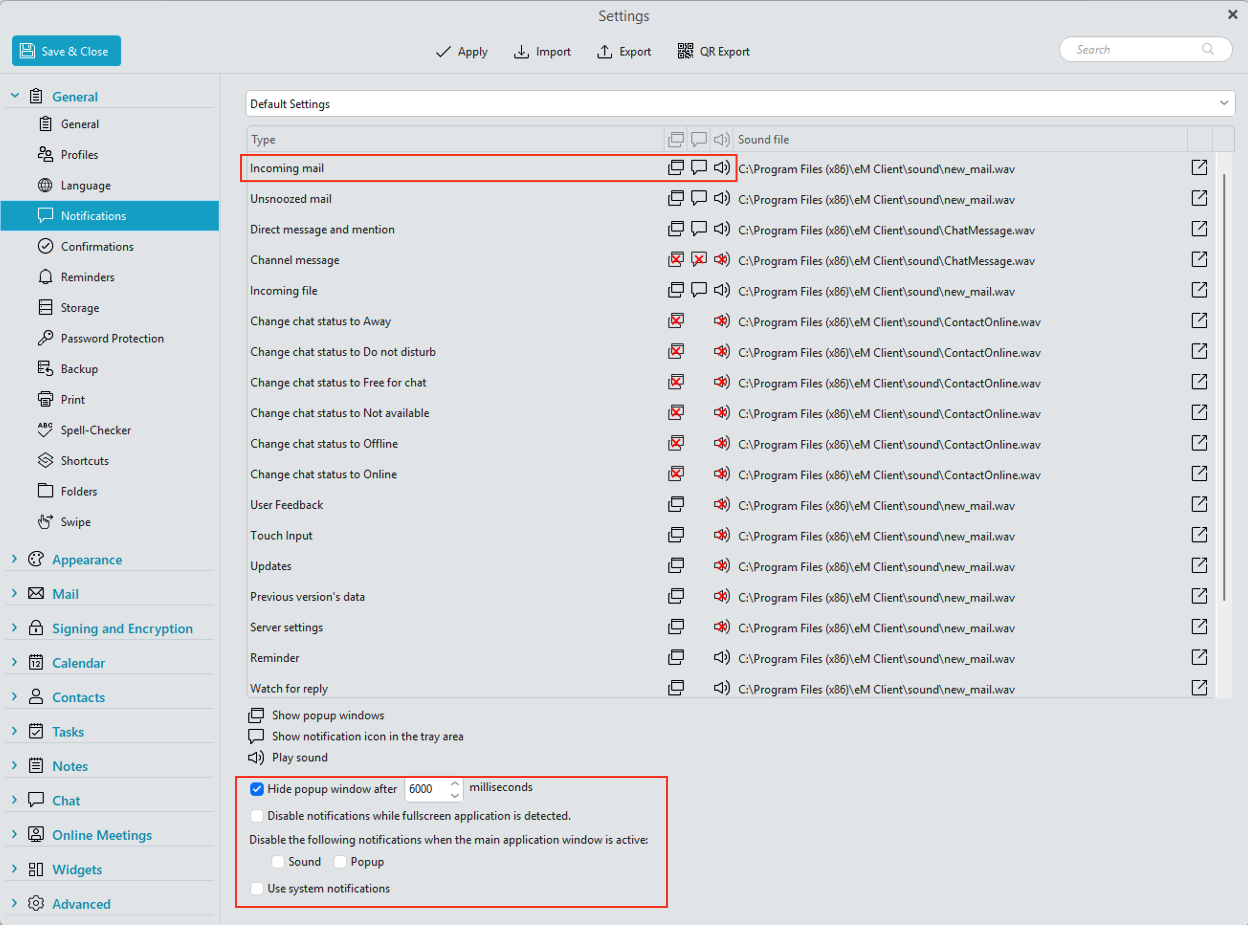
In the new V11 Beta V11.0.625 with Windows 11 the small white envelope icon now shows above the taskbar icon and in the system tray “even if eM Client is open in the background ” behind another app as per the following example screenshot and notification settings.
Yes I personally would reccomend V11 Beta. There is still some small glitches yet but overall its pretty good and stable and seems to work fine for myself personally on Windows and Mac.
If you do update, make a backup first via “Menu / Backup” incase you need to restore for any reason and “close eM Client before updating”. You can see when the backup is complete in Show Operations via the dropdown on the right of Refresh.


 .
.