The eM Client application is great, actually! The only thing I don’t understand at all is the fact, that the white envelope on system tray (or badge in taskbar button) for new e-mail is displayed if the application is minimized only. Why is such quite weird behaviour used? I need to know about a new email even eM Client is NOT active although it’s not minimized!
Many free or paid “competitors” have a feature to indicate incoming new mail via tray icon regardless of application window state, WHY eM Client NOT?
There is a Sleekplan suggestion you can vote for below to show a white envelope icon in the system tray when eM Client is open.
OK, thank you very much. But there are only two votes for such feature (including mine). So am I fool to request this? Are no other people missing this useful thing, actually?
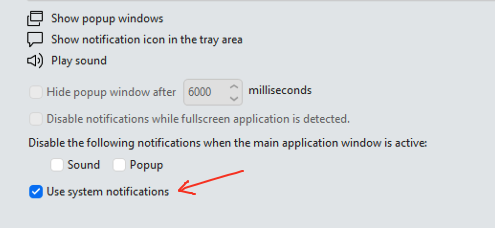
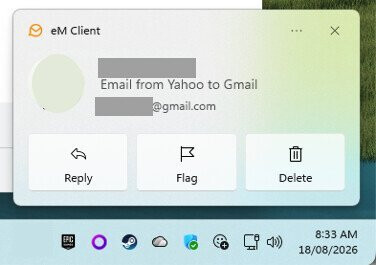
As an alternative to the white envelope icon in the tray, If you want new mail notifications while eM Client is open in Windows, then you can go to “Menu / Settings / General / Notifications” and check the box “Use System Notifications” where they will be passed on to the Windows Action Center to then popup a banner in the right corner of Windows as per the below example.
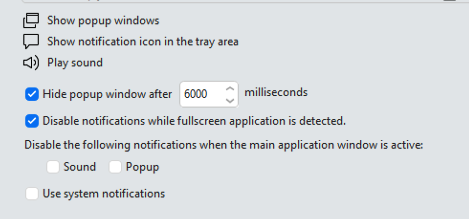
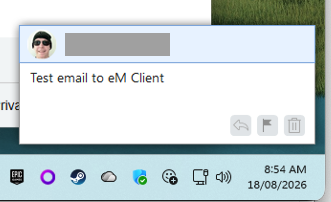
Or “if you uncheck Use System Notifications”, you will see the default eM Client new mail banner popup notifications in the right corner of Windows when eM Client is open as per the below example screenshot
1 Like