haven’t found a way to correct this
also haven’t found ‘Service Desk’ listed anywhere
When sending email, the from appears as Service Desk.
Can you elaborate on Service Desk.
when sending an email the receiver has Service Desk in the From field instead of MyName.
The Subject field and Received field are as expected with the correct email Subject and the Received date and time
the detail of the email header is
Email Subject xxxxx
Service Desk <MyName@mydomain . com>
Sent: correct date
To: correct recipient
Ok go to “Menu / Accounts” and click on your account on the left and then click the “General” tab along the top.
Then change the Name to what you want and save accounts as per the eM Client online documentation screenshot extract below.
(Edit existing accounts)
https://www.emclient.com/webdocumentation/en/10.0/emclient/default.htm#Accounts/Edit%20account.htm
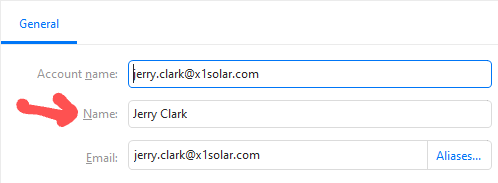
changed and saved the Name field as per your screenshot, no difference still getting ‘Service Desk’.
then deleted and saved the Name field, again no difference
If you have changed the account name in eM Client accounts and “saved accounts” and it’s still changing the sending name when that email is sent, then that means your SMTP server end is doing that after it sends your email.
So advise to contact your Domain SMTP server technical support and advise them you have the correct name in your mail client account setup, but everytime it sends it says from Service Desk.