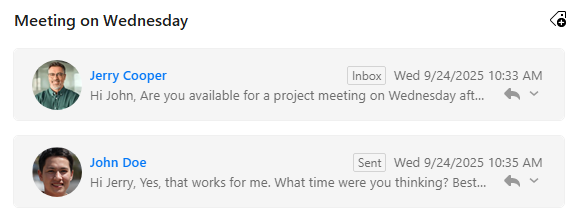
Not quite sure if this is related to the new update, but the first time I have noticed it…
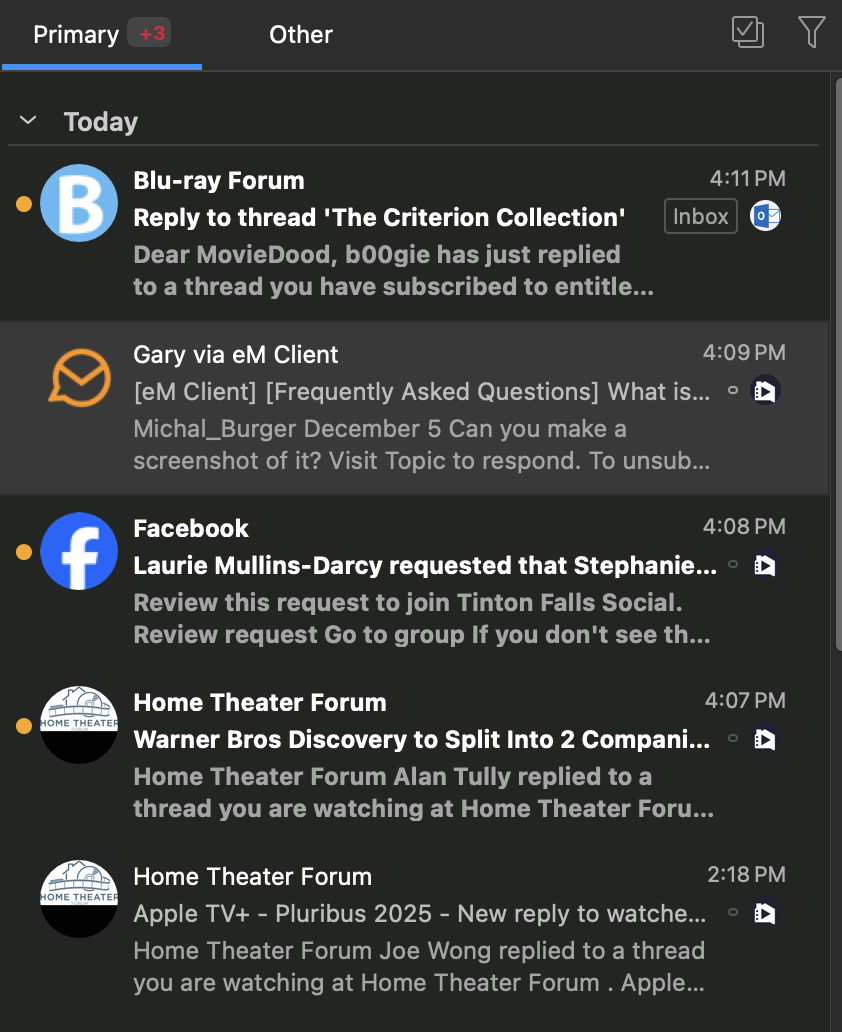
There is an INBOX moniker next to new messages in my inbox. So far, it only looks like it shows up for OUTLOOK account but not the others (GMAIL, iCLOUD). What does that mean?
If you are referring to the Orange filled circle on the left of the message, “that is a toggle switch” for quickly changing from Read or Unread.
The Solid Filled Circle is “Unread”. The Unfilled Circle is “Read” .
(Unread)
(Read)
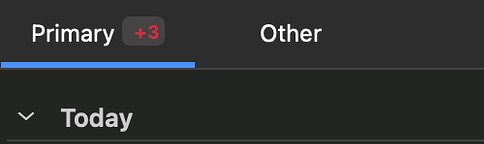
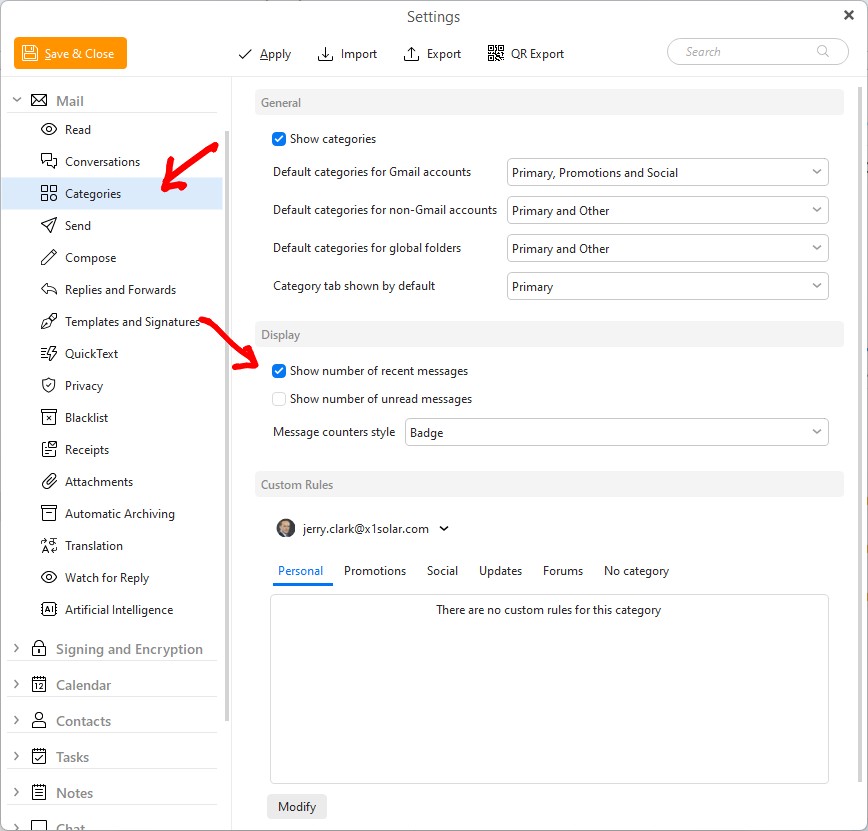
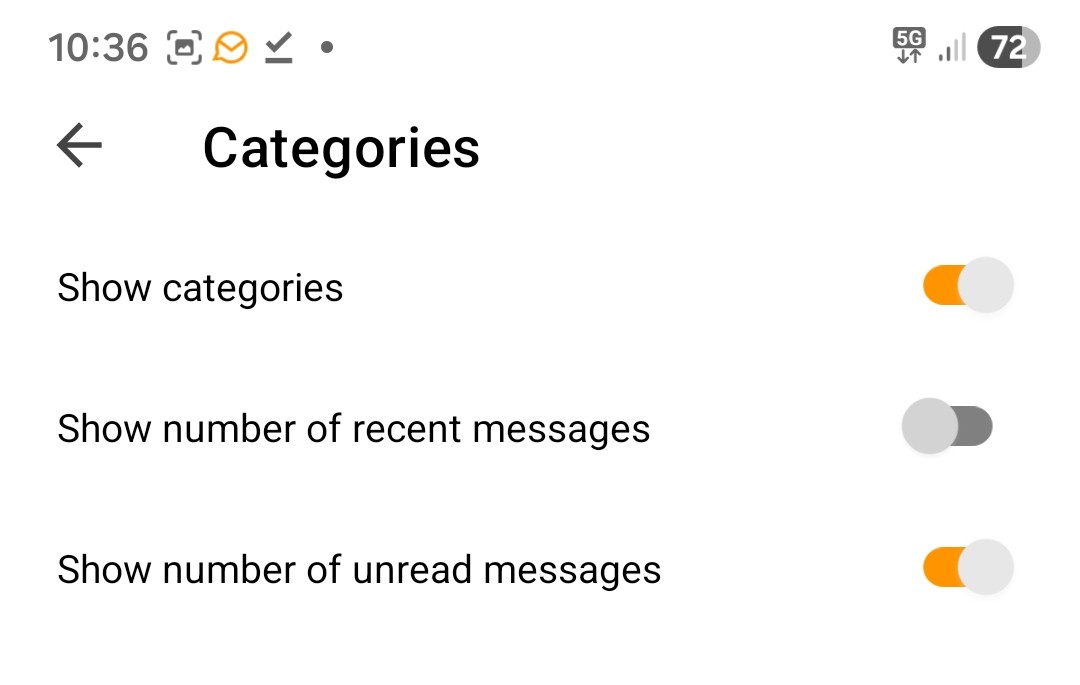
If you are referring to the Red +3 on the right of the Primary Inbox tab, that indicates either the number of “Unread messages” or Unread “Recent messages” depending on what you have setup in Categories in Settings as per below example.
Thanks for pointing that, out as “i wondered why the same Inbox name didn’t show on Gmail accounts with the 10,4 update”, due to after reading Gmail already has Inbox Tags lol
See the below V10.4 blog extract on the new Inbox Label as @ssphillips advised above, which is especially useful “when using Conversation / Threadview” and “for searching mail”.
"Extract below from the blog.
Folder name shown in threads, message details, and search results
Never lose track of where your message is located again – the message folder name is now visible in threads, message details, and search results! This is particularly helpful when using the search feature across all folders and conversations, so you have a clear overview of where each message is stored. Hover over the box to see the full path.
We are not able to reproduce the problem with the tooltip not showing on hover over the folder name. It works on both Windows and Mac for us. Can you share a video please?
We are not able to reproduce the problem with the tooltip not showing on hover over the folder name. It works on both Windows and Mac for us. Can you share a video please?
Here is a .mov video example below using V10.4.4151 & Mac OS 26.0 (Non Beta) Tahoe in conversation view", where if i searched for an email and found it in my Live account Inbox and then hover over the label Inbox" no folder name path appears ? Should that show anything.
Or does the folder path hover tooltip only show if I eg: search for an email "thats not in my account Inbox or sent box such as a sub folder ?
Or is that not where the folder path tooltip is supposed to show & shows somewhere else ?