Hi. When I create Zoom meeting in eM Client calendar(online meeting), meeting is always set with waiting room. I am not always participant of meeting, so is somewhere possible change this? Zoom is set without wainting room.
I’m required by my employer to setup Zoom meetings with Passcode and not Waiting Room.
Integration is pretty much useless to me unless I can change the default meeting creation settings.
The way it is now, I have to create the meeting in the Zoom webpage and download the .ics file to add it to emClient.
Would love an update on this request.
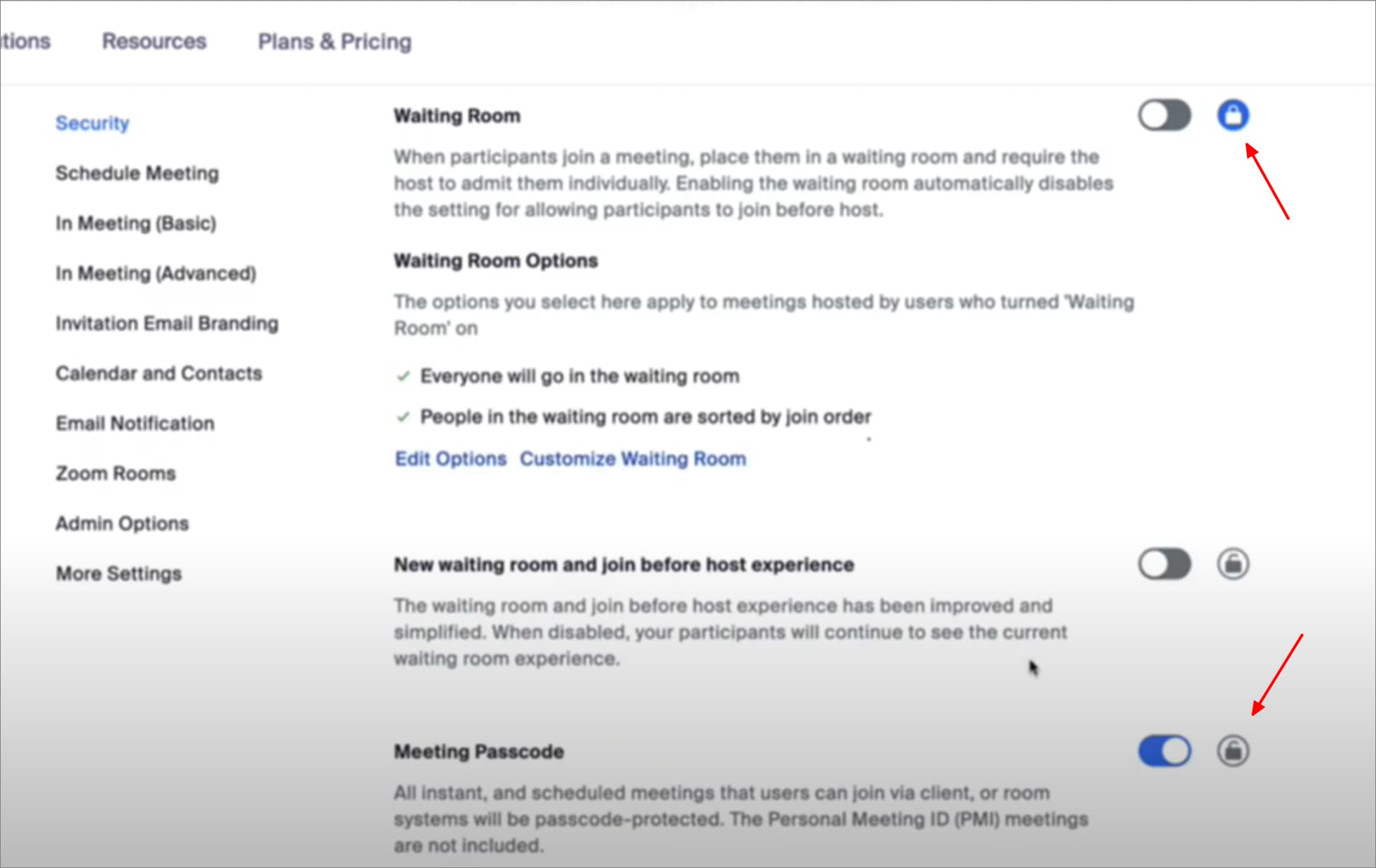
You need to turn on and lock the setting in your Zoom Admin Portal webpage.
In this screenshot Waiting Rooms are disabled and locked but because Meeting Passcode is not locked, the passcode is not passed to eM Client when you schedule the meeting. Without the lock, the attendee with get a Meeting Room link instead.
1 Like