Version 11
Colored accounts sounded promising.
I set the colour on an account but see no difference at all.
No coloured text anywhere to be seen.
There is a help-video showing a little coloured dot at top left when you send an email but I have logo/icons there already.
What am I missing?
Version 11
Colored accounts sounded promising
When you add colour to an account “after saving accounts” when you create, reply or forward an email, you will see “along the top of the message” the colour you selected as in the below example.
If you have an existing account Avatar they will show now with the latest V11 release versions.
If you had an earlier version you had to click your account avatar again to reselect it to see it.
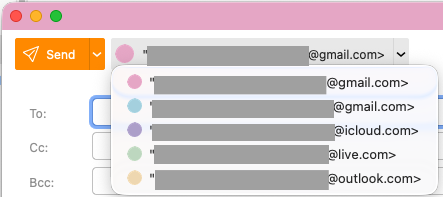
No coloured text anywhere to be seen
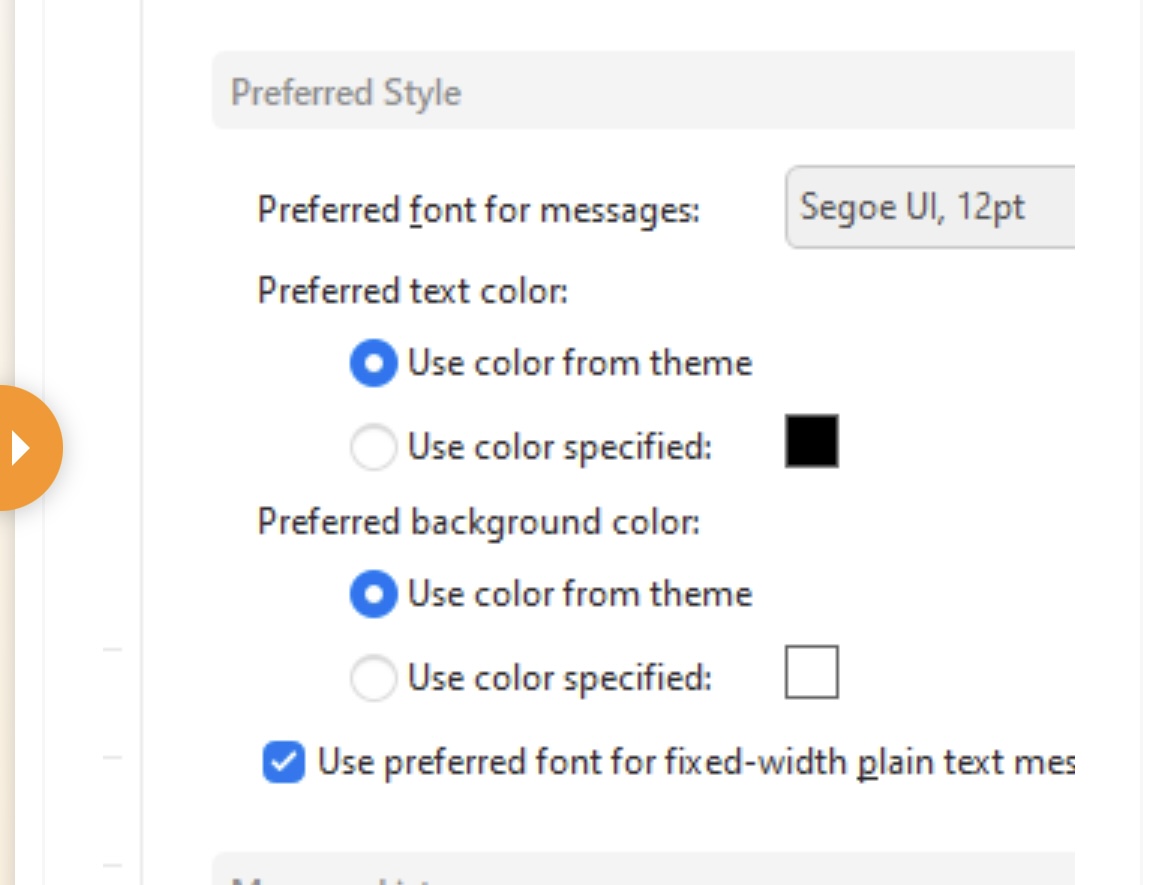
If you want to change the default reading font colour, then go to “Menu / Settings / Mail / Read” and scroll down to “Preferred Style” , and select a custom “Preferred text color” or use the theme color.
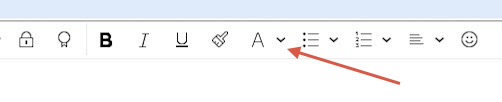
If you want to change the font color when composing, then “highlight the text you want to change” and then click the “formatting icon” (letter A) in the compose toolbar to pick a color
Thank. You’ve just confirmed what I thought.
I have 10 different email accounts and was hoping for some useful coloring of the heading/names to help distinguish them.
So all we have is a colored dot when we send an email. And the account title isn’t that color anyway - so it’s not very useful.
I have 10 different email accounts and was hoping for some useful coloring of the heading/names to help distinguish them.
So all we have is a colored dot when we send an email.
No you also have the “Title Bar” colour along the top “as well as either the Acct Avatar Colour or Acct Avatar logo” whichever you prefer.

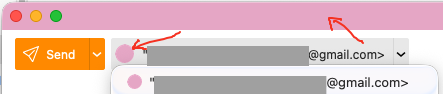
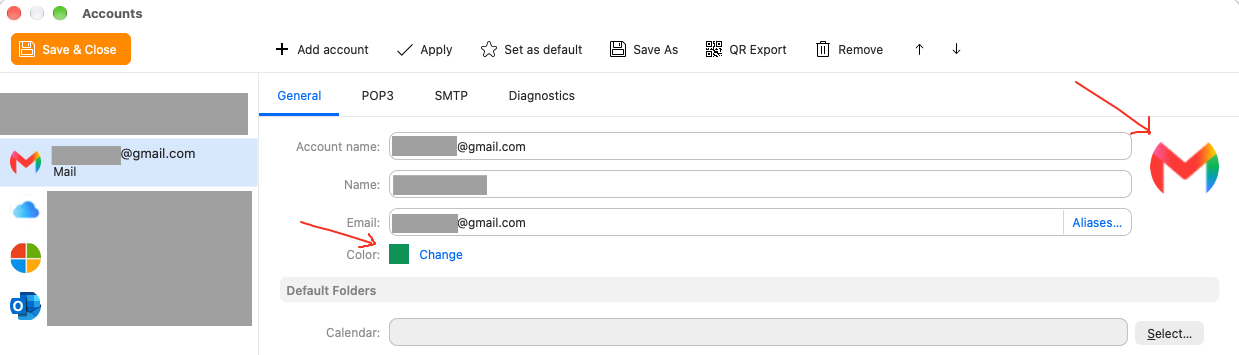
You setup the Title Bar colour and Acct Avatar Colour or Acct Avatar Logo via “Menu / Accounts”
If you want the Acct Colour ball the same colour as the Title Bar Colour & currently have a Acct Avatar logo, then click “Change” and select “No Colour”.
Then select the Account Colour you want, and you will get a prompt to replace the Acct Avatar logo.
You will then have the Title Bar colour and Acct Avatar Logo the same colour.
I see. Thank you. I’d missed the coloured header on emails (I thought that was just MS Windows playing ticks)
So now we can have coloured spots beside the account names and matching colours on email header.
I think full control (text & background colour) of the whole account name on the left and matching email header would be a better option.