“In version 10.4.5326, the ‘Unreplied’ favorite folder remains checked in Settings → Mail → Folders after a restart, even if I uncheck it and Save & Close. Other folders like ‘Unread’ behave correctly.”
Can you screenshot the “Unreplied favorite folder remains checked in Settings”.
First of all, in my previous post, please instead of “Settings → Mail → Folders” read “Settings → General → Folders”.
Please find the steps and screenshots in order to reproduce the problem.
- Initially load eM. “Unreplied” folder is listed on the left side. Go to “Settings → General → Folders” where the Unreplied checkbox is checked. (see scr1_1.pdf and scr1_2 screenshots)
- Uncheck the Unreplied checkbox. Th Unreplied folder is not in the left side. (see scr2_1 and scr2_2)
- Shutdown eM and reload.
- The Unreplied folder is listed on the left and the checkbox in “Settings-General-Folders” is checked.(scr3_1 and scr3_2)
The screenshots:
Regards,
George
Ok I’ll test that out at home later on Pc & Mac
Also If you “right click” on the “Favourites” heading you can also normally disable / uncheck any option.
So does that work if you disable Unreplies that way and then close and reopen eM Client ?
No it does not.
It behaves exactly the same.
G.
Ok i tested 10.4.5326 on PC Windows 11 (25H2) and Mac OS 26.4.1 and after deselecting the Unreplied option in “Settings / General / Folders” and clicking “Apply” & then “Save Settings” it disappears on the left under Favourites and closing and reopening eM Client doesn’t reappear.
So i carn’t personally replicate that problem and works fine for me on either OS and sounds like either a possibly problem with your eM Client installation, or your current eM Client database.
So suggest first to “close eM Client and uninstall the program” and if you have Windows “don’t delete the database” when asked on the uninstall wizard. Then if you originally installed eM Client directly from the website for PC or Mac, go to the release history page and download the same version and reinstall and see if that fixes it. Or if you originally installed eM Client from the Windows Store, then reinstall that version.
If uninstalling and reinstalling eM Client doesn’t make any difference, then i would next “test with a new clean database” to see if thats causing it.
To test with a clean database, first “close eM Client” and then go to the following hidden database folder and “rename it” to eg: eM Client-Old. Then reopen eM Client and setup as new.
(Hidden database folder Windows)
C:\Users%username%\AppData\Roaming\eM Client
(Hidden database folder Mac)
/Users/User Name/Library/Application Support/eM Client
If a new database then fixes the problem and you need messages, contacts, tasks etc out of your original database, then you can do a “Partial Restore” in Offline mode via following the eM Client blog page which explains how to do that near the bottom of the linked blog page.
However if a new database still doesn’t fix the problem, then i would next suggest if you have a current active paid Pro, Personal or Business version, then go to the VIP support page and login and lodge a support ticket and link this thread. If you have run out of your 12 months support you can get another year extension via the following page.
OK. Many thanks for the help.
Just for your info:
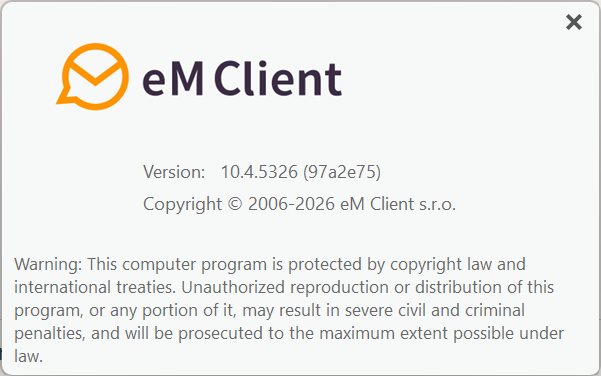
- I am running on Windows 11 (25H2) on a trial version (screenshot below) as i am in an evaluation phase.
- There is no “Apply” nor “Save Settings” buttons. Instead there is a “Save and Close”!
G
I will follow your suggestions and i let you know.
G.
- There is no “Apply” nor “Save Settings” buttons. Instead there is a “Save and Close”!
Apply is under the “Settings” heading at the top as in the eM Client Windows example.
Save Settings means “Save & Close” button.

Hi George, could you please check whether, at the time this happens, you have any messages marked with “Watch for reply” or whether the Unreplied folder is empty?
The folder may remain enabled automatically if there are still messages being tracked as awaiting a reply. This would explain why it reappears after restarting eM Client.
Hi JulieLiem.
No message is marked with “Watch for reply” and the Unrieplied folder is always empty.
I will try a total new installation.
Any way many thanks.
GT
The latest news:
I uninstalled eM client while I preserved the database. The problem was there.
I uninstalled eM and i did a totally fresh installation. The problem is not there.
I understand that the problem was with the database. It was either somehow corrupted, or the various config changes (and there were many, as I am in an evaluation phase) created an unknown condition that forced eM Client to always show the Unreplied folder.
Thank you all forthe help.