Unread emails are no longer displayed in bold. I have no idea as to why. Is there a way to regain this? Bold for unread emails makes perusing emails so much easier.
Could be you have changed the default “Use Colour from theme” for preferred text colour or preferred background colour via “Menu / Settings / Mail / Read” as per below example.
If that is already set to use colour from theme, for both, then could be your current Theme has changed if you have a custom theme. So next try change the theme to one of the others to test. via “Menu / Settings / Appearance / Themes”.
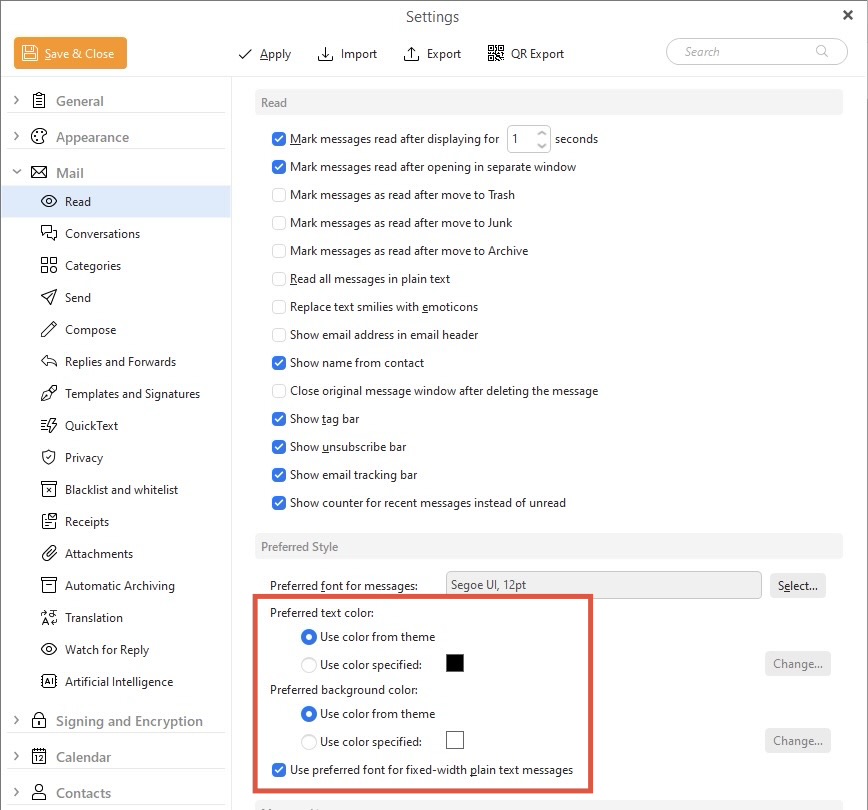

Thank you for your interest and taking the time to reply. I checked the color theme, and items were identical to your photo. The theme is not a custom one. I had it set on “Modern,” but I tried “Light” just to see if there would be any change. No difference at all.
Perhaps this is not a problem solely for eM Client; it may be something related to Gmail or Outlook. I have the account in sync with all of these.
Perhaps you or someone else with multiple degrees in “computerology” can solve this. I’m afraid my own knowledge of such matters in woefully deficient.
Thanks again for trying to be of help.
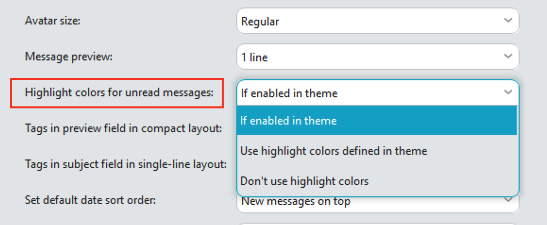
Thanks for the suggestion, but I had it set that way already. So, still no unread emails displayed in bold. Oh well…