Continuing the discussion from Go back to inbox after deleting an email:
You can set eM Client to go up or down the Inbox after deleting a message.
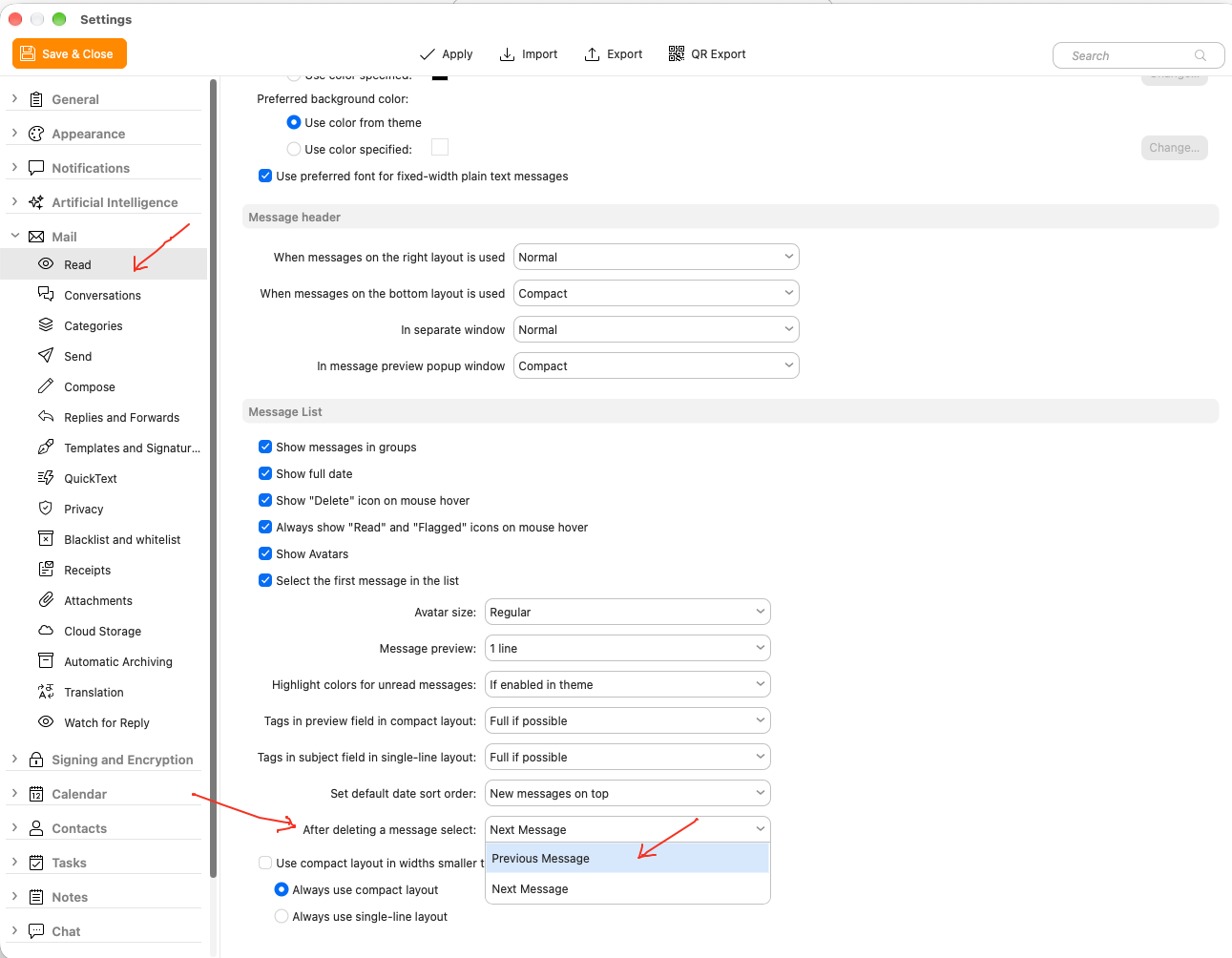
Go to “Menu / Settings / Mail / Read” and select previous message after deleting a message as per example screenshot below to go back up the list of messages instead of down the list.
If you carn’t see the top of the Inbox, just press the Home key. eM Client keeps its position in the list so you don’t loose where you were up to untill you close and reopen the client where it will then go to the top of the Inbox the same as other mail clients do.