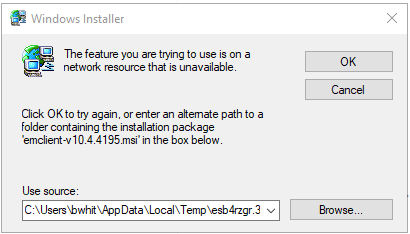
When I try to uninstall emclient (doing this because emclient will no longer update. Here’s the error message I get. I have search for the *.msi file but it is NO where on my system.
You can find the latest and older installation files at Release History | eM Client
Look for the entry “10.4.4195.0” dated December 10, 2025.
If you’re still unable to uninstall the program, try installing it first using the downloaded file “emclient-v10.4.4195.msi.”
You can update with latest installation file for Version 10 - “emclient-v10.4.5674.msi.”
When I try to uninstall emclient (doing this because emclient will no longer update. Here’s the error message I get. I have search for the *.msi file but it is NO where on my system.
If you have Windows 10 you can try running the Microsoft Installer / uninstaller troubleshooter.
Note: If you do try the troubleshooter too, “reboot your computer after running the utility”.
Apart from that also its a good idea to clean out your Windows Temp files.
If you don’t have a program to automatically do that, “close all open programs” and then click “Start / Search” or right click “Start / Run” and type %temp% and “press enter” to show and delete all the OS temporary files.
Note:- I would also recommend to reboot after deleting all the temp files.
