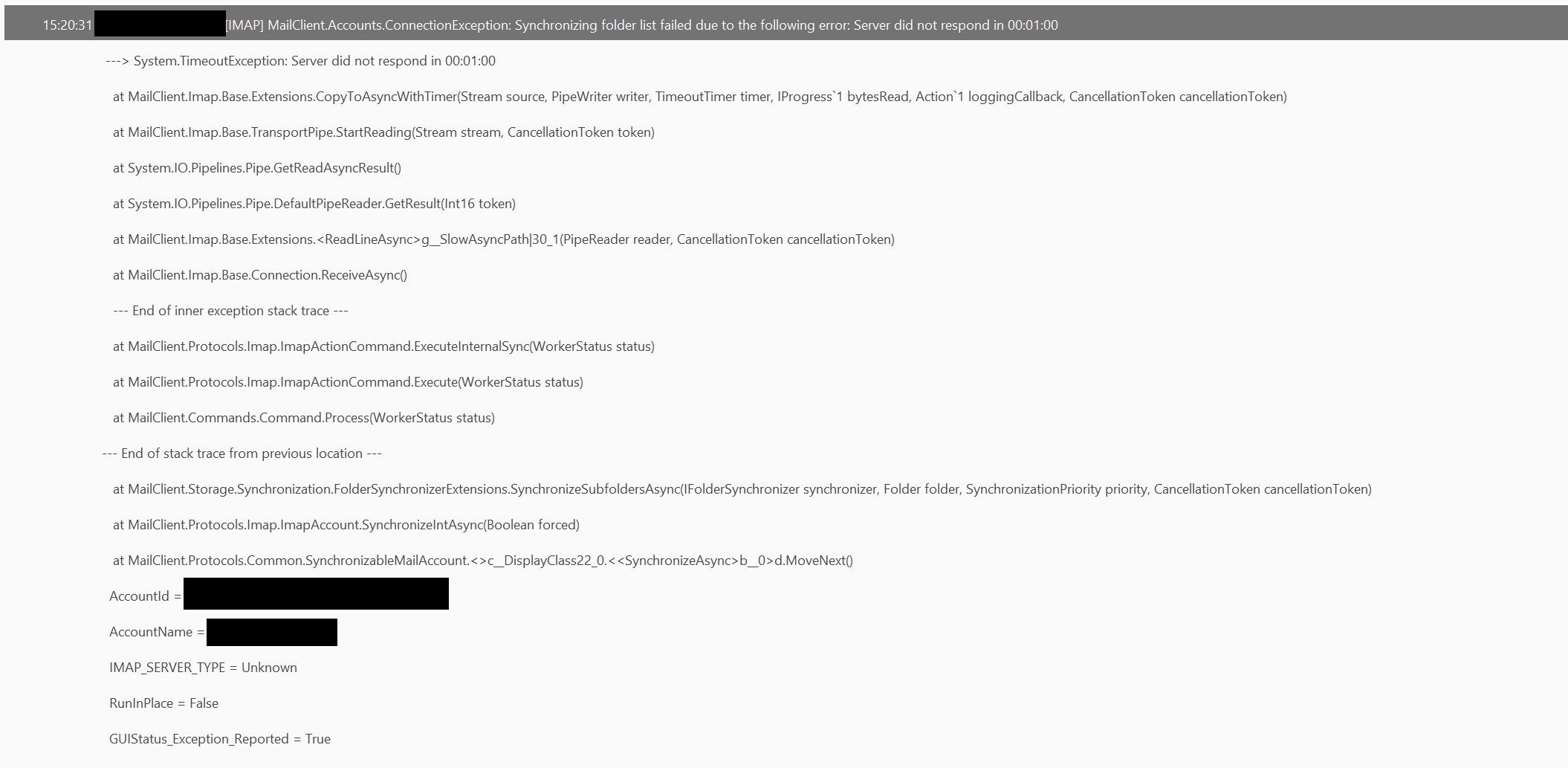
Since earlier this mornign I have not been able to synch my mail on em client…other mail clients (both on windows and ios) are working fine and able to access the same email account that is currently inacessible by emc
I have removed the account and re-added it. Re-authed it but the operation still fails every time. On ios, the activity bar just keeps going
I also have a Google account linked and have been receiving error messages very frequently over the last few days.
Several times a day, access then works again. A day later, there are no error messages at all.
It’s possible that Google is currently experiencing a problem because a lot of people are moving.
The consolidation of external accounts in Gmail is supposed to be phased out, which is why there could be a lot of traffic on the servers right now.
But that’s just my observation.
Google seems to be having issues with imap TLS, browser gmail all emails should be there.
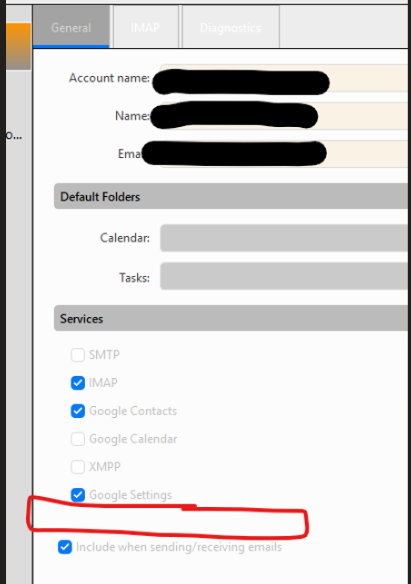
What we did is run Reauthorize in the general tab of emclient, and about 5 minutes later it started syncing. Searching online reports it sounds spot on that tokens and requirements are changing.
I noticed I don’t see em-client under authorized sign ons or apps on google workspace anymore either. So whatever they are changing over at google seems to be the cause.
the user that was having the sync issue had a button here.
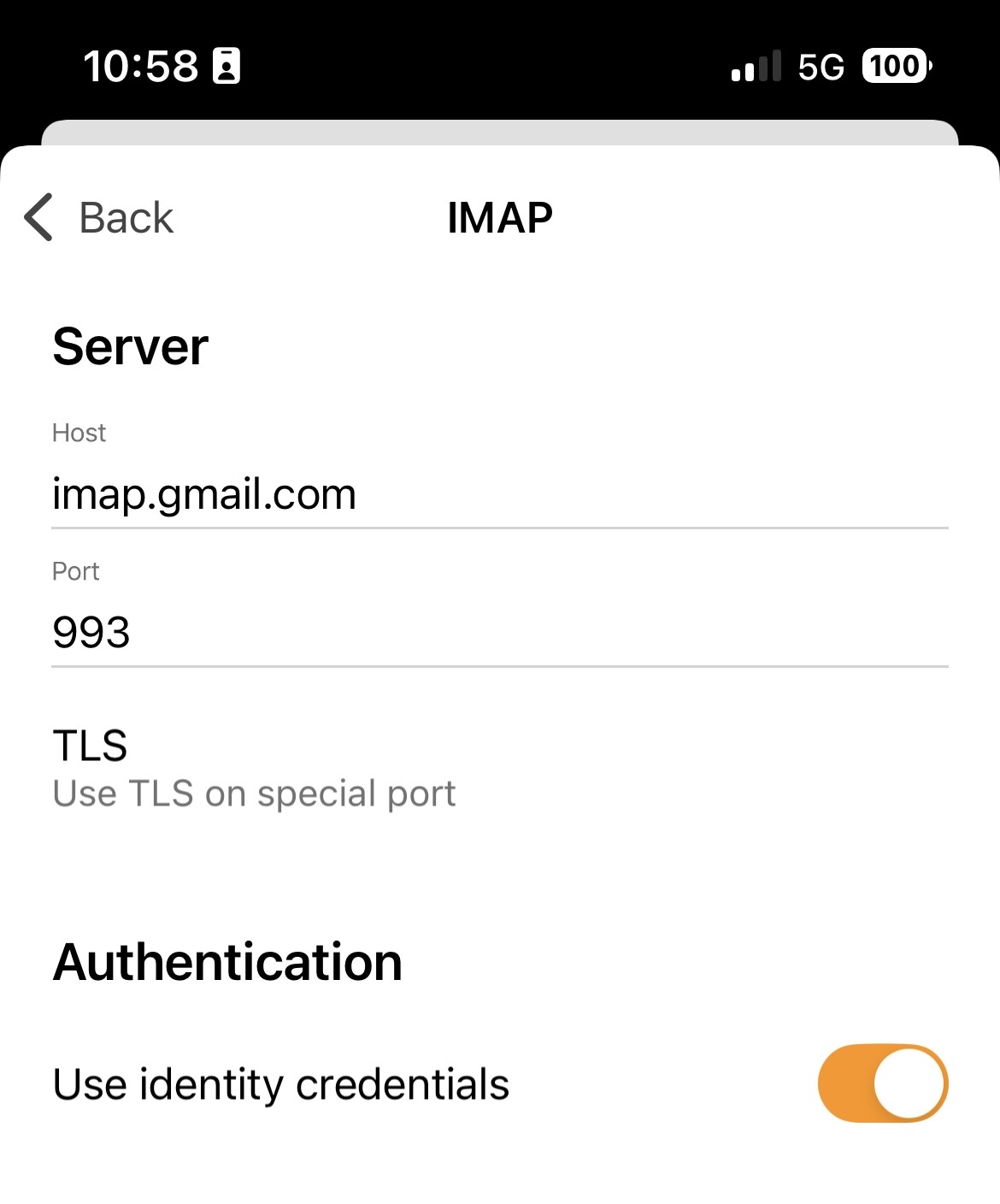
These are the Gmail IMAP settings I’m currently using on iOS app on iPhone and iPad that seem to work for me personally using wifi or cell data.
If you already have the same settings, maybe then try power off and on your iOS device as might be some eg: resident os device problem.
Or if you are using wifi, try power off the wifi modem router for eg: 2 mins and back on to see if that makes any difference in case it’s an old stale IP address causing connection issues.
Unfortunately this is across 3 windows desktops and also my iPhone.
I have removed the account on one machine and tried to add it back in but it keeps getting the same error as my first post.
On ios have done as you suggested as well as removing and re-adding the account and no joy.
Could possible then be a eg: resident background program running delaying timing out as you error is “Server did not respond in 01.00 min”
So if you have any optionally installed firewall / security programs or optionally installed antivirus programs or vpns “other than the default” try disabling those to test incase of interference.
Failing that if you have nothing optionally installed like that, or you do but disabling made no difference, then suggest to “test your mobile / cell at another location” (on a different wireless internet connection) like a eg: friends wifi or public free wifi and see if it connects.
As could be your current home or business internet provider “if you use the same for all your computers and mobile / cell phone” possibly has a routing issue at the moment to Gmail.
If it then works on your mobile away from your house or business on another wifi connection, then contact your home / business internet provider to advise of the issue.
If your mobile / cell still wont connect to Gmail using another different wifi connection, then sounds like it a Google / Gmail server issue which usually then will resolve itself.
Hi. what was the solution Google gave? I had some sink issues but it is now working fine, though I’d be interested if it was something they did on their end.
they basically said that t5here was a large amount of ‘unusual’ traffic and the first thing to try was not use 3rd party software to access the account for 24 hours. Only use the gmail browser app. That worked for me…