Umständliche Konfigation von CAL/Carddav

Umständliche Einrichtung von Cal/CardDav Konten. Synchronisation findet nicht statt obwohl
richtig konfiguriert. Es sollte zubeginn die Möglichkeit abfrage von caldav carddav server konten sein.
Thunderbird macht es vor auf windows und Linux und auch Evolution auf Linux.
So bin ich sogut wie ganz auf Linux umgestiegen.

Setting up CalDAV/CardDAV accounts is cumbersome. Synchronization fails to occur, even though the configuration is correct. There should be an option to query CalDAV/CardDAV server accounts right from the start.
Thunderbird sets the standard for this on Windows and Linux, as does Evolution on Linux.
That is why I have switched almost entirely to Linux.
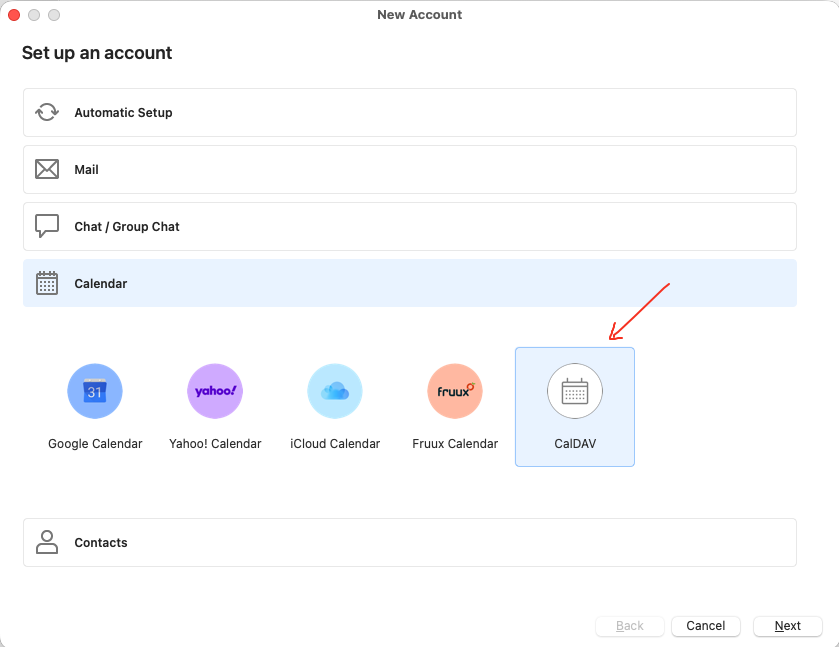
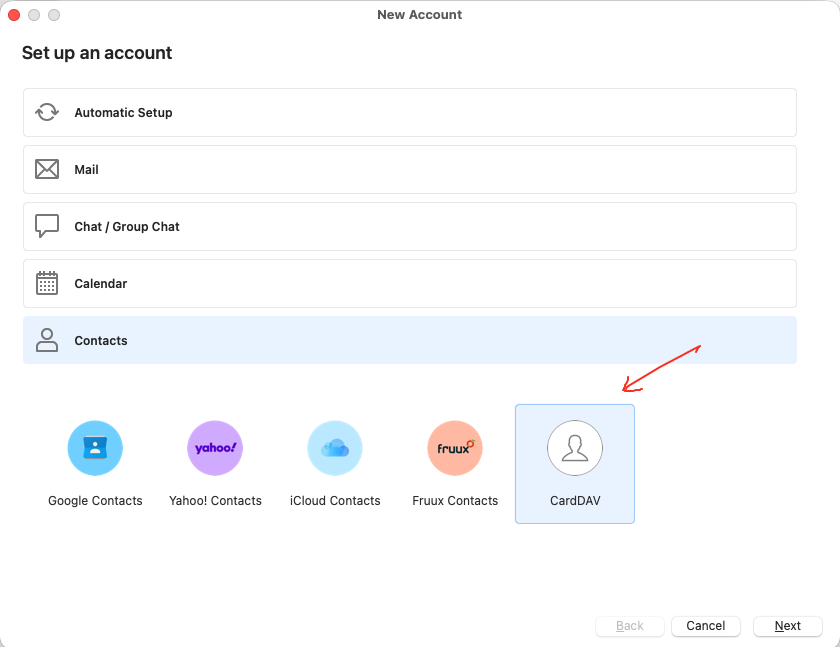
All my own CalDAV / CardDAV setups were very simple in eM Client V9 & V10.

If your server doesn’t support automatic setup of CalDAV & CardDAV via the automatic account wizard, then you can easily set them up manually as per the example screenshots and documentation help page further down.

If yours are not working, then its usually “either the URL’s are wrong” or “you might need an app password / generated password” to access & sync them. So check with your server technical support to dblcheck the url’s & if you need app passwords or just your normal user / password.

If you have tried that and they don’t work, update what your CalDAV / CardDAV Server you are with, and whats the URL’s you are entering ? Also what error are you getting when you add them in ?

“Creating a New Account documentation”

https://www.emclient.com/webdocumentation/en/10.3/eMClient/Default.htm#Accounts/Create%20New%20Account.htm%3FTocPath%3DAccounts|_____2