When I’m reading email, typing the character “s” deletes the email I’m reading. This happens whether I’m reading emails in the preview window or if I open an email message in its own window. This makes it essentially impossible to enter data in online forms contained within email messages.
It is actually snoozing them. I don’t like it either I just removed the shortcut key for it in options.
2 Likes
Yes you can customise the shortcuts for the message list in Setting’s
- Windows: Menu > Settings > General > Shortcuts
- macOS: eM Client > Preferences > General > Shortcuts
eM Client Shortcuts
This is definitely the fix. Single-key shortcuts are useful for power users but a nightmare if you accidentally focus on the wrong window while typing. Disabling them or remapping “s” to something like “Ctrl+S” is the safest bet to prevent losing emails.
Thanks! Once I learned from you that I it was possible to remove a shortcut, I figured out how to do it. Deleting “s” fixed the problem. (The UI is not exactly obvious on how to remove a shortcut and the documentation is, shall we say, a bit thin.)
By the way, what does it mean to snooze an email? I haven’t seen any of them come back later. How long do they get snoozed for?
Thanks again. This was super helpful.
Lee
Thanks. I had already tried that. It said that ‘s’ was already assigned to “Snooze” and wouldn’t let me change it. I didn’t learn until later that you can unmap shortcuts, which solved the problem.
Lee
Yes, so I learned. I had to systematically disable every single-key shortcut before I could fill in a “send us your comment” field in an email.
Thanks for your response. I really appreciate the help from you and others who have responded.
Lee
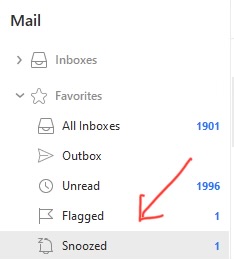
Snooze allow you to delay non urgent emails “to a later time in the day or days” in a Snooze folder to then process later when they are then automatically moved back to your Inbox.
It’s a paid feature available with the Pro, Personal and Business versions.
See the below snooze documentation
GOOD JOB!