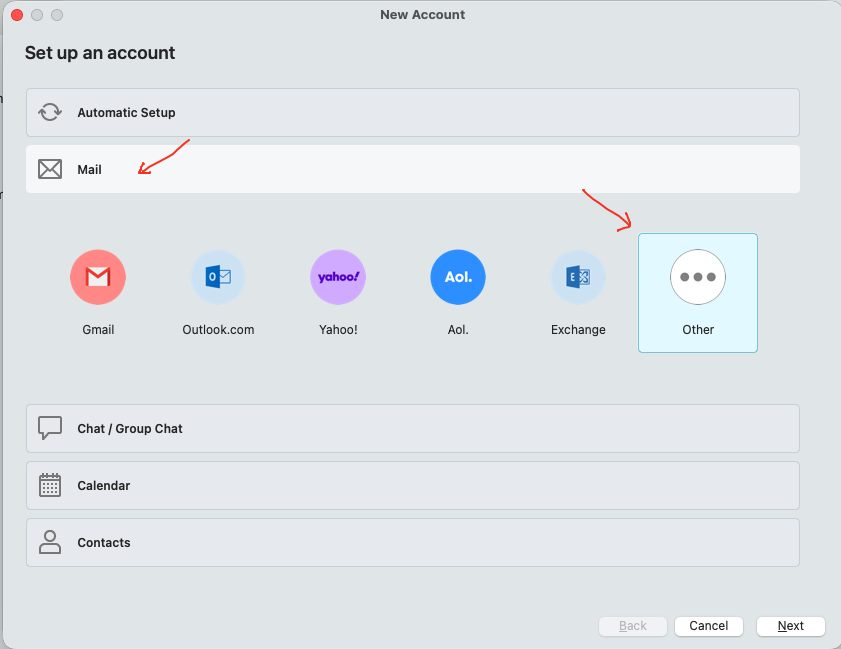
Also to follow on from @skybat post above, if you are using eM Client V10.3 or higher these are the IMAP & SMTP settings you can use for a manual setup via “Add Account / Mail / Other”.
According to the Titan Mail website mail settings they use Port 993 and 465 for IMAP setup as per the Titan mail support link below and need to be manually setup as per screenshot end of post.
(IMAP)
Port 993 "Use TLS on Special Port”
Port 143 "Use STARTTLS if available”
(SMTP)
Port 587 "Use STARTTLS (Always)”
Port 465 "Use TLS on Special Port”
“Configure Titan on other apps using IMAP/ POP”
Also make sure you have allowed third party mail access in your Titan Mail account as @ttf advised in this thread link - https://forum.emclient.com/t/titan-mail-authentication-issue/117136/4
Lastly according to the Titan Mail link above if you are still getting invalid username and password “you need to disable 2FA (two factor authentication) in your Titan mail control panel” to allow third party apps to work. See “the end” of the Titan mail settings link webpage instructions on that.