eM Client version: 10.4.4867 (a1d5549)
PC operating system: Windows 11 Home (25H2)
Email provider: Microsoft Outlook.com
Problem: Reminder time for tasks is not syncing correctly and is off by -5 hours.
I’m creating a task in eM Client and set the reminder date and time. I then open Outlook.com to check if the task was synchronized correctly. It turns out that the reminder time is off by -5 hours compared to what I set it to in eM Client.
For example: eM Client task setting is: Recurs every Sunday and a reminder set for Sunday at 6:00 AM.

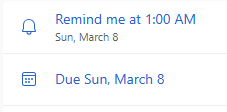
Checking Outlook.com: The reminder time is set to 01:00 AM
My other devices (phone, tablet) are syncing from Outlook and the reminder time is set for 1:00 AM while my desktop will remind me at 6:00 AM.
I checked the time-zone setting in Windows and Outlook.com and both are set to (UTC-05:00) Eastern Time (US & Canada). Checking online with ChatGPT, it was suggested that it is most definitely a time zone mismatch between eM Client and Outlook. I checked the time zone setting on my PC and Outlook and they are correct. However, I can’t find the time zone setting in eM Client.
Can anyone help to get this corrected please?
Thanks,
Fred
Do a screenshot of your actual Task so we can try and replicate it. Blank out anything personal.
Hi cyberzork,
Thank you for looking into this!
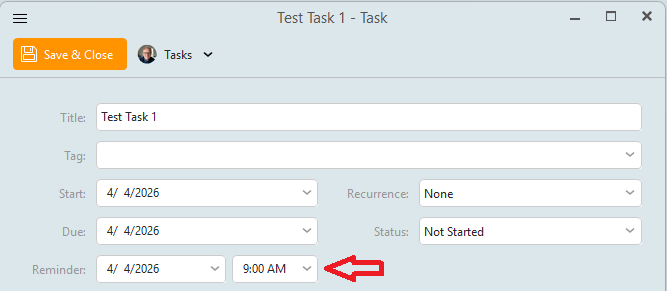
Test 1
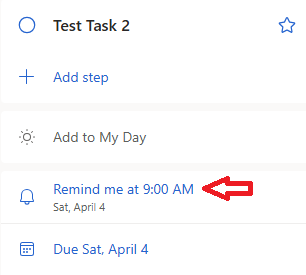
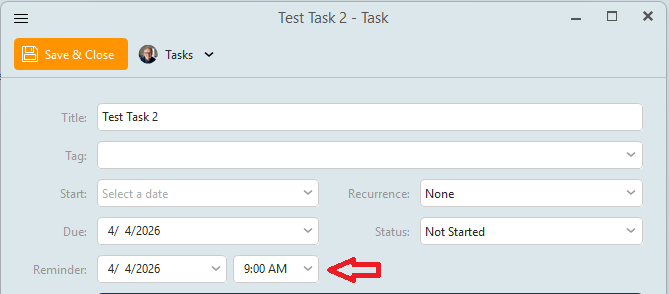
I created a task in eM Client and set the reminder time to 9:00 AM.
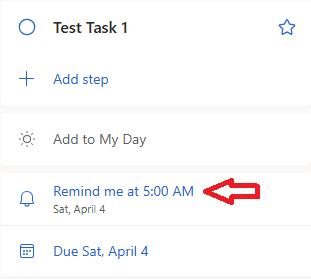
I then checked my Outlook.com ToDo-folder and noticed that the reminder time has changed to 5:00 AM - 4 hours earlier.
Ok I’ll test that later today with my Outlook.com account and update this thread.
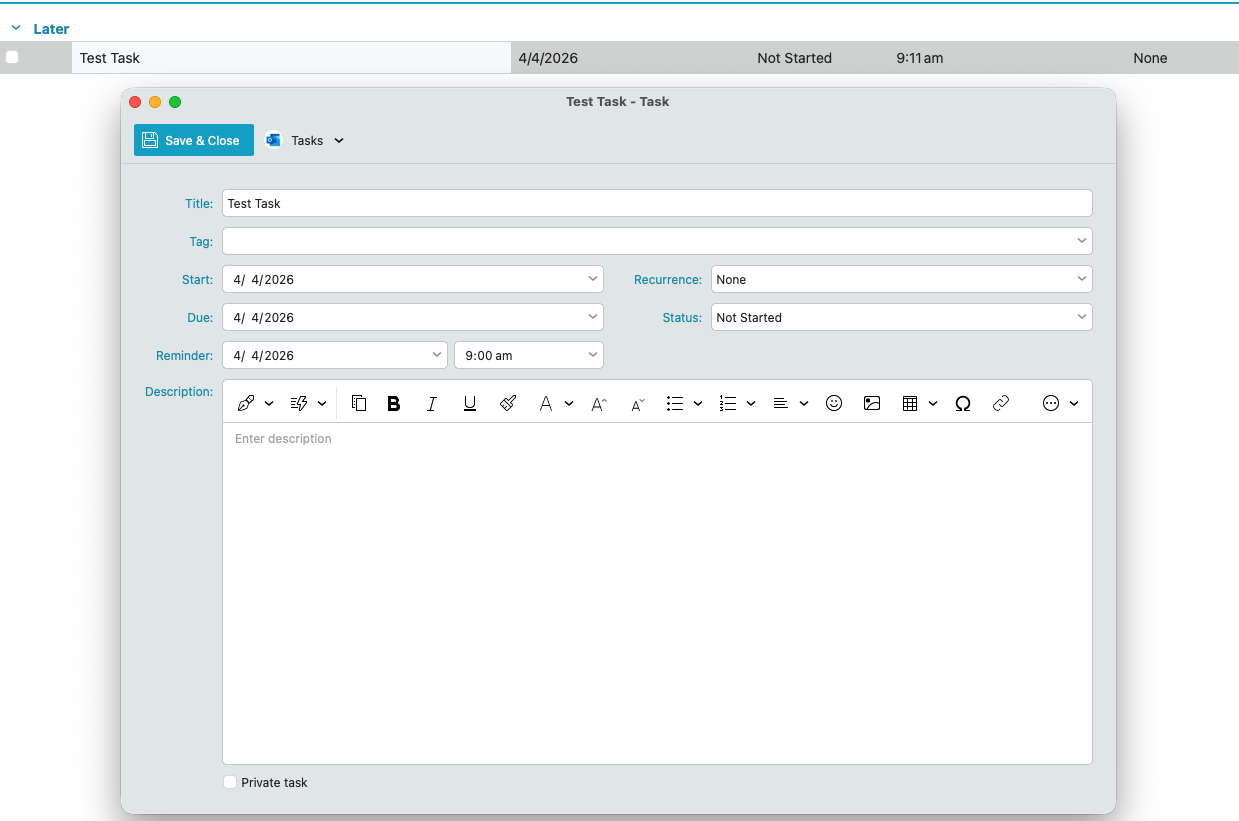
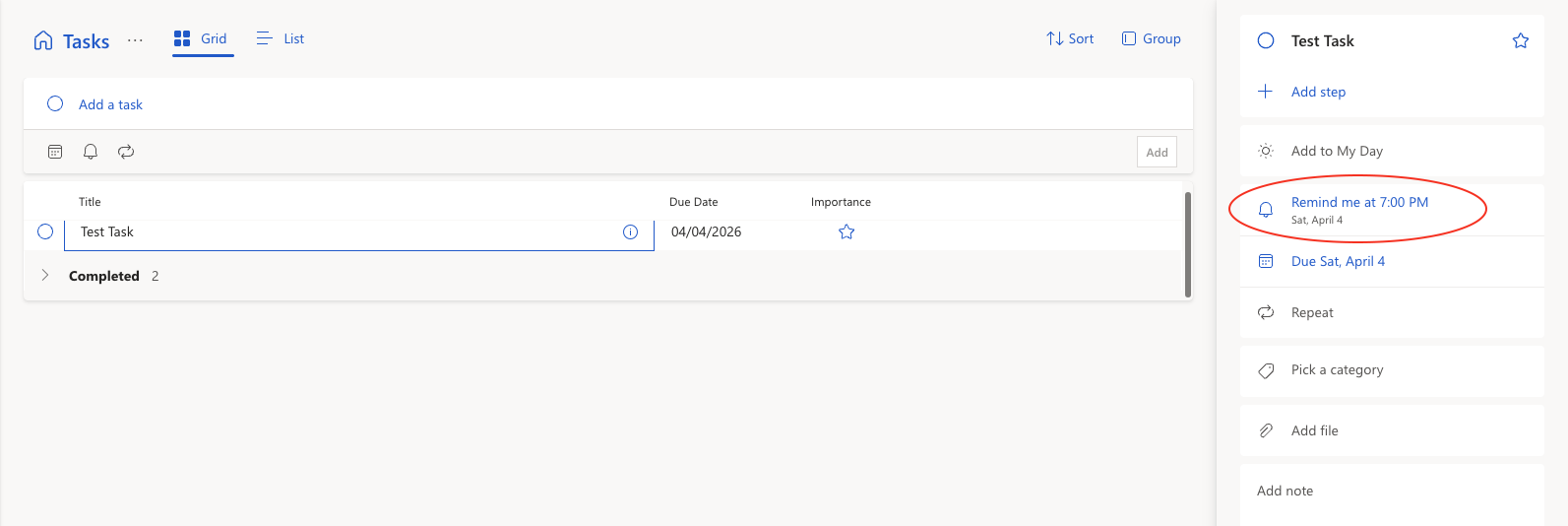
Ok i created a Test Task using V10.4.4867 on Mac using my Outlook.com IMAP account for the same date the 4th of April and a reminder at the same time 9am, and after it synced online “it showed a reminder time of 7pm online” in the Outlook.com account as in the 2nd screenshot below, so its not synching the same reminder time online so i don’t know if this is an eM Client bug or a Microsoft end server issue. Needs the eM Devs to look into that.
Thanks for confirming, cyberzork!
I investigated further and noticed that if you do it the other way around and create a task in Outlook.com it will display correctly in eM Client.
This is the task I created in Outlook.com:
And this is received after synchronization with eM Client:
From this test my conclusion is that tasks, created in eM Client, will not synchronize correctly to Outlook.com. However, tasks created in Outlook.com will synchronize correctly to eM Client.
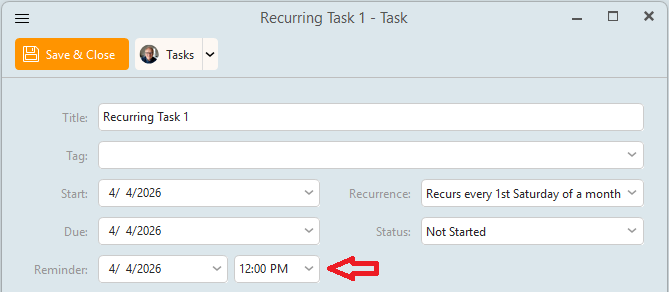
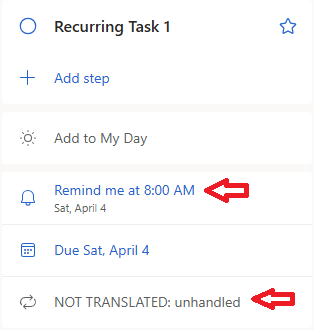
I ran another test and created a recurring task in eM Client, which repeats every 1st Saturday of a month, and set the reminder to 12PM.
And this is what I received in Outlook.com:
The time is off again by 4 hours and there is an error for the recurrence: “NOT TRANSLATED: unhandled”.
I then signed up for a mailbox.org account and experienced similar issues synchronizing tasks between both platforms. Interestingly, there is no 4-hours reminder time difference, but an entire day off. I can only hope that the development department at eM Client is looking into this because I’m very much tasks oriented.
Have the same issue as others on here. EMclient syncing with infomaniak. Enter a task in emclient with tomorrow as the due day and in infomaniak it goes in the day after tomorrow. Adding a reminder to stop the 00.00 issue makes no difference. If I add a task in Infomaniak for Friday, it comes back to EMclient as due on Thursday! With the greatest respect, I do not think this is a nextcloud issue as mentioned earlier as Infomaniak runs its own proprietary platform.