Using em Client version 10.4.4209 (d96494b)
Windows 11 Pro Version 24H2
Installed on 2025-08-27
OS build 26100.7171
Experience Windows Feature Experience Pack 1000.26100.265.0
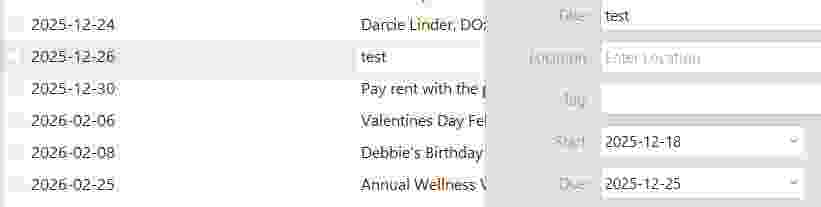
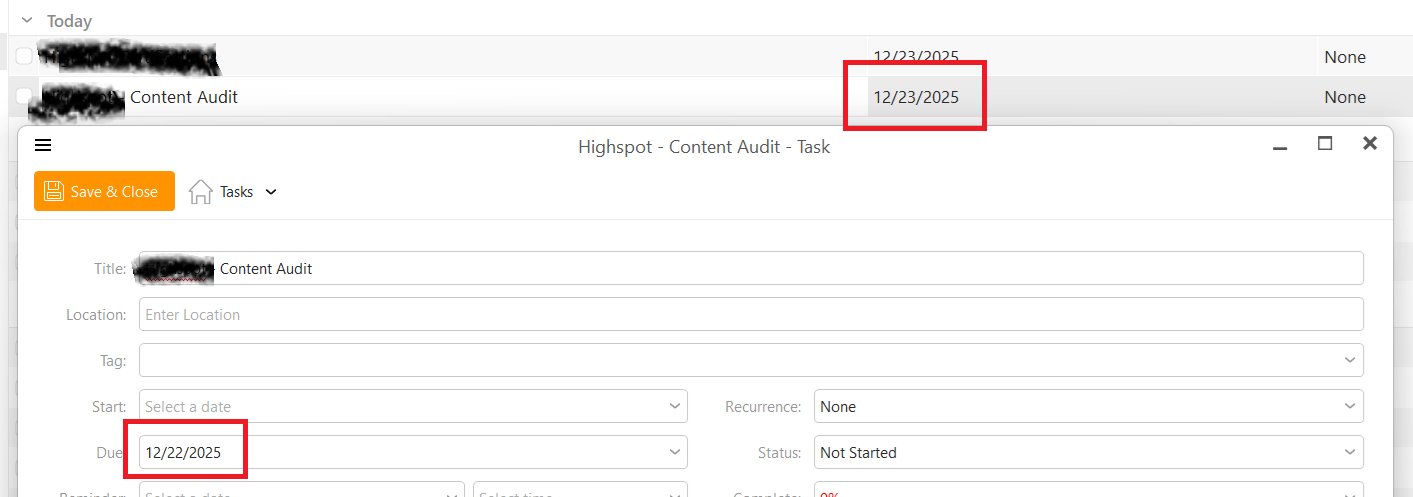
When I enter a Due Date for a Task, it consistently gets it wrong - making it one day later than my entry.
I don’t know exactly when it started, but it probably had to do with an update.
Attaching a screen shot “Test Task.jpg”.
I’ll appreciate a fix.
Mine was already set to Detail, so I changed it - no improvement.
Also tried changing the Advanced setting - no improvement.
I hope they see our troubles and fix it.
Meanwhile, I work around it.
Yes i can replicate that creating either cloud account tasks or local tasks using eM Client for Windows V10.4.4209 “does show a later date in the list” behind it after creating the task.
However using the latest Mac eM Client V10.4.4293 for Mac “doesn’t have this issue” and shows the correct task date in the list behind it. So this is only an eM Client for Windows issue.
Hi, I’ll email an internal build with the fix to everyone who’s replied to this thread. If anyone comes across this later, please shoot me a message at [email protected]
Unfortunately there ist a new issue with due dates. When synchronising e.g. with Nextcloud tasks have their due date one day late in NC. So if a task’s due date ist set to e.g. Jan, 20th, Nextcloud reads the due date as Jan, 21st. Apparently eM Client still deals with a hidden due time set to 0.00 a.m. Setting a due time in Nextcloud e.g. to 11.59 p.m. results in having the same due date in both applications.
Previously eM Client worked with a hidden due time set to 11.59 p.m. With the eM Client’s update 10.4.4209 (d96494b) it was changed to 0.00 a.m. I can’t see a reason for this change but I can see the resulting inconsistencies …
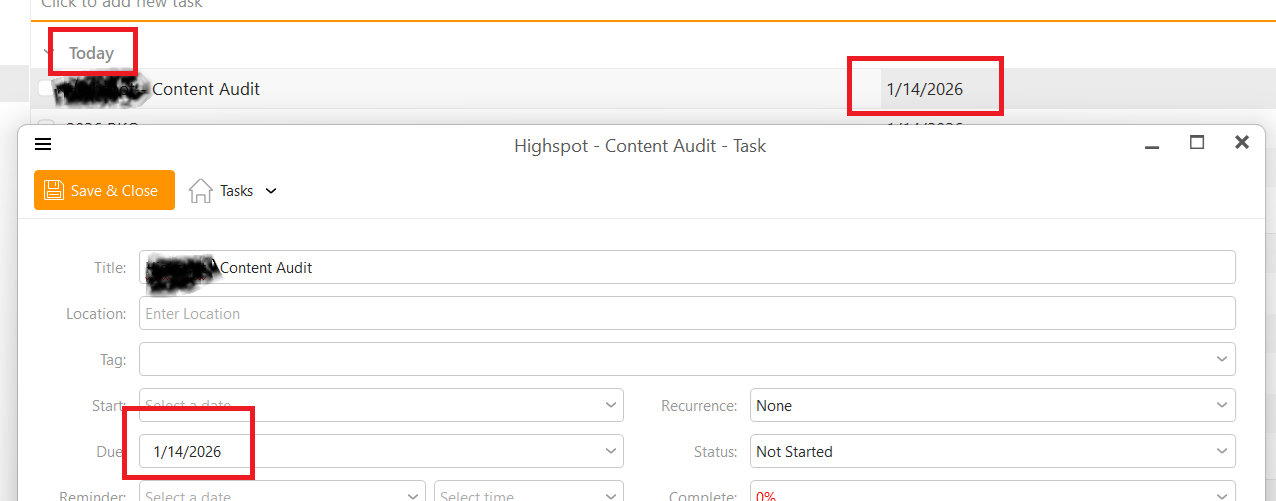
And another weird thing: Due dates change when highlighted in the tasks list. If a task shows e.g. Jan, 20th as due date in the task list it changes to Jan, 21st the moment you klick on the date. - This does not happen if the due time is set to anything <> 0.00 a.m.
When I move a task in the Calendar tab from one day to another, it doesn’t appear where I moved it, but one day earlier. For example: In the Calendar tab, I move a task from January 15th to January 17th using my mouse. When I release the mouse button, the task is shown on January 16th.
It does not seam to be a NC-issue as dates change in eM Client without NC interference.
Furthermore if I unse the task list and change the task’s due date from e.g. 20th to 24th it shows 23rd instead. Weird.
Unfortunately even in v10.4.4867 (a1d5549) the date is wrong and changing in list view. It is the same behaviour I described earlier.
My personal workaround is now to give up on eM Client and opt for an open-source solution.
I had some very good years with eM Client but tasks management is essential for me and I cannot live with these inconsistencies in due dates.
When I had the problem, I was sent a patch that fixed it. I just did a routine update to the version you mentioned, tested it, and it is working correctly.
Frankly, it would take a lot worse to get me to abandon EM Client.
No software is ever ever ever perfect. You may let yourself in for other problems, whatever you try.
I totally agree that no software is ever perfect. It is just a case of choosing the one that meets your own needs best. For me eM Client was the choice for many years.
As you can see from the discussion above all members with the due date problem received the patch. So did I and - at first glance - it helped. But as you can also see from the discussion it not always solved the problem but somehow “changed” it.
If I enter a task with e.g. a due date Feb, 25 and no due time (i.e. all day - unfortunately eM Client does not support active due time setting [other alternatives do → already discussed in this forum]) I do not intend to have a task due at Feb, 26, 0.00 a.m. But this is what eM Client does now. (Before due time was automatically set to 11.59 p.m. on the given due date. Not perfect but less imperfect than now from my point of view.) Export to iCal or sync via CalDAV makes it clearly visible and leads to further problems.
So I made my choice again according to my needs and I found an alternative.
If eM Client is working fine for you and others now - enjoy! And no need for a more detailed analysis.
Well the thing is that the problem is not on our side. We’ve reported that issue to NextCloud a long time ago. It is not something we can workaround on our side.
The good news is that NextCloud started communicating with us and I should have a call with their CEO soon. I hope that would help with things starting moving on the Nextcloud’s side.
I share your bug report suggestion on github “that selecting a due date (no time) in the UI means that the task is considered overdue by the midnight at the end of the day.” But this does not mean that the DUE value in ical is to be set one day late. To make a long story short: Due date is due date (not overdue-date).
Huh? Nextcloud? - Due date changes the moment you click on it. And you have to chose overdue-date in detailed task list view to get the due date correct. Weird.
I now feel the need to contact Nextcloud and github to report my view and my experience there, too. I strongly hope they do not change anything as it works fine the way it is.