Could you say more about live.com and Notes in eM Client?
To get Outlook.com (Live) Acct Notes and Tasks to show in eM Client & sync both ways, you need to first configure eM Client (for Exchange) setup (via Mail other option) rather than the automatic normal IMAP setup. I also don’t use any encryption when asked & skip that option.
Note:- If you have 2 step verification currently setup in your Outlook.com (live) account, when adding the exchange account manually in eM Client you have to normally use your “App Password” instead or you will get invalid password. You create the app passwords in your Outlook account online.
See eM Client support Exchange setup guide - Email Client for Microsoft Exchange | eM Client
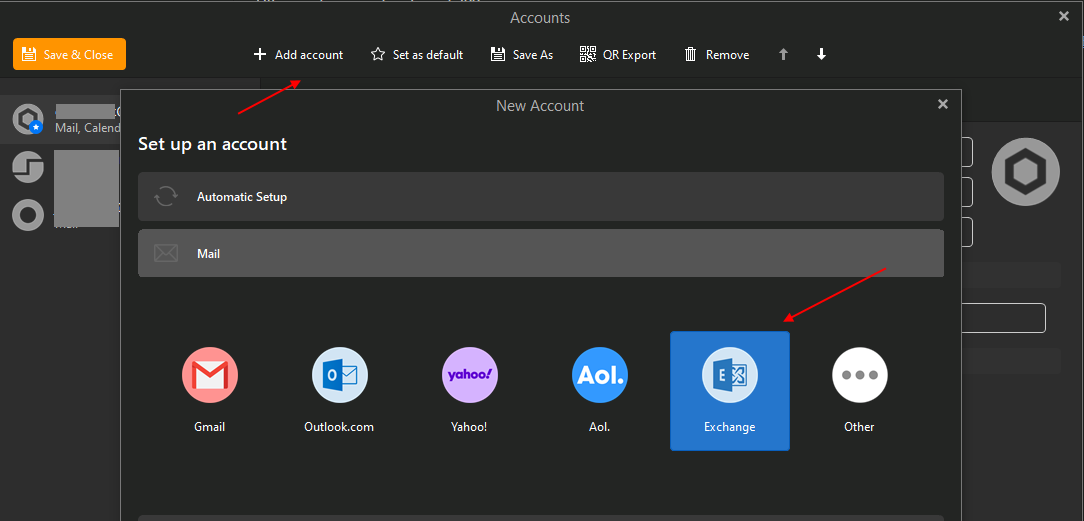
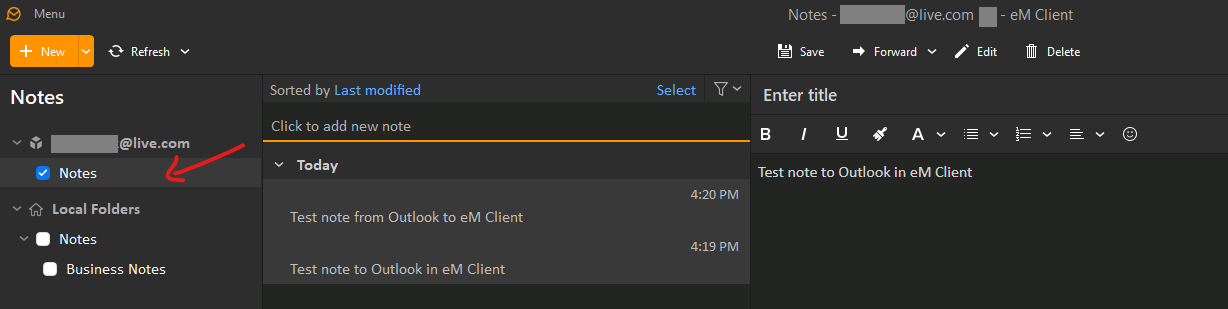
I use “Notes” in eM Client which “Sync bothways to Outlook.live.com” and show under the the “Notes” under (Folders) part way down the left side. (See 3rd screenshot below) where eM Client notes show in Outlook.
The Microsoft “Outlook” Mobile app unfortunately (doesn’t show the Notes folder) like Outlook.com does online for some strange reason (or if it does i haven’t found it yet). Hopefully thats updated in the future.
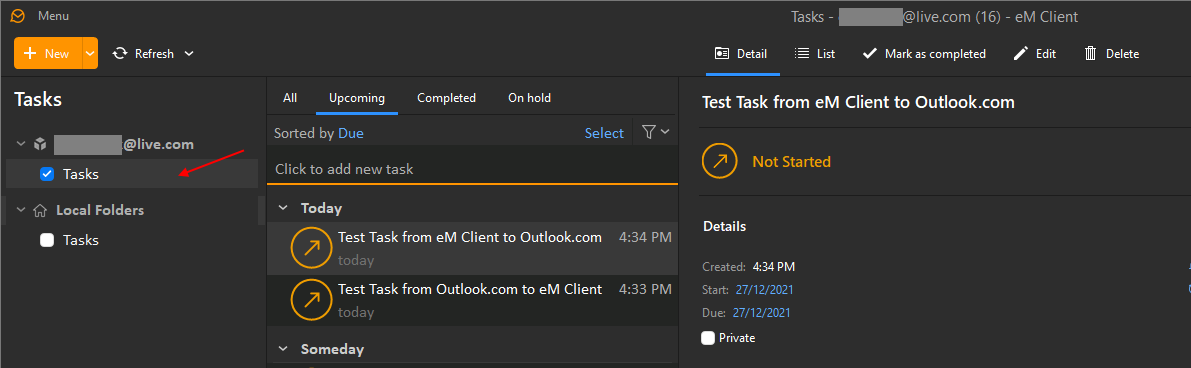
I use “Tasks” in eM Client which also “Sync” bothways to Outlook.live.com “To Do” tasks and show online in the “Planned” folder part way down the left and also “Tasks” at the bottom left.
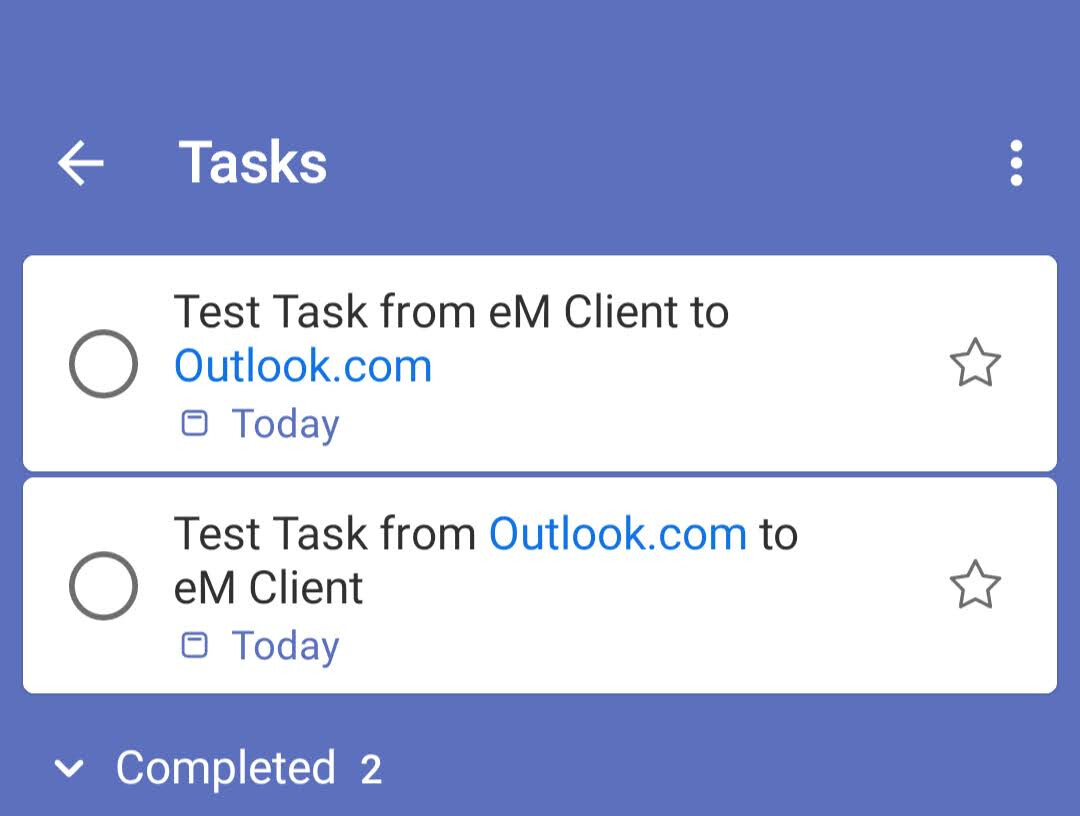
The Microsoft “To Do” app also does show eM Client tasks like Outlook.com (live) tasks and you can sync both ways and works fine.
eM Client (Live.com) Acct Notes
Outlook.com (Live.com) Acct Notes

eM Client (Live.com) Acct Tasks
Outlook.com (Live.com) Acct Tasks
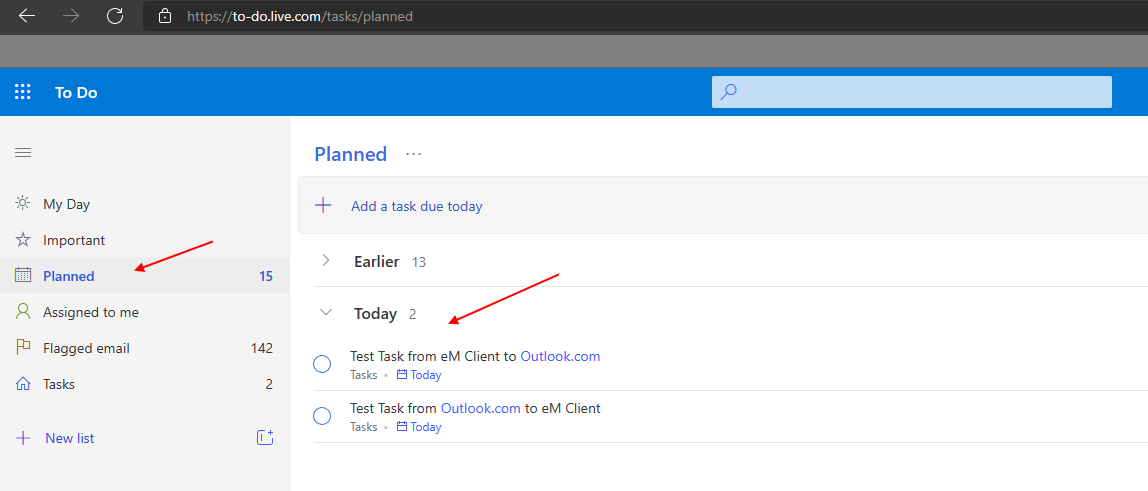
Outlook.com (Live.com) Acct Tasks
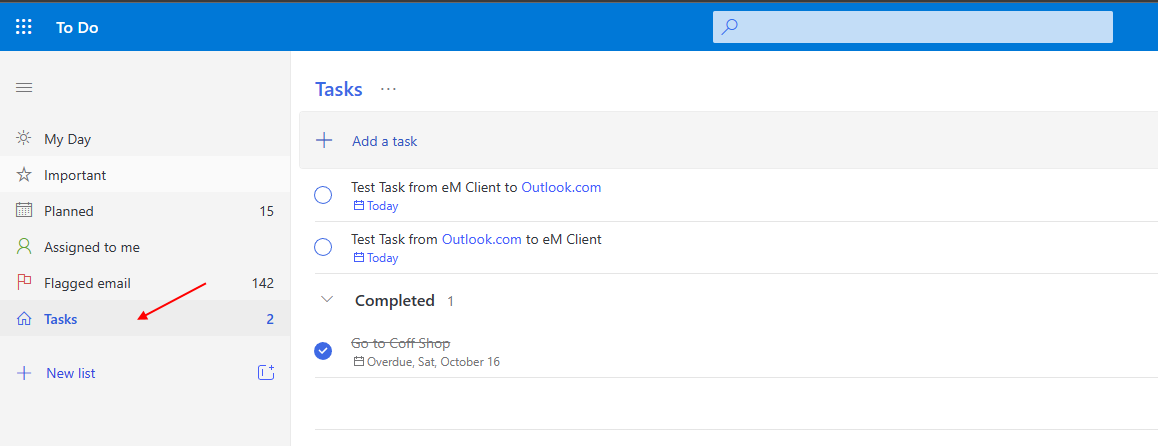
(Microsoft “To Do” app Tasks on mobile).