If your mail folders in the mobile app are not updating other devices of the changes unless you manually force a sync, then could be your synchronising interval time is set too long so it’s then taking longer to update the changes to the server and to other devices.
Press “Menu / Settings”.
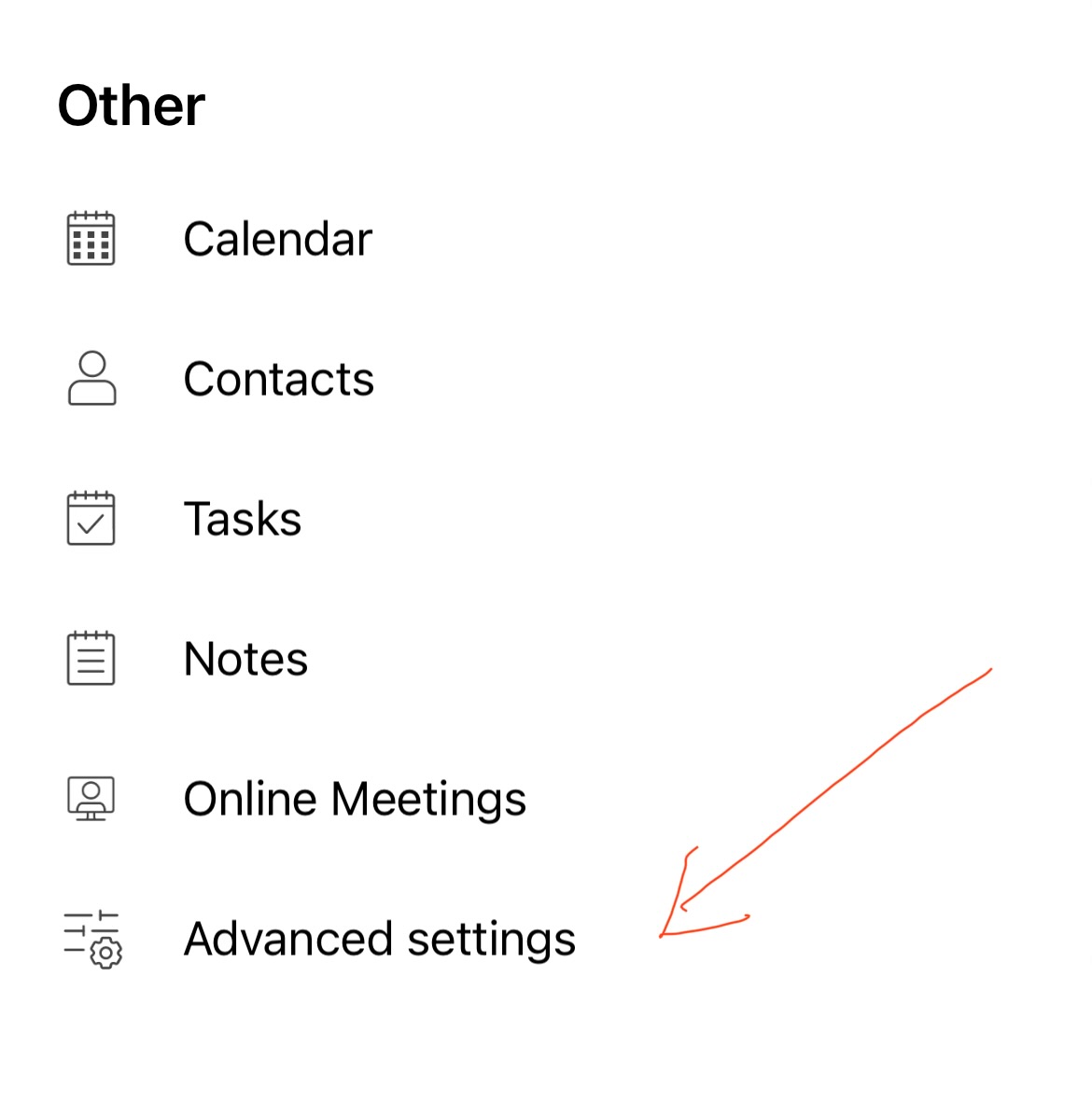
Then under “Other” press “Advanced Settings”.
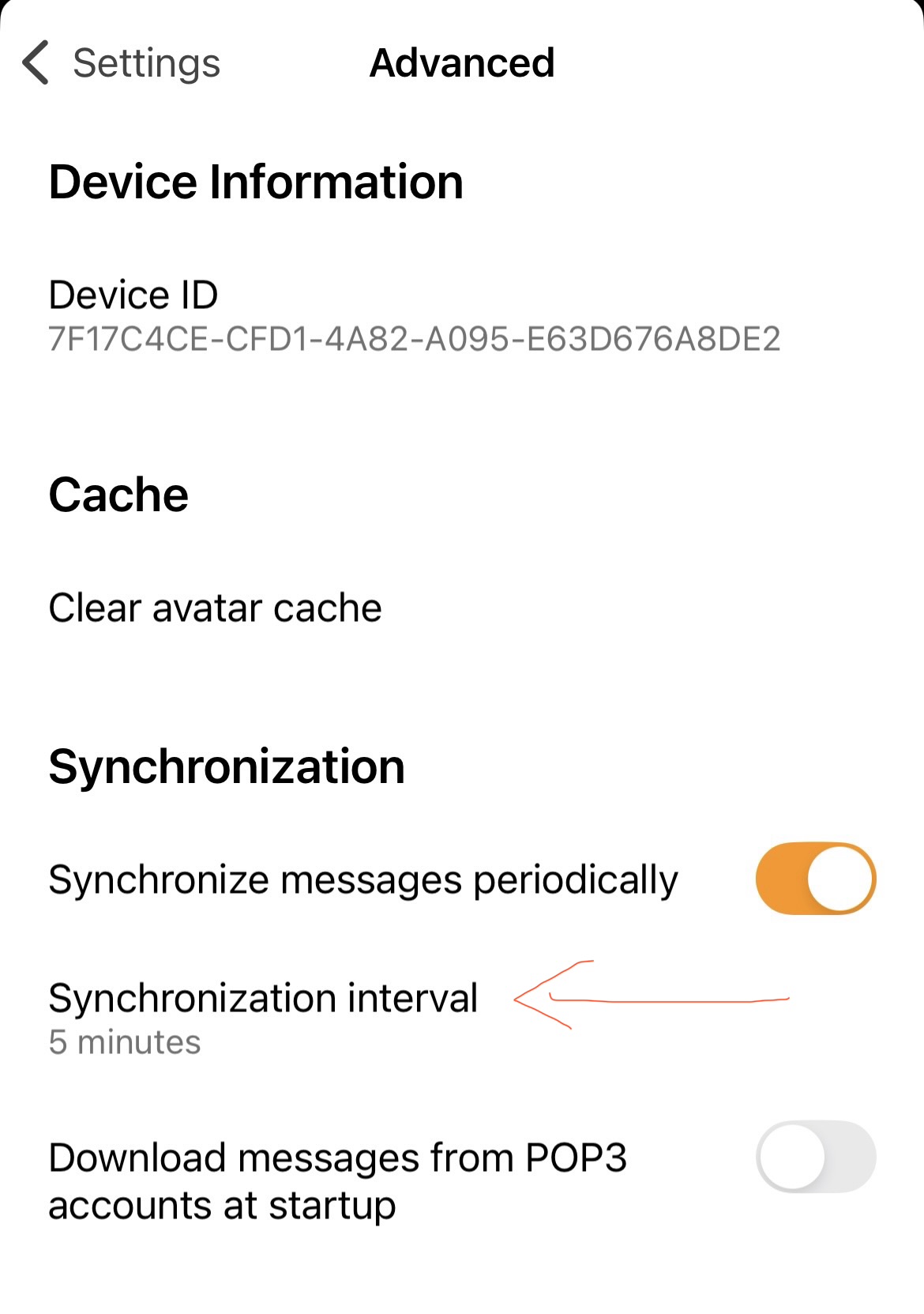
Next under “Syncronization” press “Syncronization Interval”.
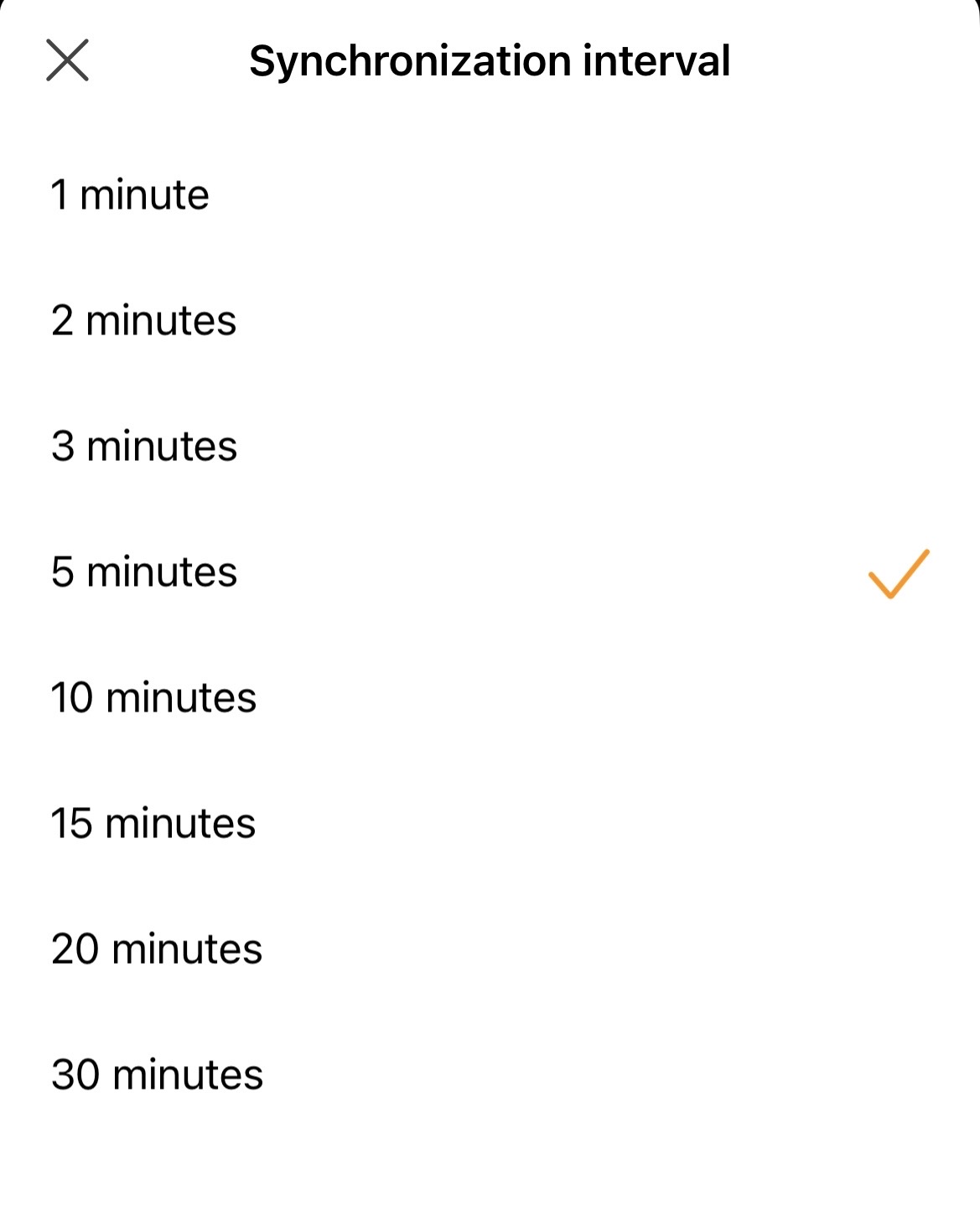
You can then adjust the sync time anywhere from 1 to 30 mins as per below screenshot examples.