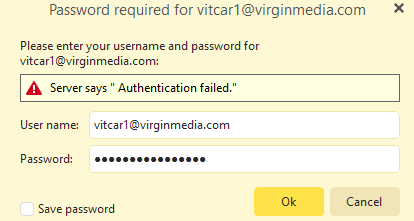
3rd try … I dont understand , and dont know …
Could someone at TEAM eM Client reset this for me PLEASE and send me and email with directions.
If need be ill buy the one year licence …
My eMclient keeps asking for some password for my virginmedia.com email, I have no idea of what it can be , I believe it was never set up .
Is this a eMclient issue , or Virgin Media ?
Is there anyone available that can help ?
Hi @vitorbarros , are you using the correct password for your Virgin Media account?
Keep in mind Virgin media requires separate App passwords for 3rd party apps and the server will reject your mail password if you try to use it from an email client.
From instructions on Virgin Media help page:
1. Sign in to My Virgin Media on the app
2. Go to Account settings , then Account details .
3. Under Virgin Media Mail , tap Manage next to Manage your Virgin Media Mail app password.
4. Under Virgin Media Mail app password, tap Generate new App password and follow the instructions.
A new secure app password will be generated for you, you can use it in all apps that access your Virgin Media mail address. If you create a new app password, you’ll need to update all your existing apps with the new password.
Remember that this password is separate from your sign in details for My Virgin Media (or any Virgin Media apps). So, if you need to check your Virgin Media Mail emails through My Virgin Media or at mail.virginmedia.com, you’ll still use your My Virgin Media password.
So make use to use the app password when adding your email to eM Client too.
2 Likes