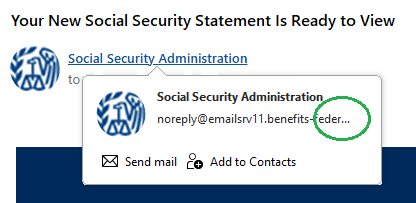
That sender address [email protected].. according to many websites is usually phoney and can be used by scammers for phishing / fraulent activity. So be wary of that.
I’m well aware that the sender is junk… I’d still like to be able to see the entire address. I have users that aren’t as smart as cyberzork.
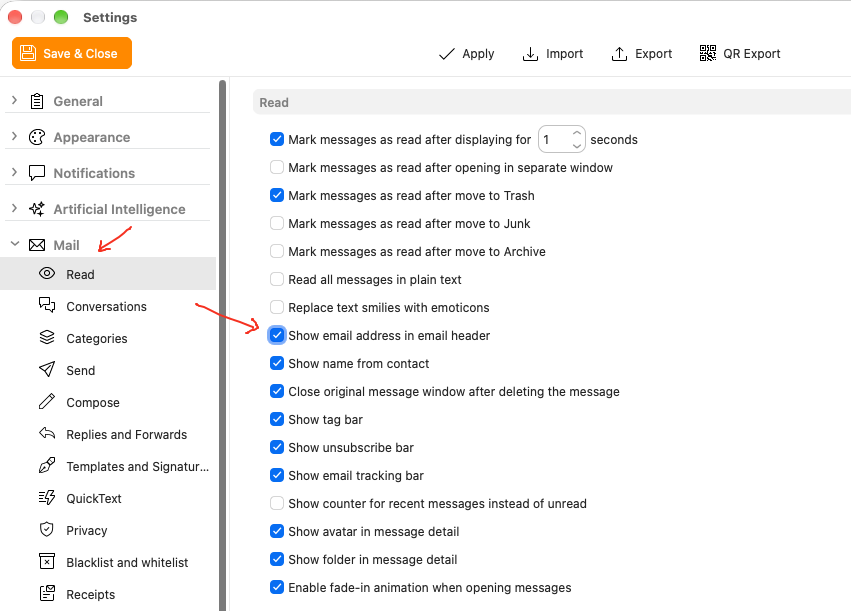
Go to “Menu / Settings / Mail / Read” and enable “Show email address in email header” & Save Settings as in the first example screenshot below.
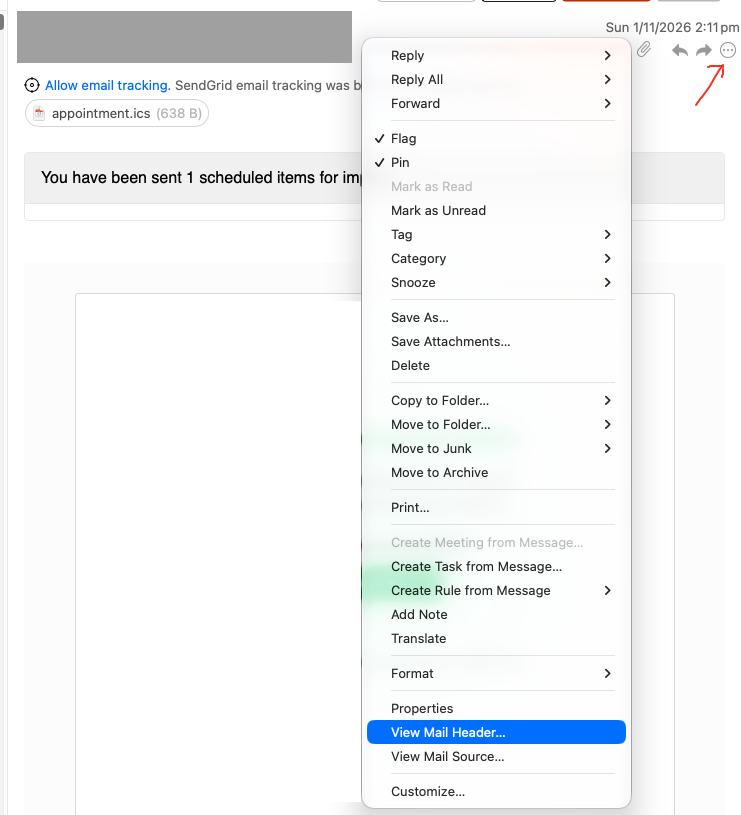
Or if the email address is still too long to fit in either “right click on the email” or “click the 3 dots in the top right of the body of the email” and select “View Mail Header” to see the complete email address as per the second screenshot example below.
Show email address in email header seems to show the entire address. Thanks!