I’m coming from other email platforms and my favorite features is being able to snooze emails when sent. I like to send a customer an email and snooze it a couple days later to show back up in my inbox. This is helpful for the flow.
I see Em Client has the feature “watch for reply”. As far as I can tell, this gives me a notification if someone didn’t respond, it doesnt show up in my inbox. Unfortently this does not help me, I can often have 10 snoozes a day and getting notification is not helpufl, I need it in my inbox to make it easy to see what I need to take action for.
Are my missing something? Any tips for being able to snooze a sent email?
I’m coming from other email platforms and my favorite features is being able to snooze emails when sent. I like to send a customer an email and snooze it a couple days later to show back up in my inbox. This is helpful for the flow.
It doesn’t snooze already sent mail and then return it back to your inbox. Probably would be a Sleekplan suggestion. What mail client already does that ?
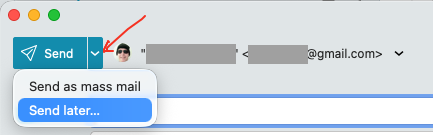
There is however a eg: Send Later or Delayed Send option that might be of help.
Snooze works for incoming emails or sent. The advantage is both show up in the inbox to be addressed. I’m in sales and send emails all the time that I’m looking for a response. If the email I send isn’t responded to, I want to be snoozed notified so I can email again or call.