I use an email address where the ISP doesn’t allow me to send email via SMTP, but I can use POP3 to download it. How can I configure the SMTP server of another ISP whose credentials I have? I tried, but it doesn’t work. Maybe I’m using the wrong settings.
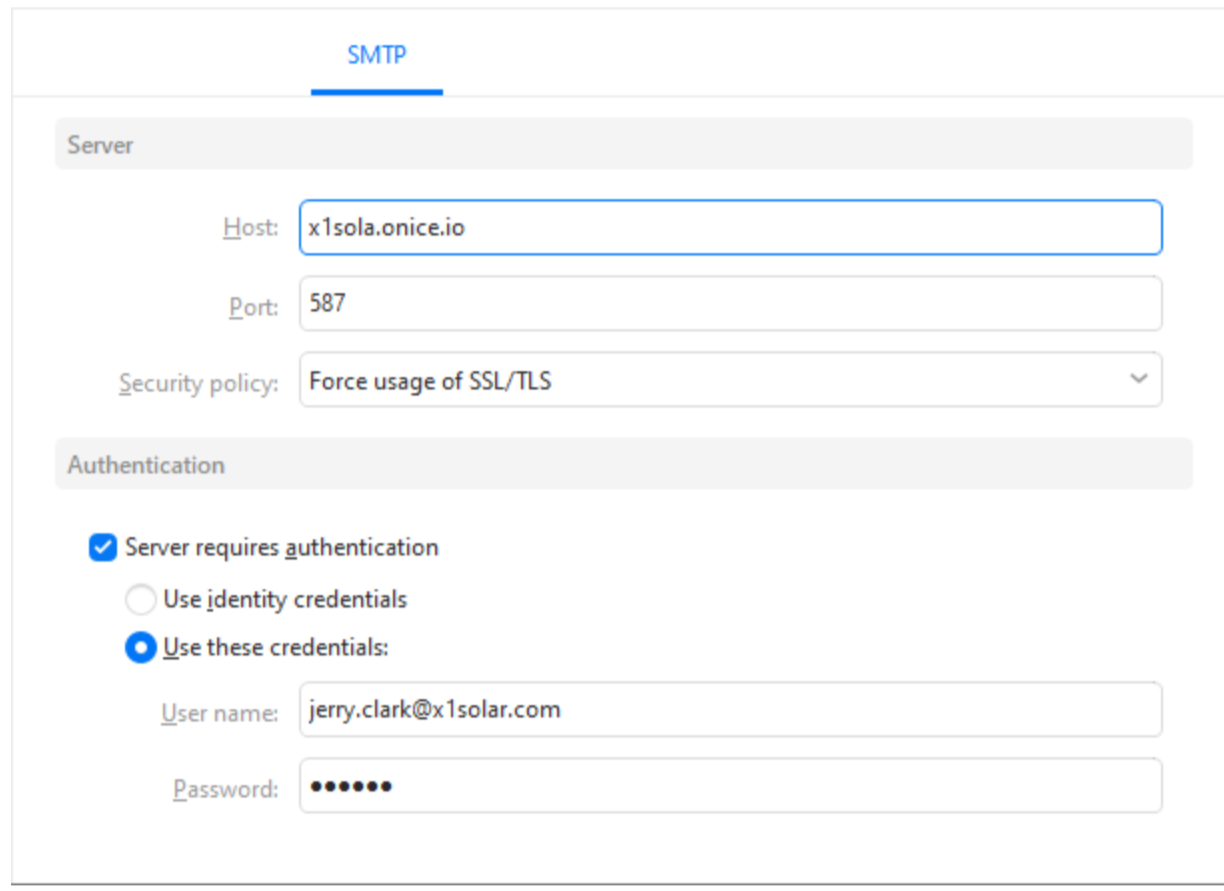
To specific a different SMTP server using a POP account if you have already added the POP account, you go to “Menu / Accounts” and click on your POP account on the left and then click the SMTP tab along the top. Then type in your SMTP server address , Server port and Security policy and “specify whatever username and password you use to send mail” on that SMTP server as per the eM Client documentation and example screenshot below on editing accounts.
Editing accounts
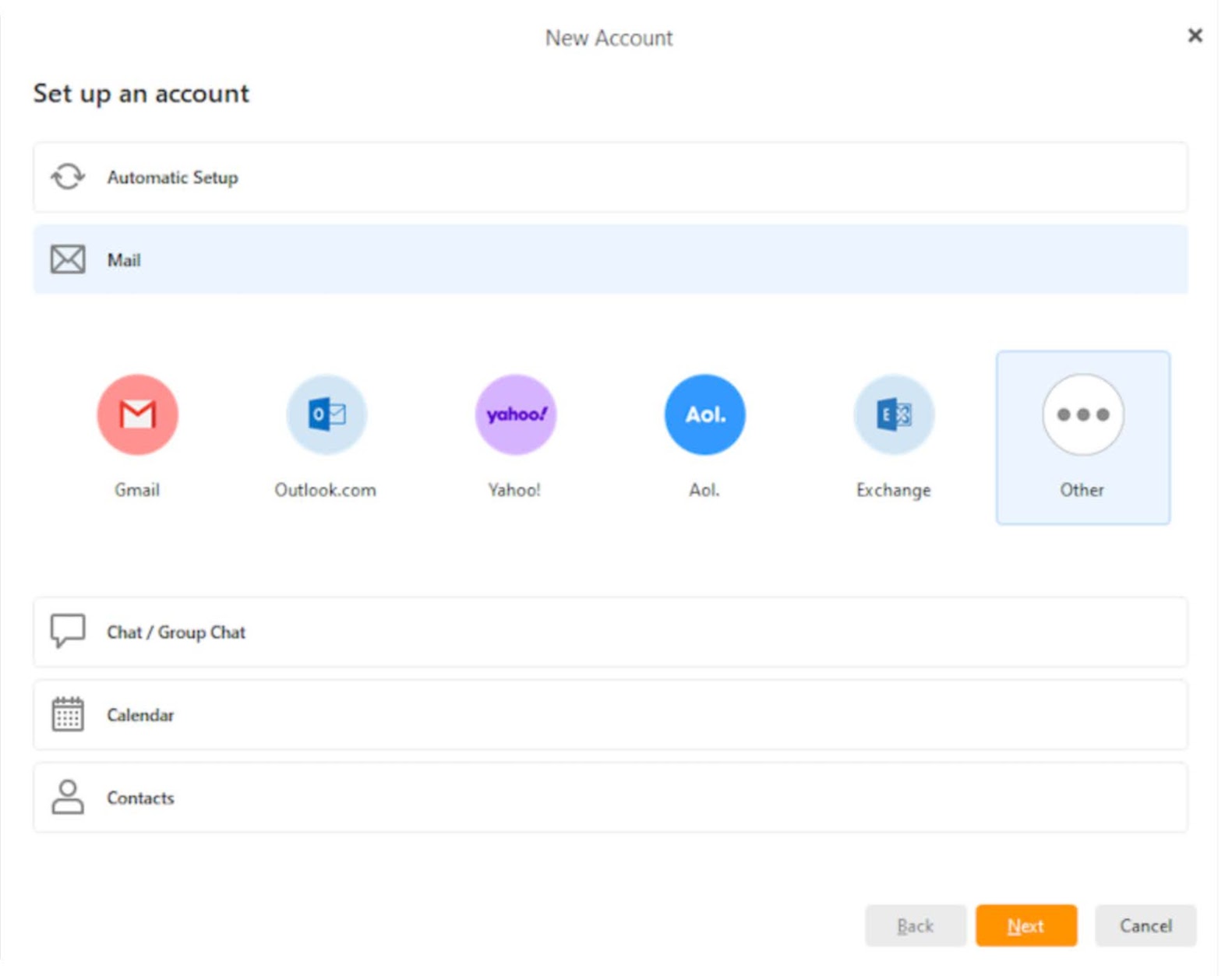
If you haven’t already setup your POP account, go to “Menu / Accounts” and click “Add Account / Mail / Other” along the top, and click next and choose POP and follow the wizard to manually specify your POP incoming and outgoing servers and “make sure to specify the SMTP server username and password” as per the eM Client online documentation and example screenshot for manually creating an account.
Thank you, i solved the issue whith a sevice of my ISP: i can set a different email addres in the his server linked to another address and then i use the same SMTP server and it work well.