- Right click
Search Folders→ New Search Folder… - Name it (whatever you like)
- Select
fromas criteria (1) - Click (2)
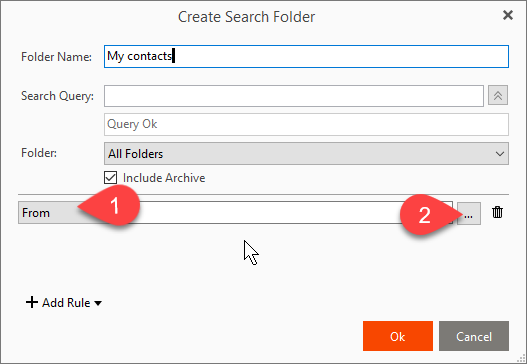 and select all your contacts (checkbox in the title line) in
 Select Contact - Press ok (
Select Contact) - Press ok (
Create Search Folder)
This aggreates all your contacts in a folder logically – you will still find them in you regular in box.