Does anyone know why it takes so long for EM client to load? I am running the latest version with a paid personal license. It usually takes about 8 seconds before I see the splash screen and then it will take another 20-30 seconds before the splash screen goes away and the program is displayed. This is on the first startup after booting up the computer. Subsequent startups are usually faster- about half the time but still noticeably slower than my previous email client Thunderbird which starts up in 3-4 seconds every time.
I’ve got the same problem, same conditions. Does anyone know a solution?
Thanks!
Can you clarify please?
eM Client V10 for PC and Mac me personally initially loads all up and opens in aprox 3-4 secs with a fast evo m2 ssd drive and 16 gb ram / M2 / i7 cpus with 4 IMAP accounts with non gamer hardware.
So if you have similar specs or better, then could be you eg: eM Client database might possibly have some errors in it so is initially taking longer to load.
You could try running the manual database repair “in the Windows command prompt” via following Gary’s post in the thread below and see if that makes any difference.
https://forum.emclient.com/t/data-base-repair-tool/63596/6
Or if you have a Mac, close eM Client and then “open the Terminal app via either Launchpad or Utilities” on the Mac. Then Paste and run the following command.
/Applications/eM\ Client.app/Contents/MacOS/eM\ Client /dbrepair
If repairing eM Client doesn’t make any difference, then you can try a new database to see if it is your database.
To create a new database, close eM Client and then go to your current hidden database folder location and “rename it” to eg: eM Client-Current. Then reopen eM Client and setup as new.
(Hidden database folder Windows)
C:\Users%username%\AppData\Roaming\eM Client
(Hidden database folder Mac)
/Users/User Name/Library/Application Support/eM Client
If a new database then fixes the slow startup problem you can then do “a Partial Restore in Offline mode” to restore your previous mail etc from your original renamed database via following the eM Client blog. https://www.emclient.com/blog/how-to-restore-backup-in-em-client-614
If creating a new database still makes no difference you might need to try uninstalling and reinstalling eM Client and then setup as new as could be an initial program installation issue.
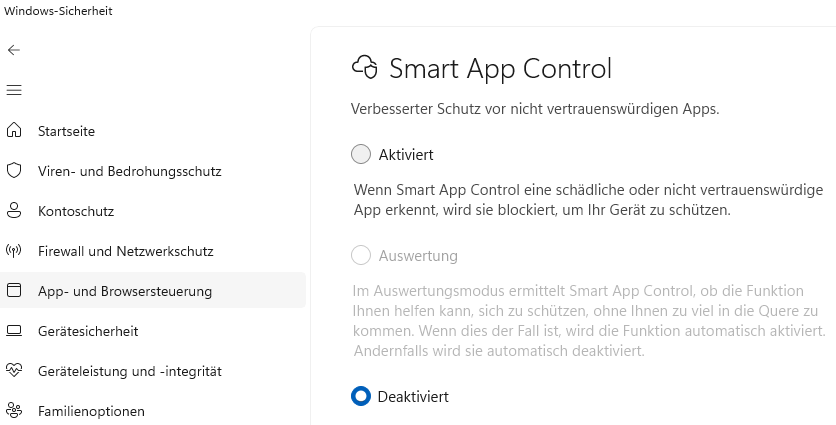
Smart App Control (SAC) is an AI-powered security feature in Windows 11 (version 22H2 and later) that blocks potentially harmful or untrusted applications before they can cause damage. It appears that this tool has flagged the EM Client as dangerous and blocked it.
Thanks. I’m on windows 10
Thanks, I’ll give it a shot
Seems, that’s not Your topic.