The set up process almost completed, but there was no way to provide a password to my ISP email server. (I have one through an old Thunderbird account.)
The process stalled waiting for a password.
What am I doing wrong?
Alaskaman66
Setup eM Client on a Windows 7 machine.
Windows 7 is no longer “official supported by eM Client” or Microsoft but some eM Client users still do use it unofficially. You should really now be using min Windows 10 or 11 to run the latest eM Client versions. There is also some features that don’t work due to outdated Win 7 components.
there was no way to provide a password to my ISP email server. (I have one through an old Thunderbird account.)
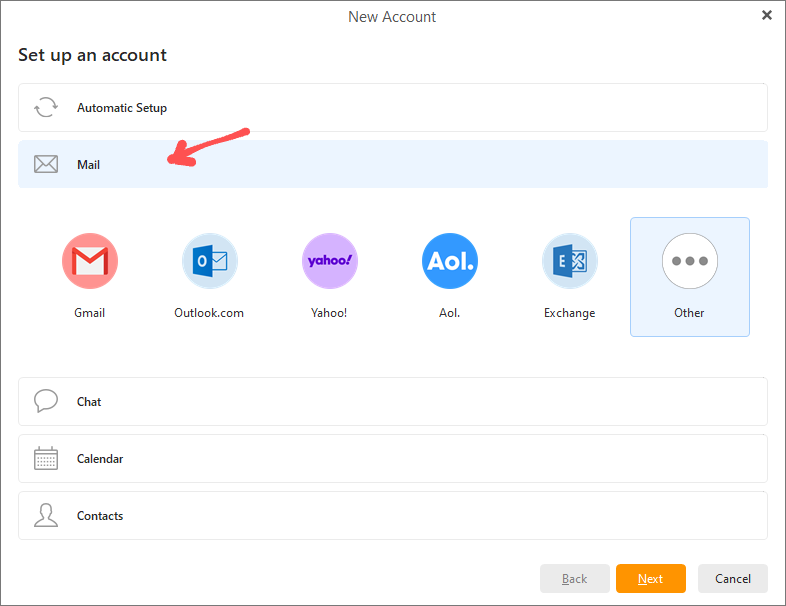
To setup an account manually “and enter server addresses and a legacy username and password” etc, go to “Menu / Accounts” and click “Add account” at the top. Then click the heading “Mail” below it and select “Other” and manually enter your account details.
Also if you use Windows 7 with eM Client, make sure you are using TLS1.2 or you will usually get protocol authentication errors.
2 Likes