Hi,
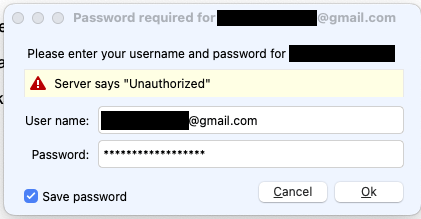
I have been getting the attached message consistently over the last few days.
I have several Gmail accounts, but only this one is showing this error. If I re-enter my username and password, the error continues.
However, the messages are coming through, so I’m not sure what to do.
TIA
Provided “you can login ok to that Gmail account online” and “you are using Gmail IMAP account setup”, then could be either your Gmail online OAuth online token is corrupted, or your Gmail account in eM Client could have the wrong settings or the account in eM Client is possible corrupted in some way.
So first close eM Client and go into your Google “Third-party apps and services” and remove any eM Client OAuth tokens. Then reopen eM Client and you should then get a popup window to re-allow eM Client access to your Google account.
If you don’t get asked to re-allow access, then suggest to “remove and re-add your Gmail account” via the “Add Account” automatic wizard as per the link below & make sure to “click allow at the end” as per the eM Client webpage below.
“eM Client with Google Workspace”
https://www.emclient.com/em-with-google-workspace
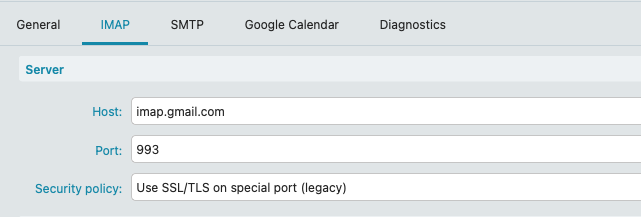
If still not working, go to “Menu / Accounts” and click on your Gmail account IMAP Tab and make sure you have the correct Server address, Server Port and Security policy.
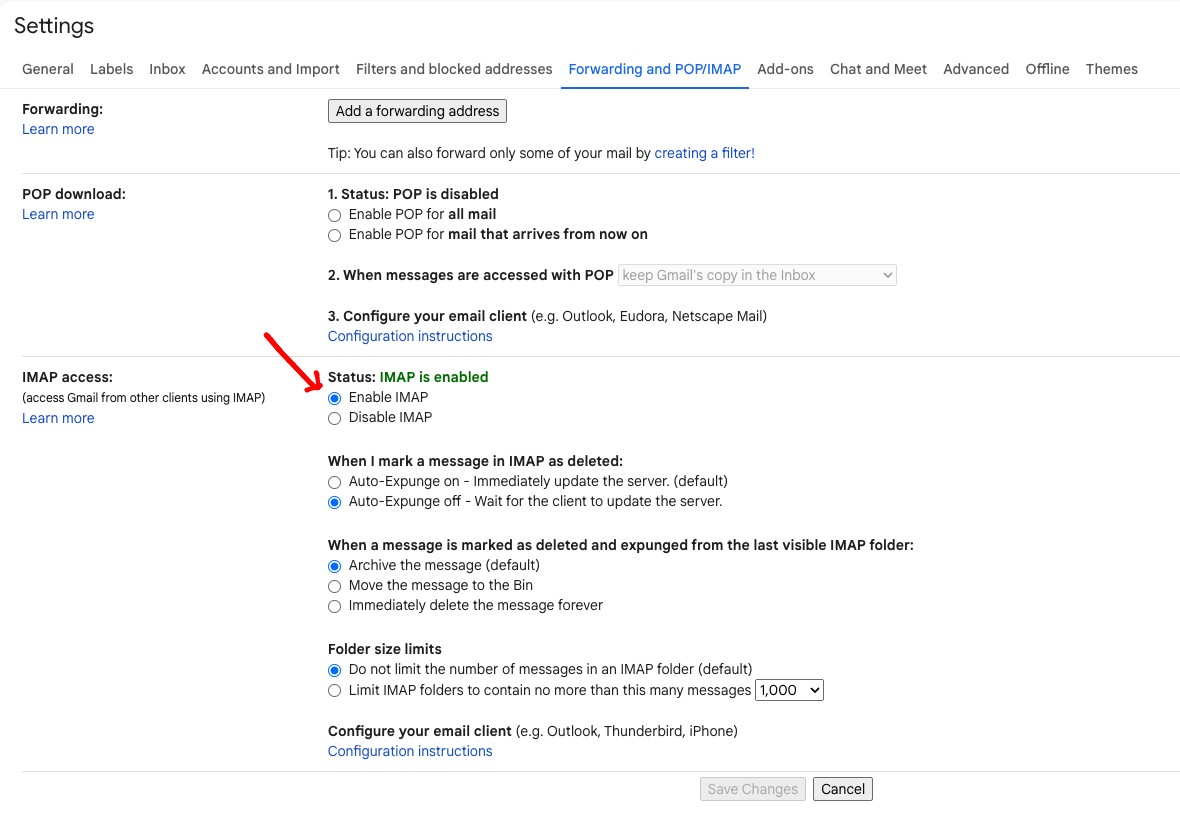
Lastly make sure your have “enabled IMAP online” in your Gmail account “All Settings / Forwarding POP/IMAP” as per below screenshot example.
Hi,
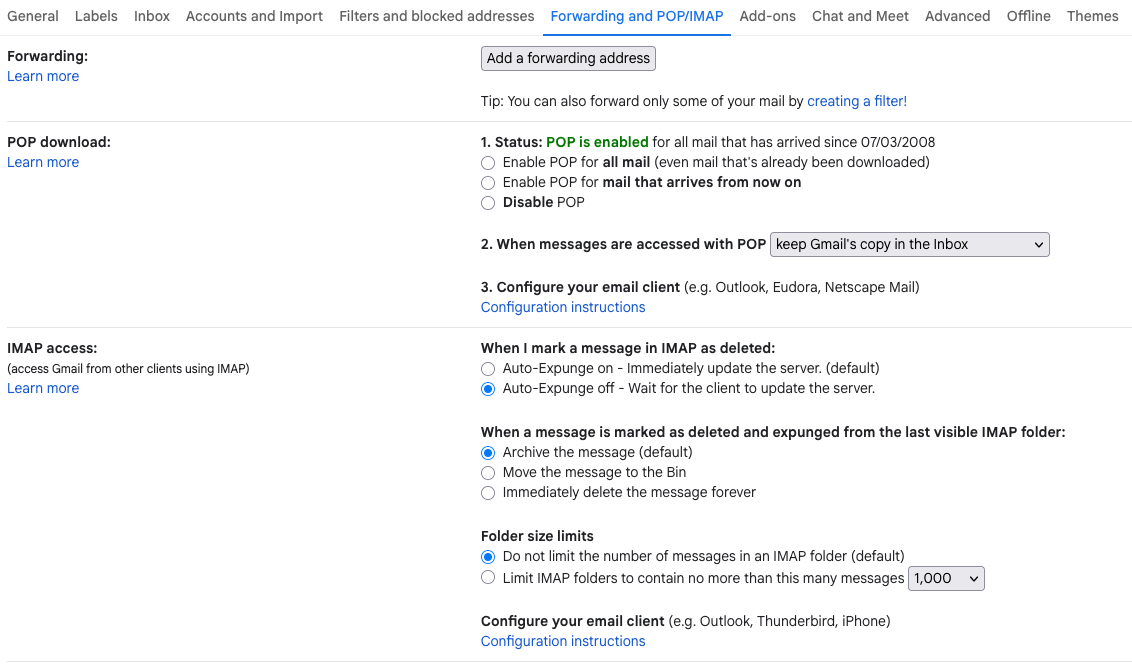
Thanks for the feedback. I don’t have that option for IMAP Access in my Gmail settings.
See attached.
You then have the updated Gmail GUI which is “now by default IMAP” so you don’t need to select that option anymore. Mine appeared to be an older version & now also has been updated.
Have you tried removing the eM Client OAuth token from your Google account ?
Or removing and re-adding your Gmail account via the eM Client automatic wizard ?
Hi,
When I went into accounts in eM Client, I saw that there was another reference to my Gmail account at the bottom of the list of accounts. Of course, I deleted it before I screenshotted it, but it seems to have solved the problem.
If it recurs, I will definitely screenshot it before deleting.
Thanks for the help.