Unfortunately, the search function isn’t as good after the update; it no longer finds emails using the standard search. I always have to switch to searching for text fragments to find the emails. It would also be nice to be able to save search settings, e.g., text fragments or always including attachments, etc.
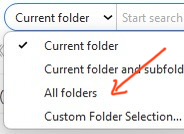
First check you have selected “All Folders” in the search field dropdown on the far left or far right depending if you have the latest V10 or older.
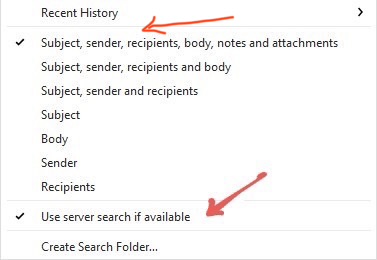
Next make sure the search is checked on "Subjects, Sender, Recipients, Body, Notes and Attachments near the top of the search option.
Also try “disabling Use Server Search if available” which sometimes fixes it.
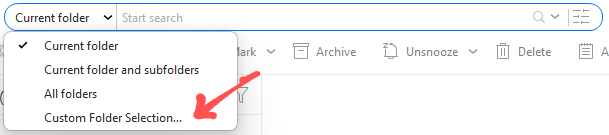
If that still doesn’t find what you’re searching for, try selecting “Custom Folder Selection”in the search field dropdown on the far left V10 or far right V9 or older and “select / check everything in there” including Local Folders at the bottom left and see if that finds what your searching for.
1 Like
Vielen lieben Dank! Jetzt finde ich wieder alle Nachrichten!