I have 19+ accounts and the search function is working 100% in Windows, but when it comes to iOS - searched are not returning alot. I have tried to switch on Download from servers etc. Unfortunetaly not working. Any suggestions?
I have 19+ accounts and the search function is working 100% in Windows, but when it comes to iOS - searched are not returning alot.
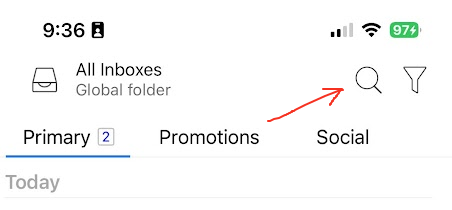
Press the “Search” icon at the top.
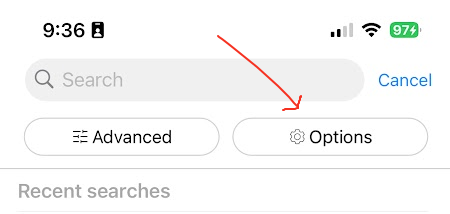
Next press “Options” on the right.
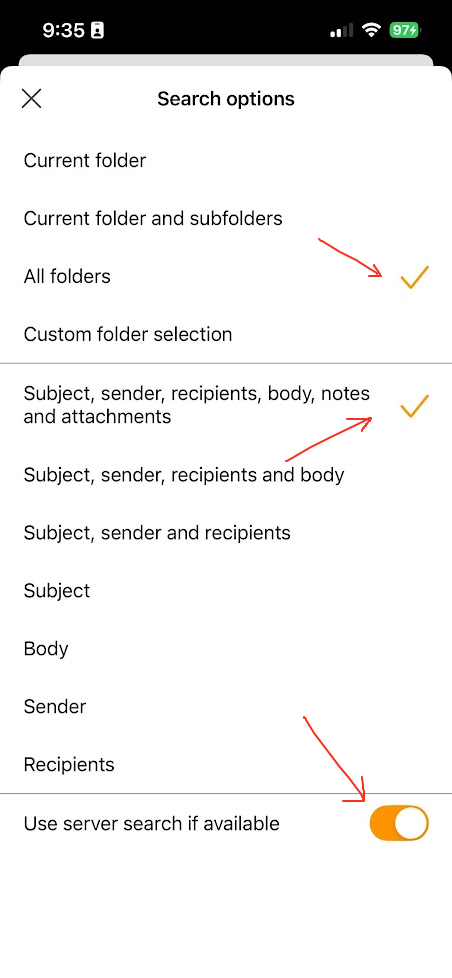
Then first make sure you have selected “All Folders” and selected “Subject, sender, recipients, body, notes and attachments” as per screenshot examples below.
If you already have those selected, then try “disabling Use server search if available” at the bottom of the search options to see if that makes any difference.
If disabling Use server search if available still makes no differance, then the iOS app could still be synching mail from the server depending on the size of your online mailbox. You can check if it is via pressing “Menu / Settings / Show Operations” near the top under General heading.
Lastly make sure you are using the latest iOS version eM Client App - App Store