As far as I know there is currently not possibility to save or detach (all) attachements of an incoming message to a specific folder or network share.
Maybe consider to implement such an option in rule config?
As far as I know there is currently not possibility to save or detach (all) attachements of an incoming message to a specific folder or network share.
Maybe consider to implement such an option in rule config?
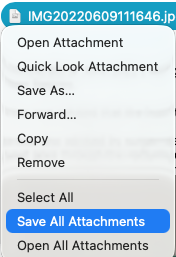
Right click on one of the attachments in the email and click “Save All Attachments” and a save as browse window will appear for you to choose where you want to save the attachments.
Ok, however I’m after on an automatic way for incoming messages to detach their attachments buidlign appropriate rules. I know about the manual way, though.
For example when receiving any emails that have an invoice attached. Currently those are saved into a specific folder on a network share, using, guess what, Thunderbird 
There is a few suggestions from other users for saving / detaching all attachments from emails to folders. Suggest you go to the Sleekplan page and type save all attachments or click this link to see whats been suggested which you can then vote for any of those ideas or create your own suggestion.
I’m after on an automatic way for incoming messages to detach their attachments building appropriate rules. I know about the manual way, though.
If there is a way to do that currently, other users or official support might comment in this thread.