I’m running beta 11 but would like to return to the standard version 10. I downloaded the release version and installed it but it still comes up as beta 11.
Downgrading from the BETA works the same way as downgrading from a newer version to an older version:
- If you have any local data that was added during the BETA testing, export it via File > Export.
- Uninstall the BETA version.
- Install eM Client 10 from our Release History.
- Restore your previous settings and data from a backup via File > Restore.
- If you need to import any other local data, use File > Import.
If you don’t have a backup, you will need to set up your accounts again manually.
I did this and now when I install the latest version 10, it will not open and forces me to install 11, which is not working properly-- the reason I tried uninstalling it.
I did this and now when I install the latest version 10, it will not open and forces me to install 11, which is not working properly-- the reason I tried uninstalling it.
First off if you have Windows when you uninstall V11 Beta depending on the version you installed (whether the .msi installer or the .msix installer), you can have “two parts that are installed in the Windows apps section” eM Client and eM Client updater. So dbl-check both are uninstalled.
Next after installing V10 If eM Client will not open “unless you have some sort of V10 install issue” it could be just due to “you haven’t renamed the newer V11 database” after uninstalling V11. So go to the following hidden database folder and rename it to eg: eM Client-old.
(Hidden database folder Windows)
C:\Users%username%\AppData\Roaming\eM Client
(Hidden database folder Mac)
/Users/User Name/Library/Application Support/eM Client
Then once renamed, try opening eM Client V10 and it should then open with the automatic account wizard, where then if you have an IMAP, Exchange, Office 365 or iCloud account after setting up, all your emails, contacts, tasks etc will restore from the server end.
If V10 still wont open, then update what error message you are getting.
1 Like
I have uninstalled both versions. That took considerable effort!
I renamed the file folder as recommended and was able to install and launch the latest version 10. I then did a restore. I am not able to move forward, as I get this message
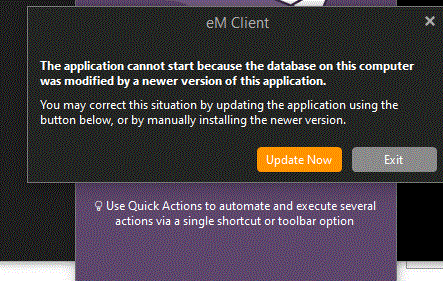
When I started this journey a couple of days ago and pressed the "Update Now button, I seem to have ended up with two versions in conflict on the computer, and Windows OS is not recognizing either as the default app, even though I attempted to set either up as such. So, before I press that button again, can anyone confirm that I will not end up in a time-wasting loop again?
The software will not load as it is now as that message will populate anytime I launch emclient.
I tried anyway-- I need to get this up and running. Upon attempting to " update now," the file was downloaded, and installation started. 10 min later, it seems stuck-- the progress bar has not moved.
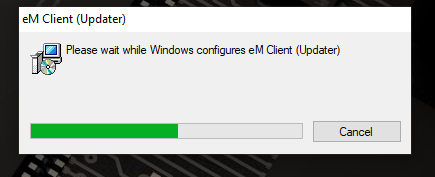
I had to use the Task Manager to stop that. On attempting to launch, it now starts 11 and will not let me
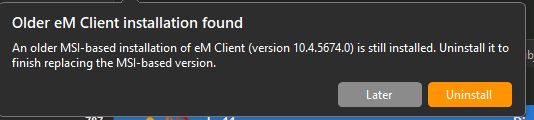
Uninstall the previous version.
Next steps: I rebooted. Opened emclient and it does seem to function (forced again into version 11) though. The one thing that does not work is emclient will not be rcognized by windows 10 as the default app. I have set this up twice and rebooted, but the issue remains. In my workflow at my job, I do need this to function.
My only other thought is to remove everything again and not restore my backup, but instead set all my account up manually. Thoughts?
The one thing that does not work is emclient will not be rcognized by windows 10 as the default app.
Make sure in Windows 10 that you set all the below file types and protocol associations to eM Client including the “MAILTO” as @gary advised in his post screenshot below.
I personally also had to set “Webcal and Webcals to eM Client as default testing eM Client 10 and eM Client 11 Beta using Windows 11 Pro. But normally you shouldn’t need those last two.
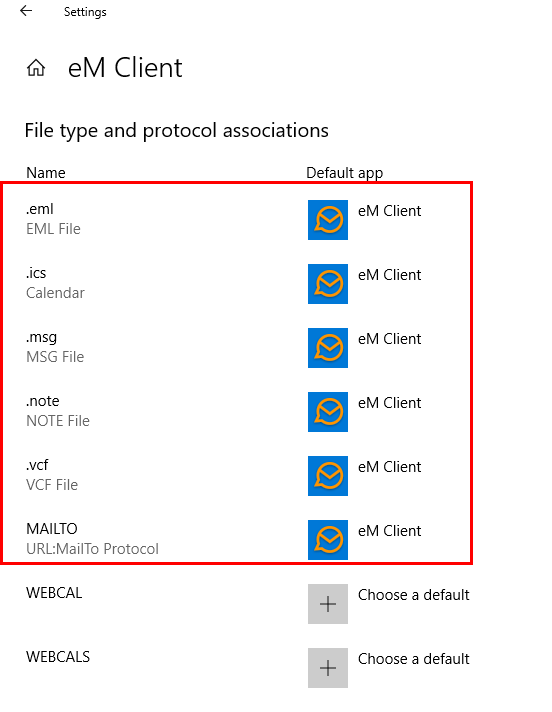
I did this. There is no change. It seems that neither the program nor Windows fully recognizes the software as the default mail client.
I uninstalled it once more. Cleaned the computer of all previous installations and app data files, rebooted, and reinstalled the beta 11 MSIX version.
I checked all the default apps, file types, and protocols. Everything looks in order. However, programs (finance software, Adobe Acrobat for example) will still not send an email through eM Client. In my finance software, the outgoing invoices are sending through Outlook. I opened the program and found what I was sending there, but not in eM Client. As for Adobe, I get “An error occurred while sending mail”.
I’m glad I read this as I have issues with V11 too and was considering reverting to V10.
For now I’ll stick with the new version in the hope it gets sorted as it looks fraught with danger to try to go back to the earlier version! I wish I hadn’t upgraded though. My issues are relatively minor but my wife had worse problems and had to abandon for a different mail client.