The new release loses the to folder setting rules.
I reassigned the folders in the rules it works then.
Hello Bill,
what do you exactly mean by losing to folder? Can you send a screenshot of the issue?
Is this happening for all your rules or some specific ones?
me2
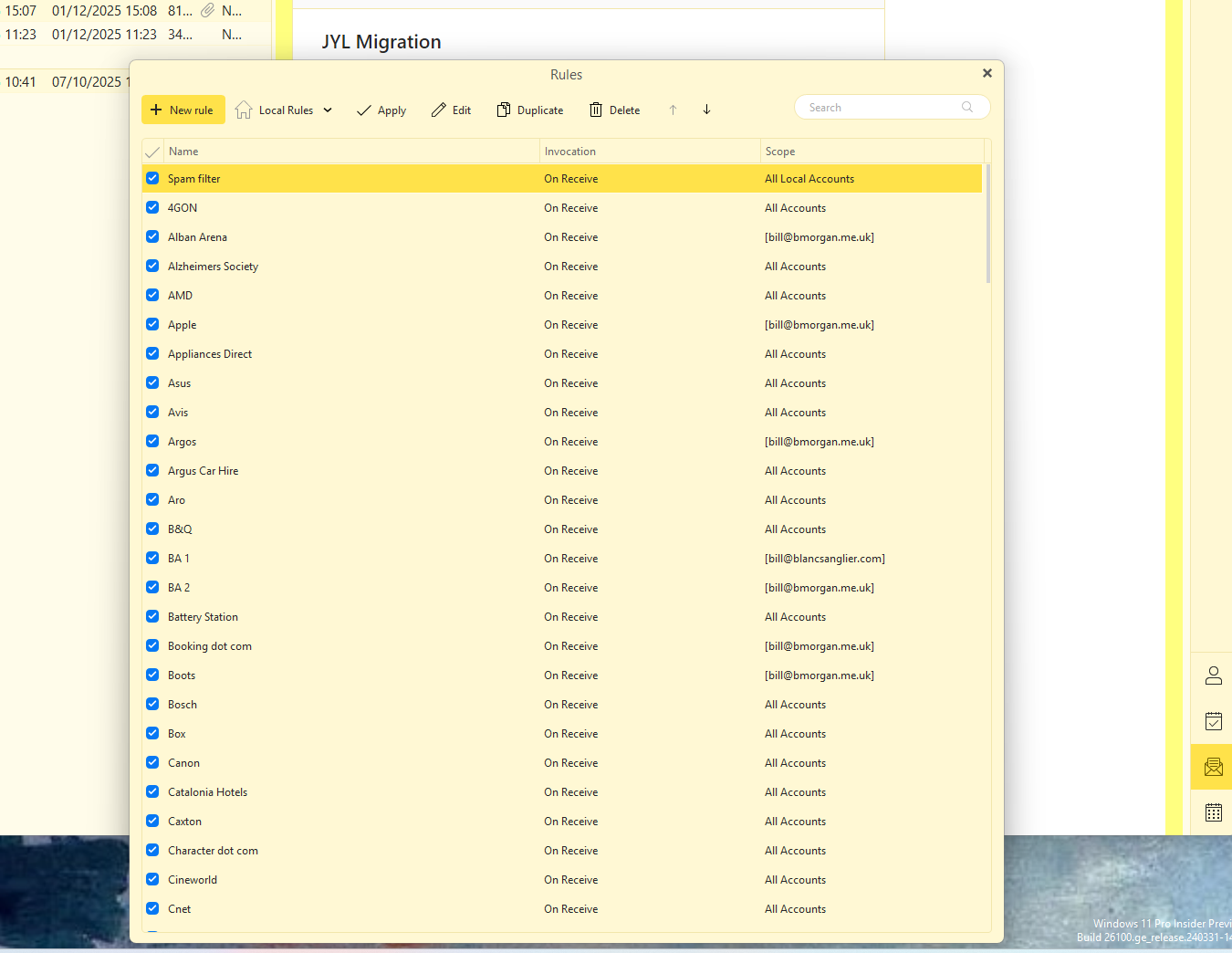
In detail, I did the upgrade to 10.4 which worked ok. Shortly after i noticed that a incoming mails were failing with an error - i can’t remember the specific wording. When i check the rules list every single rule had the last line as ‘move to folder’.
I have correct all the rules manually so a screenshot probably would help but i guess with the above it would be simple me to replicate.
FYI I am running Windows 11 Pro build 10.0. 26200.7271.
jic it’s relevant, i have >100 rules
Thank you for the description. It seems we now have repro. We‘ll fix it as soon as possible. Sorry for the inconvenience.
thnx and yes, s**t happens
If you can wait, please don’t rewrite the rules manually yet. It is a good chance we’ll be able to recover it, but I can’t guarantee that yet. We are looking into that.
I have to take it back. It seems we don’t have repro yet. That was a false positive. Can you tell us what account you are experiencing it on? Is it Exchange, IMAP, gMail? What provider is that? We’ve tested a lot of rules on various account types and we cannot reproduce at at last.
A screenshot from your rules would be beneficial too. If you don’t want to post it here, you can send it to [email protected].
Hi Michael, I have already corrected the rules before your kind offer - see post above. chrs bill
Hi Michael, Just spotted your prior post. It is an IMAP account that accesses Rackspace Email (secure.emailsrvr.com). bill
And is it a local rule or server rule? It has to be something specific to that provider, as we are not able to reproduce it.
all local rules
Hello,
Yes, I’m also having the problem that none of the rules are being executed…
I’ve already started a thread and sent an email to “[email protected]”
Please help
Thanks
Stefan
I want to help, the folders are not associated within the rules after the update. The field in the menu just says “folder”. Executing the rules manually gives a alphanumeric error. Reassigning makes the problem go away. On both macOS 26.1 and Windows 25H2.
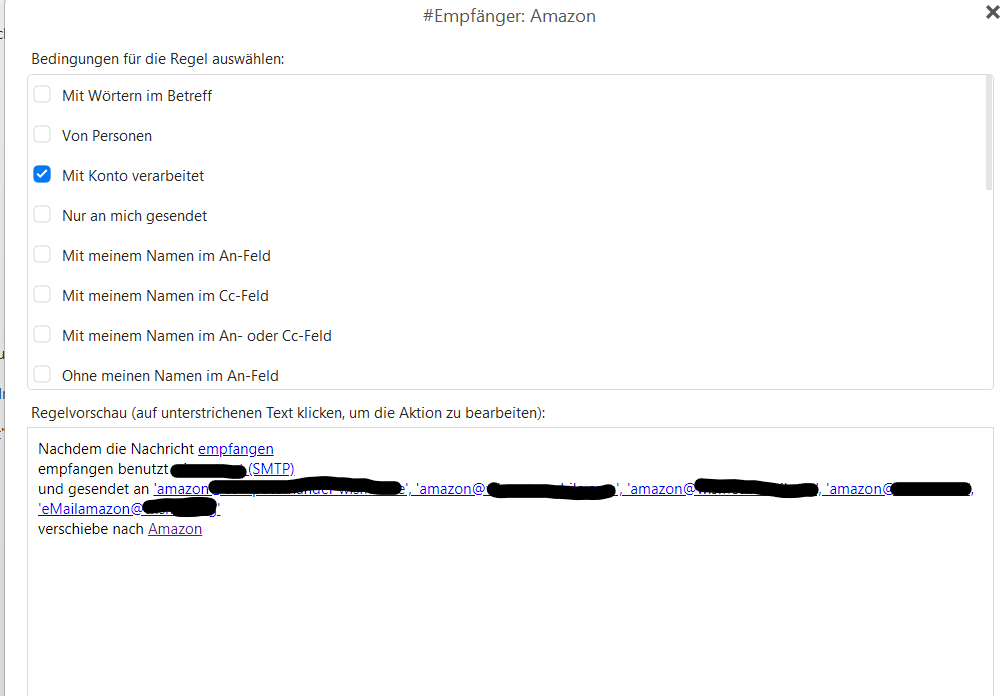
Everything seems to be set up correctly on my end, but the rule still isn’t working. I’ve already opened all the rules and re-selected the folders.
bei mir ist aber doch eigentlich alles richtig eingestellt, trotzdem funktioniert die regel nichgt, ich habe alle Regeln schon geöffent und die Ordner neu “angeklickt” (ausgewählt)
lunes 08 diciembre 2025 :: 1647hrs (UTC +0100)
Hey @Stefanw79
If you have not already done so, reboot eMC after the rule corrections,
though it should not be necessary.
Do you also have the latest version of eMC which is: 10.4.4151?
Available here if not.
https://www.emclient.com/dist/v10.4.4151/setup.msi
It is always better to make a backup BEFORE updating eMC.
Plus, shot down eMC to perform the update.
The only suggestion I can make is here: “und gesendet an” (and sent to)
When you enter the intended recipient address I suggest that you select
“Beginnt mit” (Starts with) - at the far right under
Genaue Ubereinstimr (Exact Natch)
you will then only need the single entry “Amazon”
skybat
¡Buena suerte!
¡Saludos desde Sevilla la soleada en España!
¡Mis mejores deseos y mantente a salvo!
Hablo español, luego portugués, inglés, francés y alemán
con conocimiento de varios otros idiomas.