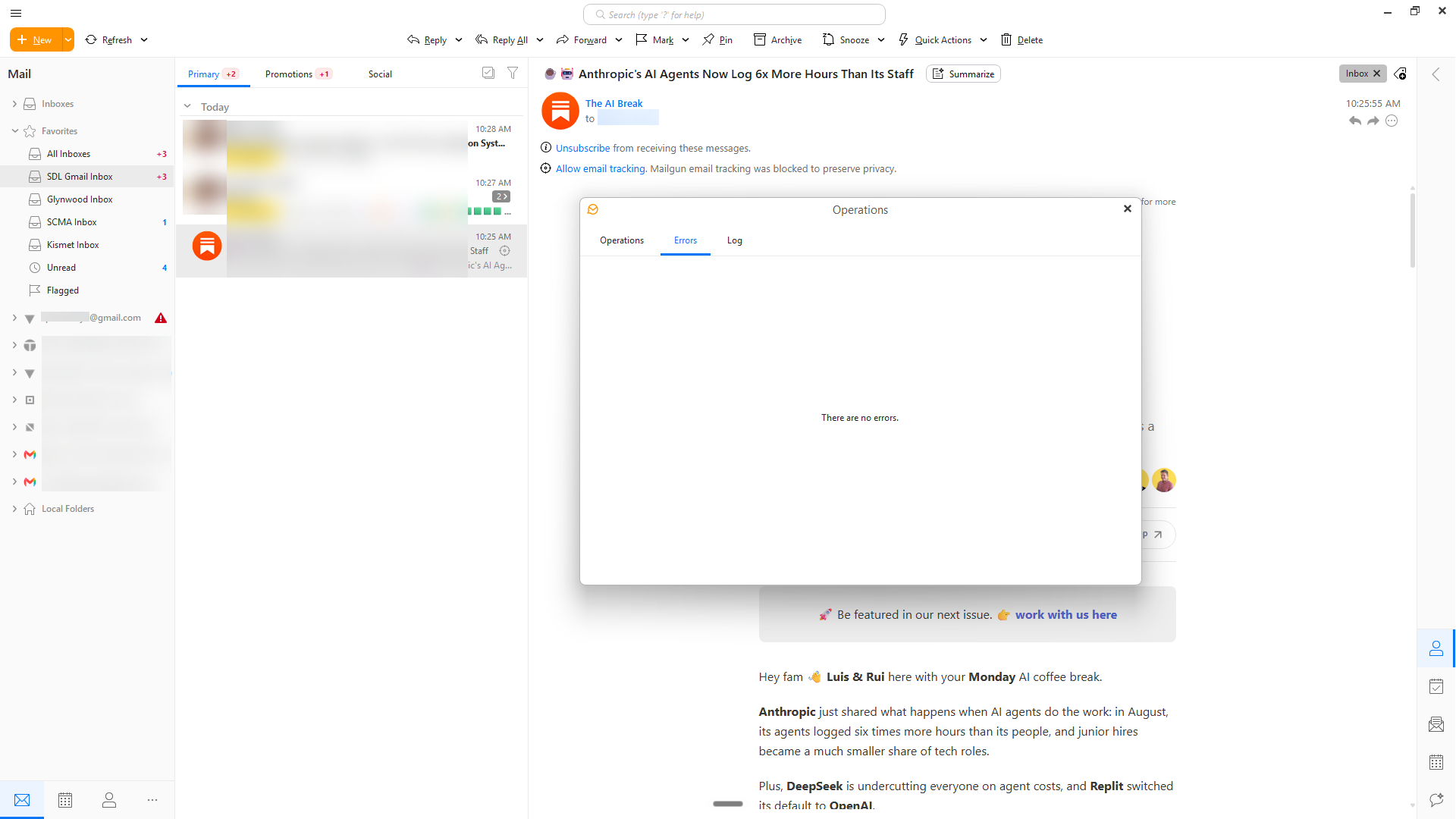
Hi folks. I know there are multiple other posts about the red triangle error, but I don’t see any that are exactly on point. They are all fairly old. This is a new installation of version 11, and my primary Gmail account continues to show this error. When I look at the operations error log, it does not show any errors. I should also note that emails appear to be coming in normally (although perhaps slowly). Any ideas? See screenshots below.
I think this may be because Gmail is throttling the account after the initial sync load.
Hi @AceG8tr
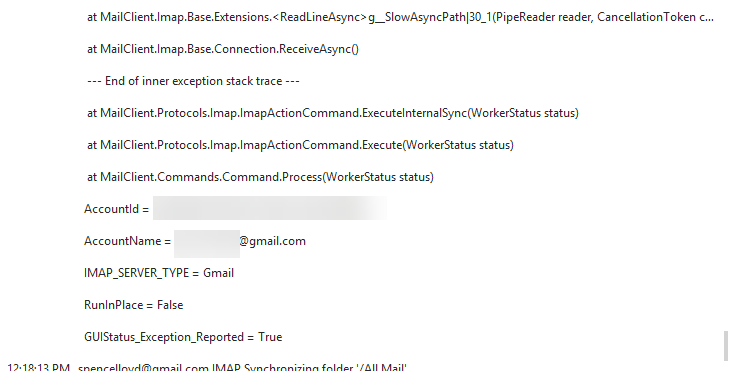
Can you perhaps copy a larger part of the log? You can, of course, remove your email address, but the screenshot of the log part you included is not showing the start of the error, which would answer that question..
5:03:57 AM [email protected] Microsoft Graph Synchronizing folder ‘/Distribution lists’
5:06:24 AM [email protected] [IMAP] MailClient.Accounts.ConnectionException: Synchronizing folder ‘[email protected]/All Mail’ failed due to the following error: Server did not respond in 00:01:00
—> System.TimeoutException: Server did not respond in 00:01:00
at MailClient.Imap.Base.Extensions.CopyToAsyncWithTimer(Stream source, PipeWriter writer, TimeoutTimer timer, IProgress1 bytesRead, Action1 loggingCallback, CancellationToken cancellationToken)
at MailClient.Imap.Base.TransportPipe.StartReading(Stream stream, CancellationToken token)
at System.IO.Pipelines.Pipe.GetReadAsyncResult()
at MailClient.Imap.Base.Extensions.g__SlowAsyncPath|30_1(PipeReader reader, CancellationToken cancellationToken)
at MailClient.Imap.Base.Connection.ReceiveAsync()
— End of inner exception stack trace —
at MailClient.Protocols.Imap.ImapActionCommand.ExecuteInternalSync(WorkerStatus status)
at MailClient.Protocols.Imap.ImapActionCommand.Execute(WorkerStatus status)
at MailClient.Commands.Command.Process(WorkerStatus status)
AccountId = c205ed83-300f-4061-b6d9-c2b0c418985a
AccountName = [email protected]
IMAP_SERVER_TYPE = Gmail
RunInPlace = False
GUIStatus_Exception_Reported = True
5:13:55 AM [email protected] IMAP Synchronizing folder ‘/All Mail’
5:13:55 AM [email protected] Google Contacts Synchronizing folder ‘/All Contacts’
5:13:55 AM [email protected] Google Contacts Synchronizing folder ‘/All Contacts’
5:13:55 AM [email protected] Google Settings Synchronizing tags
5:13:55 AM [email protected] Google Contacts Synchronizing folder ‘/All Contacts’
5:13:55 AM [email protected] Google Settings Synchronizing tags
5:13:55 AM [email protected] Google Calendar Synchronizing folder ‘/Calendar’
5:13:55 AM [email protected] Microsoft Graph Synchronizing folder list
5:13:55 AM [email protected] Microsoft Graph Synchronizing folder list
5:13:55 AM [email protected] Microsoft Graph Synchronizing folder list
5:13:55 AM [email protected] IMAP Synchronizing folder ‘/All Mail’
5:13:55 AM [email protected] IMAP Synchronizing folder ‘/All Mail’
5:13:55 AM [email protected] IMAP Synchronizing folder ‘/All Mail’
5:13:55 AM [email protected] Google Contacts Synchronizing folder ‘/Other Contacts’
5:13:55 AM [email protected] Google Contacts Synchronizing folder ‘/Other Contacts’
5:13:55 AM [email protected] Google Contacts Synchronizing folder ‘/Other Contacts’
5:13:55 AM [email protected] IMAP Synchronizing folder list
5:13:55 AM [email protected] IMAP Synchronizing folder list
5:13:55 AM [email protected] IMAP Synchronizing folder list
5:13:55 AM [email protected] Microsoft Graph Synchronizing folder ‘/Inbox’
5:13:55 AM [email protected] Microsoft Graph Synchronizing tags
5:13:56 AM [email protected] Microsoft Graph Synchronizing folder ‘/Inbox’
5:13:56 AM [email protected] Microsoft Graph Synchronizing folder ‘/Inbox’
5:13:56 AM [email protected] Microsoft Graph Synchronizing tags
5:13:56 AM [email protected] Microsoft Graph Synchronizing folder ‘/Inbox’
5:13:56 AM [email protected] Microsoft Graph Synchronizing folder ‘/Sent’
5:13:56 AM [email protected] Microsoft Graph Synchronizing folder ‘/Sent’
5:13:56 AM [email protected] Microsoft Graph Synchronizing folder ‘/Trash’
5:13:56 AM [email protected] Microsoft Graph Synchronizing folder ‘/Trash’
5:13:56 AM [email protected] Microsoft Graph Synchronizing folder ‘/Drafts’
5:13:56 AM [email protected] Microsoft Graph Synchronizing folder ‘/Drafts’
5:13:56 AM [email protected] Microsoft Graph Synchronizing folder ‘/Junk Email’
5:13:56 AM [email protected] Microsoft Graph Synchronizing folder ‘/Junk Email’
5:13:56 AM [email protected] Microsoft Graph Synchronizing folder ‘/Calendar’
5:13:56 AM [email protected] Microsoft Graph Synchronizing folder ‘/Calendar’
5:13:56 AM [email protected] Microsoft Graph Synchronizing folder ‘/Tasks’
5:13:56 AM [email protected] Microsoft Graph Synchronizing folder ‘/Inbox’
5:13:56 AM [email protected] Microsoft Graph Synchronizing tags
5:13:56 AM [email protected] Microsoft Graph Synchronizing folder ‘/Tasks’
5:13:56 AM [email protected] Microsoft Graph Synchronizing folder ‘/Inbox’
5:13:56 AM [email protected] Microsoft Graph Synchronizing folder ‘/Contacts’
5:13:56 AM [email protected] Microsoft Graph Synchronizing folder ‘/Sent’
5:13:56 AM [email protected] Microsoft Graph Synchronizing folder ‘/Archive’
5:13:56 AM [email protected] Microsoft Graph Synchronizing folder ‘/Contacts’
5:13:56 AM [email protected] Microsoft Graph Synchronizing folder ‘/Trash’
5:13:56 AM [email protected] Microsoft Graph Synchronizing folder ‘/Distribution lists’
5:13:56 AM [email protected] Microsoft Graph Synchronizing folder ‘/Archive’
5:13:56 AM [email protected] Microsoft Graph Synchronizing folder ‘/Drafts’
5:13:57 AM [email protected] Microsoft Graph Synchronizing folder ‘/Distribution lists’
5:13:57 AM [email protected] Microsoft Graph Synchronizing folder ‘/Junk Email’
5:13:57 AM [email protected] Microsoft Graph Synchronizing folder ‘/Calendar’
5:13:57 AM [email protected] Microsoft Graph Synchronizing folder ‘/Tasks’
5:13:57 AM [email protected] Microsoft Graph Synchronizing folder ‘/Contacts’
5:13:57 AM [email protected] Microsoft Graph Synchronizing folder ‘/Archive’
5:13:57 AM [email protected] Microsoft Graph Synchronizing folder ‘/Distribution lists’
5:16:41 AM [email protected] [IMAP] MailClient.Accounts.ConnectionException: Synchronizing folder ‘[email protected]/All Mail’ failed due to the following error: Server did not respond in 00:01:00
—> System.TimeoutException: Server did not respond in 00:01:00
at MailClient.Imap.Base.Extensions.CopyToAsyncWithTimer(Stream source, PipeWriter writer, TimeoutTimer timer, IProgress1 bytesRead, Action1 loggingCallback, CancellationToken cancellationToken)
at MailClient.Imap.Base.TransportPipe.StartReading(Stream stream, CancellationToken token)
at System.IO.Pipelines.Pipe.GetReadAsyncResult()
at MailClient.Imap.Base.Extensions.g__SlowAsyncPath|30_1(PipeReader reader, CancellationToken cancellationToken)
at MailClient.Imap.Base.Connection.ReceiveAsync()
— End of inner exception stack trace —
at MailClient.Protocols.Imap.ImapActionCommand.ExecuteInternalSync(WorkerStatus status)
at MailClient.Protocols.Imap.ImapActionCommand.Execute(WorkerStatus status)
at MailClient.Commands.Command.Process(WorkerStatus status)
AccountId = c205ed83-300f-4061-b6d9-c2b0c418985a
AccountName = [email protected]
IMAP_SERVER_TYPE = Gmail
RunInPlace = False
GUIStatus_Exception_Reported = True
5:23:55 AM [email protected] IMAP Synchronizing folder ‘/All Mail’
5:23:55 AM [email protected] Google Settings Synchronizing tags
5:23:55 AM [email protected] Google Settings Synchronizing tags
5:23:55 AM [email protected] Microsoft Graph Synchronizing folder list
5:23:55 AM [email protected] Microsoft Graph Synchronizing folder list
5:23:55 AM [email protected] Microsoft Graph Synchronizing folder list
5:23:55 AM [email protected] IMAP Synchronizing folder ‘/All Mail’
5:23:55 AM [email protected] IMAP Synchronizing folder ‘/All Mail’
5:23:55 AM [email protected] IMAP Synchronizing folder ‘/All Mail’
5:23:55 AM [email protected] IMAP Synchronizing folder list
5:23:55 AM [email protected] IMAP Synchronizing folder list
5:23:55 AM [email protected] IMAP Synchronizing folder list
5:23:55 AM [email protected] Microsoft Graph Synchronizing folder ‘/Inbox’
5:23:55 AM [email protected] Microsoft Graph Synchronizing tags
5:23:56 AM [email protected] Microsoft Graph Synchronizing folder ‘/Inbox’
5:23:56 AM [email protected] Microsoft Graph Synchronizing tags
5:23:56 AM [email protected] Microsoft Graph Synchronizing folder ‘/Inbox’
5:23:56 AM [email protected] Microsoft Graph Synchronizing folder ‘/Inbox’
5:23:56 AM [email protected] Microsoft Graph Synchronizing tags
5:23:56 AM [email protected] Microsoft Graph Synchronizing folder ‘/Inbox’
5:23:56 AM [email protected] Microsoft Graph Synchronizing folder ‘/Sent’
5:23:56 AM [email protected] Microsoft Graph Synchronizing folder ‘/Inbox’
5:23:56 AM [email protected] Microsoft Graph Synchronizing folder ‘/Sent’
5:23:56 AM [email protected] Microsoft Graph Synchronizing folder ‘/Trash’
5:23:56 AM [email protected] Microsoft Graph Synchronizing folder ‘/Sent’
5:23:56 AM [email protected] Microsoft Graph Synchronizing folder ‘/Trash’
5:23:56 AM [email protected] Microsoft Graph Synchronizing folder ‘/Drafts’
5:23:56 AM [email protected] Microsoft Graph Synchronizing folder ‘/Trash’
5:23:56 AM [email protected] Microsoft Graph Synchronizing folder ‘/Drafts’
5:23:56 AM [email protected] Microsoft Graph Synchronizing folder ‘/Junk Email’
5:23:56 AM [email protected] Microsoft Graph Synchronizing folder ‘/Drafts’
5:23:56 AM [email protected] Microsoft Graph Synchronizing folder ‘/Junk Email’
5:23:56 AM [email protected] Microsoft Graph Synchronizing folder ‘/Junk Email’
5:23:56 AM [email protected] Microsoft Graph Synchronizing folder ‘/Calendar’
5:23:56 AM [email protected] Microsoft Graph Synchronizing folder ‘/Calendar’
5:23:56 AM [email protected] Microsoft Graph Synchronizing folder ‘/Calendar’
5:23:56 AM [email protected] Microsoft Graph Synchronizing folder ‘/Tasks’
5:23:56 AM [email protected] Microsoft Graph Synchronizing folder ‘/Tasks’
5:23:56 AM [email protected] Microsoft Graph Synchronizing folder ‘/Tasks’
5:23:56 AM [email protected] Microsoft Graph Synchronizing folder ‘/Contacts’
5:23:56 AM [email protected] Microsoft Graph Synchronizing folder ‘/Contacts’
5:23:56 AM [email protected] Microsoft Graph Synchronizing folder ‘/Archive’
5:23:56 AM [email protected] Microsoft Graph Synchronizing folder ‘/Contacts’
5:23:56 AM [email protected] Microsoft Graph Synchronizing folder ‘/Archive’
5:23:56 AM [email protected] Microsoft Graph Synchronizing folder ‘/Distribution lists’
5:23:56 AM [email protected] Microsoft Graph Synchronizing folder ‘/Distribution lists’
5:23:57 AM [email protected] Microsoft Graph Synchronizing folder ‘/Archive’
5:23:57 AM [email protected] Microsoft Graph Synchronizing folder ‘/Distribution lists’
5:26:55 AM [email protected] [IMAP] MailClient.Accounts.ConnectionException: Synchronizing folder ‘[email protected]/All Mail’ failed due to the following error: Server did not respond in 00:01:00
—> System.TimeoutException: Server did not respond in 00:01:00
at MailClient.Imap.Base.Extensions.CopyToAsyncWithTimer(Stream source, PipeWriter writer, TimeoutTimer timer, IProgress1 bytesRead, Action1 loggingCallback, CancellationToken cancellationToken)
at MailClient.Imap.Base.TransportPipe.StartReading(Stream stream, CancellationToken token)
at System.IO.Pipelines.Pipe.GetReadAsyncResult()
at MailClient.Imap.Base.Extensions.g__SlowAsyncPath|30_1(PipeReader reader, CancellationToken cancellationToken)
at MailClient.Imap.Base.Connection.ReceiveAsync()
— End of inner exception stack trace —
at MailClient.Protocols.Imap.ImapActionCommand.ExecuteInternalSync(WorkerStatus status)
at MailClient.Protocols.Imap.ImapActionCommand.Execute(WorkerStatus status)
at MailClient.Commands.Command.Process(WorkerStatus status)
AccountId = c205ed83-300f-4061-b6d9-c2b0c418985a
AccountName = [email protected]
IMAP_SERVER_TYPE = Gmail
RunInPlace = False
GUIStatus_Exception_Reported = True
5:32:13 AM [email protected] Microsoft Graph Moving item(s) from folder ‘/Inbox’ to folder ‘/Archive’
5:32:16 AM [email protected] IMAP Uploading item(s) to folder ‘/All Mail’
5:32:18 AM [email protected] IMAP Synchronizing folder ‘/All Mail’
5:32:21 AM [email protected] IMAP Uploading item(s) to folder ‘/All Mail’
5:32:21 AM [email protected] IMAP Synchronizing folder ‘/All Mail’
5:32:32 AM [email protected] IMAP Uploading item(s) to folder ‘/All Mail’
5:32:32 AM [email protected] IMAP Synchronizing folder ‘/All Mail’
5:32:51 AM [email protected] Microsoft Graph Uploading item(s) to folder ‘/Inbox’
5:33:22 AM [email protected] Microsoft Graph Uploading item(s) to folder ‘/Inbox’
5:33:27 AM [email protected] Microsoft Graph Moving item(s) from folder ‘/Inbox’ to folder ‘/Archive’
5:33:35 AM [email protected] IMAP Uploading item(s) to folder ‘/All Mail’
5:33:41 AM [email protected] IMAP Synchronizing folder ‘/All Mail’
5:33:55 AM [email protected] Google Contacts Synchronizing folder ‘/All Contacts’
5:33:55 AM [email protected] Microsoft Graph Synchronizing folder list
5:33:55 AM [email protected] Microsoft Graph Synchronizing folder list
5:33:55 AM [email protected] Google Calendar Synchronizing folder ‘/Calendar’
5:33:55 AM [email protected] Microsoft Graph Synchronizing folder list
5:33:55 AM [email protected] IMAP Synchronizing folder ‘/All Mail’
5:33:55 AM [email protected] IMAP Synchronizing folder ‘/All Mail’
5:33:55 AM [email protected] IMAP Synchronizing folder ‘/All Mail’
5:33:55 AM [email protected] Google Settings Synchronizing tags
5:33:55 AM [email protected] Google Contacts Synchronizing folder ‘/All Contacts’
5:33:55 AM [email protected] Google Contacts Synchronizing folder ‘/All Contacts’
5:33:55 AM [email protected] Google Settings Synchronizing tags
5:33:55 AM [email protected] Google Contacts Synchronizing folder ‘/Other Contacts’
5:33:55 AM [email protected] IMAP Synchronizing folder list
5:33:55 AM [email protected] Google Contacts Synchronizing folder ‘/Other Contacts’
5:33:55 AM [email protected] Google Contacts Synchronizing folder ‘/Other Contacts’
5:33:55 AM [email protected] Microsoft Graph Synchronizing folder ‘/Inbox’
5:33:55 AM [email protected] Microsoft Graph Synchronizing tags
5:33:55 AM [email protected] IMAP Synchronizing folder list
5:33:55 AM [email protected] Microsoft Graph Synchronizing folder ‘/Inbox’
5:33:55 AM [email protected] Microsoft Graph Synchronizing tags
5:33:55 AM [email protected] Microsoft Graph Synchronizing folder ‘/Inbox’
5:33:56 AM [email protected] Microsoft Graph Synchronizing folder ‘/Inbox’
5:33:56 AM [email protected] Microsoft Graph Synchronizing tags
5:33:56 AM [email protected] Microsoft Graph Synchronizing folder ‘/Inbox’
5:33:56 AM [email protected] IMAP Synchronizing folder list
5:33:56 AM [email protected] Microsoft Graph Synchronizing folder ‘/Sent’
5:33:56 AM [email protected] Microsoft Graph Synchronizing folder ‘/Inbox’
5:33:56 AM [email protected] Microsoft Graph Synchronizing folder ‘/Sent’
5:33:56 AM [email protected] Microsoft Graph Synchronizing folder ‘/Trash’
5:33:56 AM [email protected] Microsoft Graph Synchronizing folder ‘/Sent’
5:33:56 AM [email protected] Microsoft Graph Synchronizing folder ‘/Drafts’
5:33:56 AM [email protected] Microsoft Graph Synchronizing folder ‘/Trash’
5:33:56 AM [email protected] Microsoft Graph Synchronizing folder ‘/Trash’
5:33:56 AM [email protected] Microsoft Graph Synchronizing folder ‘/Drafts’
5:33:56 AM [email protected] Microsoft Graph Synchronizing folder ‘/Junk Email’
5:33:56 AM [email protected] Microsoft Graph Synchronizing folder ‘/Drafts’
5:33:56 AM [email protected] Microsoft Graph Synchronizing folder ‘/Junk Email’
5:33:56 AM [email protected] Microsoft Graph Synchronizing folder ‘/Calendar’
5:33:56 AM [email protected] Microsoft Graph Synchronizing folder ‘/Junk Email’
5:33:56 AM [email protected] Microsoft Graph Synchronizing folder ‘/Calendar’
5:33:56 AM [email protected] Microsoft Graph Synchronizing folder ‘/Calendar’
5:33:56 AM [email protected] Microsoft Graph Synchronizing folder ‘/Tasks’
5:33:56 AM [email protected] Microsoft Graph Synchronizing folder ‘/Tasks’
5:33:56 AM [email protected] Microsoft Graph Synchronizing folder ‘/Contacts’
5:33:56 AM [email protected] Microsoft Graph Synchronizing folder ‘/Tasks’
5:33:56 AM [email protected] Microsoft Graph Synchronizing folder ‘/Contacts’
5:33:56 AM [email protected] Microsoft Graph Synchronizing folder ‘/Contacts’
5:33:56 AM [email protected] Microsoft Graph Synchronizing folder ‘/Archive’
5:33:56 AM [email protected] Microsoft Graph Synchronizing folder ‘/Archive’
5:33:56 AM [email protected] Microsoft Graph Synchronizing folder ‘/Archive’
5:33:56 AM [email protected] Microsoft Graph Synchronizing folder ‘/Distribution lists’
5:33:57 AM [email protected] Microsoft Graph Synchronizing folder ‘/Distribution lists’
5:33:57 AM [email protected] Microsoft Graph Synchronizing folder ‘/Distribution lists’
5:35:23 AM [email protected] Google Contacts Synchronizing folder ‘/All Contacts’
5:35:28 AM [email protected] IMAP Uploading item(s) to folder ‘/All Mail’
5:35:41 AM [email protected] IMAP Uploading item(s) to folder ‘/All Mail’
5:36:13 AM [email protected] [IMAP] MailClient.Accounts.ConnectionException: Synchronizing folder ‘[email protected]/All Mail’ failed due to the following error: Server did not respond in 00:01:00
—> System.TimeoutException: Server did not respond in 00:01:00
at MailClient.Imap.Base.Extensions.CopyToAsyncWithTimer(Stream source, PipeWriter writer, TimeoutTimer timer, IProgress1 bytesRead, Action1 loggingCallback, CancellationToken cancellationToken)
at MailClient.Imap.Base.TransportPipe.StartReading(Stream stream, CancellationToken token)
at System.IO.Pipelines.Pipe.GetReadAsyncResult()
at MailClient.Imap.Base.Extensions.g__SlowAsyncPath|30_1(PipeReader reader, CancellationToken cancellationToken)
at MailClient.Imap.Base.Connection.ReceiveAsync()
— End of inner exception stack trace —
at MailClient.Protocols.Imap.ImapActionCommand.ExecuteInternalSync(WorkerStatus status)
at MailClient.Protocols.Imap.ImapActionCommand.Execute(WorkerStatus status)
at MailClient.Commands.Command.Process(WorkerStatus status)
AccountId = c205ed83-300f-4061-b6d9-c2b0c418985a
AccountName = [email protected]
IMAP_SERVER_TYPE = Gmail
RunInPlace = False
GUIStatus_Exception_Reported = True
5:38:38 AM [email protected] IMAP Uploading item(s) to folder ‘/All Mail’
5:38:40 AM [email protected] IMAP Synchronizing folder ‘/All Mail’
5:38:40 AM [email protected] Microsoft Graph Moving item(s) from folder ‘/Inbox’ to folder ‘/Archive’
5:38:41 AM [email protected] Microsoft Graph Uploading item(s) to folder ‘/Inbox’
5:38:42 AM [email protected] Microsoft Graph Moving item(s) from folder ‘/Inbox’ to folder ‘/Archive’
5:38:43 AM [email protected] IMAP Uploading item(s) to folder ‘/All Mail’
5:38:43 AM [email protected] IMAP Synchronizing folder ‘/All Mail’
5:38:45 AM [email protected] IMAP Uploading item(s) to folder ‘/All Mail’
5:38:45 AM [email protected] IMAP Synchronizing folder ‘/All Mail’
5:38:46 AM [email protected] IMAP Uploading item(s) to folder ‘/All Mail’
5:38:46 AM [email protected] IMAP Synchronizing folder ‘/All Mail’
5:38:46 AM [email protected] IMAP Uploading item(s) to folder ‘/All Mail’
5:38:47 AM [email protected] IMAP Synchronizing folder ‘/All Mail’
5:38:48 AM [email protected] IMAP Uploading item(s) to folder ‘/All Mail’
5:38:48 AM [email protected] IMAP Synchronizing folder ‘/All Mail’
5:39:05 AM [email protected] Google Contacts Synchronizing folder ‘/All Contacts’
5:40:00 AM [email protected] IMAP Uploading item(s) to folder ‘/All Mail’
5:40:04 AM [email protected] IMAP Synchronizing folder ‘/All Mail’
5:42:54 AM [email protected] [IMAP] MailClient.Accounts.ConnectionException: Synchronizing folder ‘[email protected]/All Mail’ failed due to the following error: Server did not respond in 00:01:00
—> System.TimeoutException: Server did not respond in 00:01:00
at MailClient.Imap.Base.Extensions.CopyToAsyncWithTimer(Stream source, PipeWriter writer, TimeoutTimer timer, IProgress1 bytesRead, Action1 loggingCallback, CancellationToken cancellationToken)
at MailClient.Imap.Base.TransportPipe.StartReading(Stream stream, CancellationToken token)
at System.IO.Pipelines.Pipe.GetReadAsyncResult()
at MailClient.Imap.Base.Extensions.g__SlowAsyncPath|30_1(PipeReader reader, CancellationToken cancellationToken)
at MailClient.Imap.Base.Connection.ReceiveAsync()
— End of inner exception stack trace —
at MailClient.Protocols.Imap.ImapActionCommand.ExecuteInternalSync(WorkerStatus status)
at MailClient.Protocols.Imap.ImapActionCommand.Execute(WorkerStatus status)
at MailClient.Commands.Command.Process(WorkerStatus status)
AccountId = c205ed83-300f-4061-b6d9-c2b0c418985a
AccountName = [email protected]
IMAP_SERVER_TYPE = Gmail
RunInPlace = False
GUIStatus_Exception_Reported = True
5:43:55 AM [email protected] IMAP Synchronizing folder ‘/All Mail’
5:43:55 AM [email protected] Google Settings Synchronizing tags
5:43:55 AM [email protected] Microsoft Graph Synchronizing folder list
5:43:55 AM [email protected] Google Settings Synchronizing tags
5:43:55 AM [email protected] Microsoft Graph Synchronizing folder list
5:43:55 AM [email protected] Microsoft Graph Synchronizing folder list
5:43:55 AM [email protected] IMAP Synchronizing folder ‘/All Mail’
5:43:55 AM [email protected] IMAP Synchronizing folder ‘/All Mail’
5:43:55 AM [email protected] IMAP Synchronizing folder ‘/All Mail’
5:43:55 AM [email protected] IMAP Synchronizing folder list
5:43:56 AM [email protected] IMAP Synchronizing folder list
5:43:56 AM [email protected] IMAP Synchronizing folder list
5:43:56 AM [email protected] Microsoft Graph Synchronizing folder ‘/Inbox’
5:43:56 AM [email protected] Microsoft Graph Synchronizing tags
5:43:56 AM [email protected] Microsoft Graph Synchronizing folder ‘/Inbox’
5:43:56 AM [email protected] Microsoft Graph Synchronizing tags
5:43:56 AM [email protected] Microsoft Graph Synchronizing folder ‘/Inbox’
5:43:56 AM [email protected] Microsoft Graph Synchronizing folder ‘/Inbox’
5:43:56 AM [email protected] Microsoft Graph Synchronizing folder ‘/Inbox’
5:43:56 AM [email protected] Microsoft Graph Synchronizing tags
5:43:56 AM [email protected] Microsoft Graph Synchronizing folder ‘/Sent’
5:43:56 AM [email protected] Microsoft Graph Synchronizing folder ‘/Inbox’
5:43:56 AM [email protected] Microsoft Graph Synchronizing folder ‘/Sent’
5:43:56 AM [email protected] Microsoft Graph Synchronizing folder ‘/Trash’
5:43:56 AM [email protected] Microsoft Graph Synchronizing folder ‘/Sent’
5:43:56 AM [email protected] Microsoft Graph Synchronizing folder ‘/Trash’
5:43:56 AM [email protected] Microsoft Graph Synchronizing folder ‘/Drafts’
5:43:56 AM [email protected] Microsoft Graph Synchronizing folder ‘/Trash’
5:43:56 AM [email protected] Microsoft Graph Synchronizing folder ‘/Drafts’
5:43:56 AM [email protected] Microsoft Graph Synchronizing folder ‘/Junk Email’
5:43:56 AM [email protected] Microsoft Graph Synchronizing folder ‘/Drafts’
5:43:56 AM [email protected] Microsoft Graph Synchronizing folder ‘/Junk Email’
5:43:57 AM [email protected] Microsoft Graph Synchronizing folder ‘/Junk Email’
5:43:57 AM [email protected] Microsoft Graph Synchronizing folder ‘/Calendar’
5:43:57 AM [email protected] Microsoft Graph Synchronizing folder ‘/Calendar’
5:43:57 AM [email protected] Microsoft Graph Synchronizing folder ‘/Tasks’
5:43:57 AM [email protected] Microsoft Graph Synchronizing folder ‘/Calendar’
5:43:57 AM [email protected] Microsoft Graph Synchronizing folder ‘/Tasks’
5:43:57 AM [email protected] Microsoft Graph Synchronizing folder ‘/Tasks’
5:43:57 AM [email protected] Microsoft Graph Synchronizing folder ‘/Contacts’
5:43:57 AM [email protected] Microsoft Graph Synchronizing folder ‘/Contacts’
5:43:57 AM [email protected] Microsoft Graph Synchronizing folder ‘/Archive’
5:43:57 AM [email protected] Microsoft Graph Synchronizing folder ‘/Archive’
5:43:57 AM [email protected] Microsoft Graph Synchronizing folder ‘/Distribution lists’
5:43:58 AM [email protected] Microsoft Graph Synchronizing folder ‘/Distribution lists’
5:43:58 AM [email protected] Microsoft Graph Synchronizing folder ‘/Contacts’
5:43:58 AM [email protected] Microsoft Graph Synchronizing folder ‘/Archive’
5:44:01 AM [email protected] Microsoft Graph Synchronizing folder ‘/Distribution lists’
5:46:32 AM [email protected] [IMAP] MailClient.Accounts.ConnectionException: Synchronizing folder ‘[email protected]/All Mail’ failed due to the following error: Server did not respond in 00:01:00
—> System.TimeoutException: Server did not respond in 00:01:00
at MailClient.Imap.Base.Extensions.CopyToAsyncWithTimer(Stream source, PipeWriter writer, TimeoutTimer timer, IProgress1 bytesRead, Action1 loggingCallback, CancellationToken cancellationToken)
at MailClient.Imap.Base.TransportPipe.StartReading(Stream stream, CancellationToken token)
at System.IO.Pipelines.Pipe.GetReadAsyncResult()
at MailClient.Imap.Base.Extensions.g__SlowAsyncPath|30_1(PipeReader reader, CancellationToken cancellationToken)
at MailClient.Imap.Base.Connection.ReceiveAsync()
— End of inner exception stack trace —
at MailClient.Protocols.Imap.ImapActionCommand.ExecuteInternalSync(WorkerStatus status)
at MailClient.Protocols.Imap.ImapActionCommand.Execute(WorkerStatus status)
at MailClient.Commands.Command.Process(WorkerStatus status)
AccountId = c205ed83-300f-4061-b6d9-c2b0c418985a
AccountName = [email protected]
IMAP_SERVER_TYPE = Gmail
RunInPlace = False
GUIStatus_Exception_Reported = True
5:53:55 AM [email protected] IMAP Synchronizing folder ‘/All Mail’
5:53:55 AM [email protected] Google Contacts Synchronizing folder ‘/Other Contacts’
5:53:55 AM [email protected] Microsoft Graph Synchronizing folder list
5:53:55 AM [email protected] Microsoft Graph Synchronizing folder list
5:53:55 AM [email protected] Google Settings Synchronizing tags
5:53:55 AM [email protected] Microsoft Graph Synchronizing folder list
5:53:55 AM [email protected] Google Settings Synchronizing tags
5:53:55 AM [email protected] Google Contacts Synchronizing folder ‘/All Contacts’
5:53:55 AM [email protected] Google Contacts Synchronizing folder ‘/All Contacts’
5:53:55 AM [email protected] Google Calendar Synchronizing folder ‘/Calendar’
5:53:55 AM [email protected] IMAP Synchronizing folder ‘/All Mail’
5:53:55 AM [email protected] IMAP Synchronizing folder ‘/All Mail’
5:53:55 AM [email protected] IMAP Synchronizing folder ‘/All Mail’
5:53:55 AM [email protected] Google Contacts Synchronizing folder ‘/Other Contacts’
5:53:55 AM [email protected] Google Contacts Synchronizing folder ‘/Other Contacts’
5:53:55 AM [email protected] IMAP Synchronizing folder list
5:53:56 AM [email protected] IMAP Synchronizing folder list
5:53:56 AM [email protected] Microsoft Graph Synchronizing folder ‘/Inbox’
5:53:56 AM [email protected] Microsoft Graph Synchronizing tags
5:53:56 AM [email protected] Microsoft Graph Synchronizing folder ‘/Inbox’
5:53:56 AM [email protected] Microsoft Graph Synchronizing folder ‘/Inbox’
5:53:56 AM [email protected] Microsoft Graph Synchronizing tags
5:53:56 AM [email protected] Microsoft Graph Synchronizing folder ‘/Sent’
5:53:56 AM [email protected] Microsoft Graph Synchronizing folder ‘/Inbox’
5:53:56 AM [email protected] Microsoft Graph Synchronizing folder ‘/Sent’
5:53:56 AM [email protected] Microsoft Graph Synchronizing folder ‘/Trash’
5:53:56 AM [email protected] Microsoft Graph Synchronizing folder ‘/Inbox’
5:53:56 AM [email protected] Microsoft Graph Synchronizing tags
5:53:56 AM [email protected] Microsoft Graph Synchronizing folder ‘/Trash’
5:53:56 AM [email protected] Microsoft Graph Synchronizing folder ‘/Drafts’
5:53:56 AM [email protected] Microsoft Graph Synchronizing folder ‘/Inbox’
5:53:56 AM [email protected] Microsoft Graph Synchronizing folder ‘/Drafts’
5:53:56 AM [email protected] Microsoft Graph Synchronizing folder ‘/Junk Email’
5:53:57 AM [email protected] Microsoft Graph Synchronizing folder ‘/Sent’
5:53:57 AM [email protected] Microsoft Graph Synchronizing folder ‘/Junk Email’
5:53:57 AM [email protected] Microsoft Graph Synchronizing folder ‘/Calendar’
5:53:57 AM [email protected] Microsoft Graph Synchronizing folder ‘/Calendar’
5:53:57 AM [email protected] Microsoft Graph Synchronizing folder ‘/Trash’
5:53:57 AM [email protected] Microsoft Graph Synchronizing folder ‘/Tasks’
5:53:57 AM [email protected] Microsoft Graph Synchronizing folder ‘/Drafts’
5:53:57 AM [email protected] Microsoft Graph Synchronizing folder ‘/Tasks’
5:53:57 AM [email protected] Microsoft Graph Synchronizing folder ‘/Contacts’
5:53:57 AM [email protected] Microsoft Graph Synchronizing folder ‘/Junk Email’
5:53:57 AM [email protected] Microsoft Graph Synchronizing folder ‘/Contacts’
5:53:57 AM [email protected] Microsoft Graph Synchronizing folder ‘/Calendar’
5:53:57 AM [email protected] Microsoft Graph Synchronizing folder ‘/Archive’
5:53:57 AM [email protected] Microsoft Graph Synchronizing folder ‘/Archive’
5:53:57 AM [email protected] Microsoft Graph Synchronizing folder ‘/Distribution lists’
5:53:57 AM [email protected] Microsoft Graph Synchronizing folder ‘/Tasks’
5:53:57 AM [email protected] Microsoft Graph Synchronizing folder ‘/Distribution lists’
5:53:57 AM [email protected] Microsoft Graph Synchronizing folder ‘/Contacts’
5:53:57 AM [email protected] Microsoft Graph Synchronizing folder ‘/Archive’
5:53:57 AM [email protected] Microsoft Graph Synchronizing folder ‘/Distribution lists’
5:54:02 AM [email protected] IMAP Synchronizing folder list
5:55:18 AM [email protected] IMAP Uploading item(s) to folder ‘/All Mail’
5:55:20 AM [email protected] IMAP Synchronizing folder ‘/All Mail’
5:56:47 AM [email protected] IMAP Uploading item(s) to folder ‘/All Mail’
5:56:50 AM [email protected] IMAP Synchronizing folder ‘/All Mail’
You appear to be getting alot of timeouts which can sometimes be caused by eg: optionally installed Firewall / Security programs, or optionally installed Antivirus program, or Proxy, or VPN inspecting traffic and delaying socket responses.
So if youi have anything like that installed other than whatever comes default with your OS, try completely disabling those to test incase of interferance.
There is a new V11.0.1267 just updated on the release history page for Pc & Mac you can try as well.
Note:- Before installing update, “delete any previous app installers” and also make a backup of eM Client via “Menu / Backup” before updating incase you need to restore for any reason. Also close eM before updating.
Thanks for the response. I have other Gmail accounts that are updating without this error, so I’m now thinking this likely relates to Gmail throttling triggered by the initial download of my (huge) mailbox. I’m going to wait a few days and see if the error goes away. Email seems to be downloading OK, the red triangle is just irritating. 