Hi,
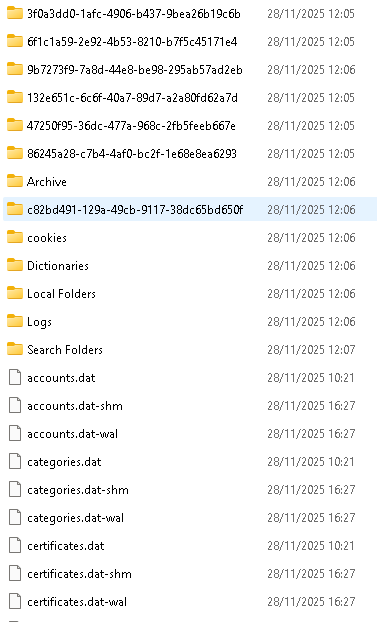
I reset today my W11 PC and saved all my data previously on an external SSD but it seems that I did something wrong when saving my Emclient Data!
I have installed Emclient sucessfully, pointed the Data Location to my custom Data Folder, closed Emclient, copied my data to this folder but nothing is showing up in Emclient, even after restarting the PC and trying other solutions.
I rember to do it this way in the past, maybe something has changed, any advise would be highly appreciated :).
Michael
UPDATE:
It seems that not all Data was saved previously on an external SSD as expected, not sure why!
I managed however to restore all Data from our daily backups and Emclient is working fine again.
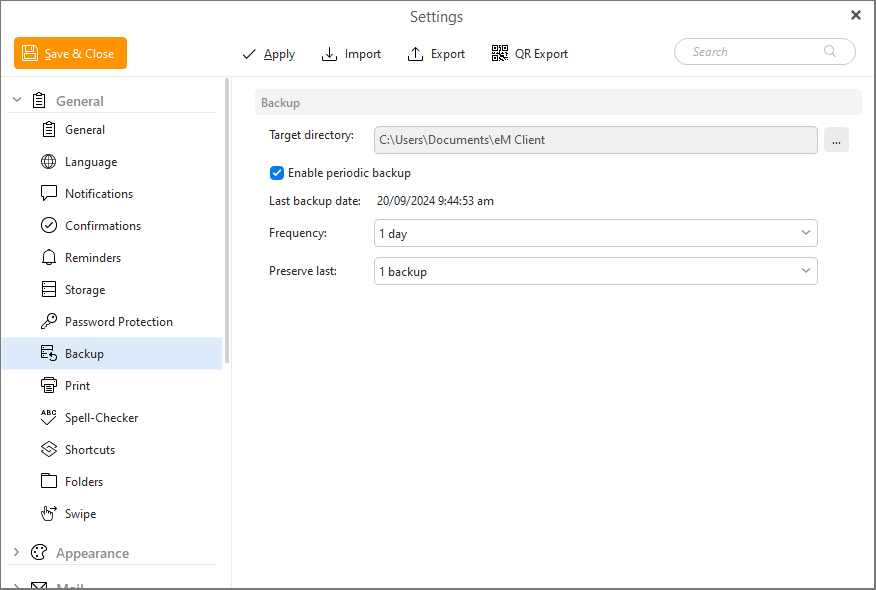
You could in future alternativily use the “automatic periodic backup” .zip files if you haven’t tried that already to keep eg: the last 3 dated backups via “Menu / Settings (Preferences) / General / Backup” and then copy those regularly to another drive for backup purposes.
Easier than having to backup the entire hidden database folder and you also then have multiple copies in case something goes wrong to the database.
“Backup online documentation”
https://www.emclient.com/webdocumentation/en/10.0/emclient/Default.htm#Settings/Backup.htm