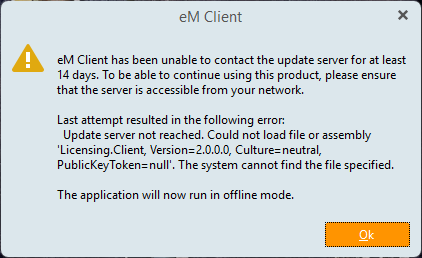
Can you please advise steps to take to resolve this issue? I’m not finding anything obvious in the settings menu and I haven’t changed any of my OS settings recently. My e-mail does not send/receive in Offline mode, obviously.
Thanks in advance for your time and assistance!
Susan M.
“eM Client needs to periodically contact the license server to validate your license. If you have a firewall or VPN that is blocking the connection, then eM Client will eventually be disabled”.
“Can you see if these links open in your web browser”:
“If they don’t open you will need to configure those VPN or firewall applications to allow access to those addresses, then restart eM Client”.
“If you can reach those web pages, but the license server still cannot be reached, then it may be that some apps turned off specific services that are required”.
“Click on the Windows Start button and type Services Open the Services option from the results”.
“Check that both Cryptographic services and CNG Key Isolation are running. If they aren’t, start them”.